

MonoWeather - Weather Info
KI-YONG LEE Weather iPhoneiPadiPod touch
MonoWeather - Weather Info is a free Weather app for iPhone and iPad by KI-YONG LEE. Requires iOS 16.4. Updated September 12, 2026.
- Price
- Free
- on the App Store
- Size
- 48 MB
- Age 4+
- Updated
- Sep 12
- 2026 · v3.0.1
Screenshots
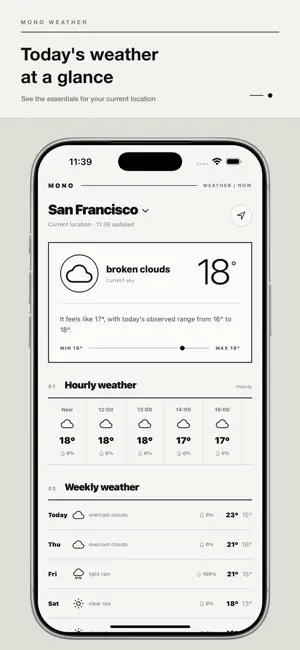


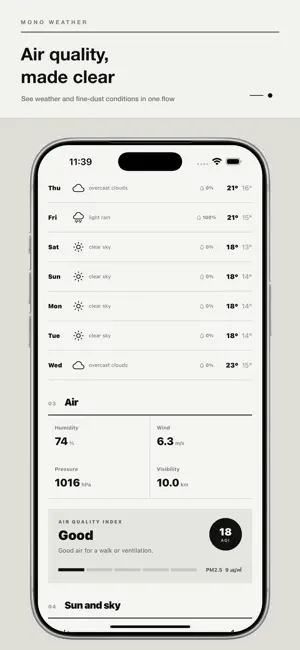
About MonoWeather - Weather Info
MonoWeather has been redesigned with a cleaner, simpler, and more intuitive experience. Unnecessary visual elements have been removed so you can quickly see the weather and air-quality information that matters. Check conditions at your current location or save multiple places you frequently visit. [Key Features] • Weather for Your Current Location Use GPS to check the current temperature and weather conditions around you. If location permission is unavailable, you can still use the app with locations you add manually. • Detailed Weather Information View the current and feels-like temperatures, daily high and low, humidity, wind speed, atmospheric pressure, visibility, precipitation probability, cloud cover, and more. • Hourly and Daily Forecasts Follow upcoming temperature changes and weather conditions through a clean, easy-to-read forecast. • Air Quality and Fine Dust See local air quality and fine-dust information presented on a clear five-level scale. Understand current air conditions without having to interpret complicated measurements. • Sunrise and Sunset Check today’s sunrise and sunset times along with current sky conditions. • Manage Multiple Locations Search by country, city, district, or neighborhood to add locations. Quickly switch between saved places or remove locations you no longer need. • Detailed Korean Location Names For locations in South Korea, MonoWeather can display more detailed district and neighborhood information to help you identify your current area more accurately. • Home Screen Widgets Check weather and air-quality information directly from your Home Screen without opening the app. Widgets are available after purchasing Remove Ads. • Remove Ads Permanently A single in-app purchase permanently removes banner ads and unlocks widget access. This is a one-time purchase, not an auto-renewing subscription. With its bright monochrome design and focused information hierarchy, MonoWeather makes checking the weather faster and more comfortable. Conditions may differ from actual observations depending on location, monitoring stations, and data availability. Please consult official weather services when planning safety-critical activities.
What’s new
Version 3.0.1 · Updated September 12, 2026
- Improved the weather loading experience when launching the app. - Added a clean skeleton screen while weather data is loading. - Improved overall app stability and usability.
App privacy
The developer, KI-YONG LEE, reported these privacy practices to Apple.
Data Not Collected
The developer does not collect any data from this app.
Alternatives to MonoWeather - Weather Info
Looking for apps like MonoWeather - Weather Info? Here are 6 similar apps on the App Store. The highest rated is Weather - Simple Weather (5.0/5), and all 6 are free to download.
-
 날씨창고
-
 우리나라 날씨 어때
-
 SkyMood: Daily Weather
-
 Weather - Simple Weather
5.0
-
 Norweather -Accurate Forecasts
-
 Weather Lite: Minimalist
5.0
| App | Rating | Price | Last updated | Compare |
|---|---|---|---|---|
| MonoWeather - Weather Info | – | Free | September 12, 2026 | |
| 날씨창고 | – | Free | Jun 14, 2026 | Compare |
| 우리나라 날씨 어때 | – | Free | Dec 20, 2023 | Compare |
| SkyMood: Daily Weather | – | Free | Feb 9, 2026 | Compare |
| Weather - Simple Weather | 5.0 / 5 (1) | Free | Mar 16, 2026 | Compare |
| Norweather -Accurate Forecasts | – | Free | Aug 8, 2026 | Compare |
| Weather Lite: Minimalist | 5.0 / 5 (1) | Free | Mar 7, 2025 | Compare |