

Image Compare+
Reiji Kobayashi Photo & Video iPhoneiPadiPod touch
Image Compare+ is a paid Photo & Video app for iPhone and iPad by Reiji Kobayashi. Rated 4.2/5 from 5 ratings. Requires iOS 15.0. Updated October 24, 2026.
- Rating
- 4.2
- 5 ratings
- Price
- 2.99 USD
- on the App Store
- Size
- 6 MB
- Age 4+
- Updated
- Oct 24
- 2026 · v1.5.7
Screenshots

About Image Compare+
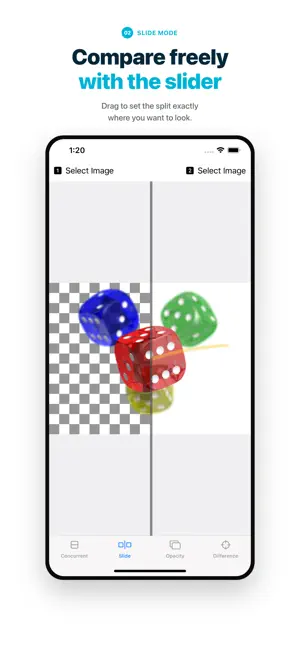
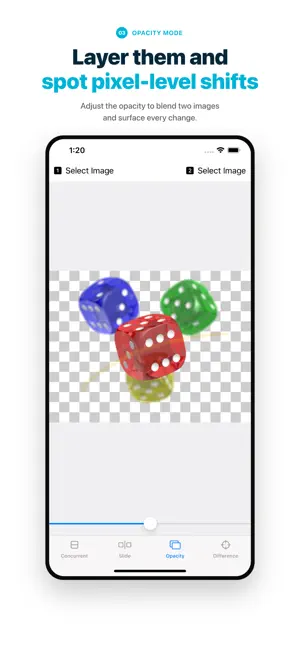
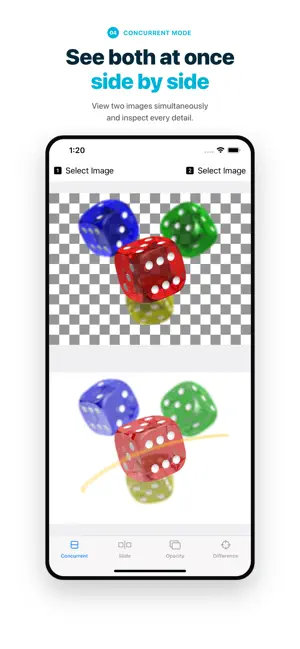
Compare two photos, instantly. Image Compare+ is an iOS app that puts two images side by side, under a slider, as an overlay, or as a pixel difference, so you can see exactly what changed. From photo edits and DIY projects to plant growth records and screenshot checks, spot the difference in seconds. # Four Comparison Modes ▼ Side by Side View both images at once. Perfect for before/after and progress photos. ▼ Slider Drag a slider across one image to reveal the other underneath. Smoothly check before/after photo edits. ▼ Opacity Overlay two images and adjust transparency. Great for spotting alignment shifts and subtle changes. ▼ Difference Subtract one image from the other to highlight only what's changed. Reveals details invisible to the naked eye. * You can save the difference image to your Photos. # Position Adjustment — Line Up Your Images When two photos were not taken from exactly the same spot, use Position Adjustment mode to align them before comparing. ・Drag to move one image over the other. ・Pinch to scale it. ・NEW: Rotate with two fingers to fix a tilted shot. Once aligned, the slider, opacity, and difference views show real changes instead of camera offset. # Features ・Pinch to zoom in Slider, Opacity, and Difference modes for detailed inspection. ・Two processing options for Difference mode: - Express: Resizes to screen width before processing (fast). - Original: Processes at full resolution (high accuracy, takes longer. Both images must be the same size). ・Export the difference image to Photos or share it directly. # Common Uses ・How to compare two photos on iPhone: pick two images from your library and switch between modes. ・Check a before/after photo edit or retouch. ・Find the difference between two screenshots or design mockups. ・Track progress: DIY, renovation, fitness, plants, cleaning, and more. ・Verify that two images are identical or detect subtle changes. # Privacy First ・Works completely offline. Your images never leave your device. ・Photo library access is only used when selecting images to compare.
Ratings & reviews
4.2
5 ratings
What’s new
Version 1.5.7 · Updated October 24, 2026
Optimized for iPhone Duo. Side by Side view now automatically picks the layout that shows your images largest, so tall screenshots appear side by side.
App privacy
The developer, Reiji Kobayashi, reported these privacy practices to Apple.
Data Not Collected
The developer does not collect any data from this app.