
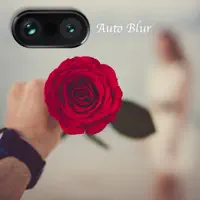
Auto Blur Background
Bui Dinh Nguyen Graphics & Design iPhoneiPadiPod touch
Auto Blur Background is a free Graphics & Design app for iPhone and iPad by Bui Dinh Nguyen. Rated 4.4/5 from 56 ratings. Requires iOS 13.0.
- Rating
- 4.4
- 56 ratings
- Price
- Free
- on the App Store
- Size
- 194 MB
- Age 4+
- Updated
- Mar 11
- 2025 · v1.3.2
Screenshots


About Auto Blur Background
Auto blur background is fast and easy to use app to create amazing blur background effect pictures. Features - Smart focus and automatically recognize the focus area. - Background Blur effect app offers dozens of blur effects. - Offer manual brush tool to edit the blur area. - Bokeh effects like DSLR camera - Unlimited emoji effects, more emoji more fun. - Picture Blur intensity adjustment adjust the image blur intensity, in order, to give a bigger blur effect, to the picture to be blurred, using this blur pic editor or speed blur app. - Create the most realistic blur effect with various aperture styles just like DSLR camera. Portrait photography app has lots of photo blurring, effects and tools. Using them you can easily make your own DSLR Bokeh Effect. Auto blur background is an effective blur photo editor, which can be used, to give your picture background, a blurry effect. Blur unwanted portions of a pic effectively, and give it a blur effect, using the blur photo filters, of this blur picture editor or blur pic editor.blurry pictures, photo background editor, camera focus, focus camera, dslr camera effect, dslr photography. Give a Blur DSLR photograph foundation look to your picture, It will make your picture to look same as obscure dslr camera yield. Blur image background is an effective blur photo editor, which can be used, to give your picture background, a blurry effect. Blur unwanted portions of a pic effectively, and give it a blur effect, using the blur photo filters, of this blur picture editor or blur pic editor. Bokeh Effects app is your ultimate blur effect app. Now, you don't need a DSLR camera or you don't need be a professional photographer to make a DSLR Style Blur Background effect on your photo. DSLR Camera Blur Effects is perfect combination of beauty and functionality. And it is Ideal for creating AfterFocus Photo, Focus Photo, Blur Background Pictures, Blur Pictures, Point Blur Picture and many more. Try Now!!
Ratings & reviews
4.4
56 ratings
What’s new
Version 1.3.2 · Updated March 11, 2025
Thanks for using Auto Blur! To bring the best experience to users, we update Auto Blur regularly. Every update contents bugs fixed, improve speed, stability as well as the new features. What's new: - Improve UI/UX - Minor bugs fixed
App privacy
The developer, Bui Dinh Nguyen, reported these privacy practices to Apple.
Data Not Collected
The developer does not collect any data from this app.
Alternatives to Auto Blur Background
Looking for apps like Auto Blur Background? Here are 6 similar apps on the App Store. The highest rated is Photo blur - Add Motion Effect (5.0/5), and all 6 are free to download.
-
 MarkMaster-image meter measure
3.0
MarkMaster-image meter measure
3.0
-
 Blur Photo Background Blurfoto
3.9
Blur Photo Background Blurfoto
3.9
-
 Blur Photo Effect Editor – BLR
4.6
Blur Photo Effect Editor – BLR
4.6
-
 Blur Photo.
4.7
Blur Photo.
4.7
-
 Photo blur - Add Motion Effect
5.0
Photo blur - Add Motion Effect
5.0
-
 Motion Blur Photo Pic AI
4.2
Motion Blur Photo Pic AI
4.2
| App | Rating | Price | Last updated | Compare |
|---|---|---|---|---|
| Auto Blur Background | 4.4 / 5 (56 ratings) | Free | March 11, 2025 | |
| MarkMaster-image meter measure | 3.0 / 5 (2) | Free | May 10, 2026 | Compare |
| Blur Photo Background Blurfoto | 3.9 / 5 (10) | Free | Oct 14, 2024 | Compare |
| Blur Photo Effect Editor – BLR | 4.6 / 5 (114) | Free | Apr 29, 2026 | Compare |
| Blur Photo. | 4.7 / 5 (381) | Free | Mar 15, 2026 | Compare |
| Photo blur - Add Motion Effect | 5.0 / 5 (9) | Free | Jan 20, 2025 | Compare |
| Motion Blur Photo Pic AI | 4.3 / 5 (20) | Free | May 13, 2026 | Compare |