

Mic to Speaker - Virtual Mic
Alok Singh Music iPhoneiPadiPod touchMac
Mic to Speaker - Virtual Mic is a free Music app for iPhone and iPad by Alok Singh. Rated 4.5/5 from 3,414 ratings. Requires iOS 16.6. Updated June 26, 2026.
- Rating
- 4.5
- 3.4K ratings
- Price
- Free
- on the App Store
- Size
- 209 MB
- Age 4+
- Updated
- Jun 26
- 2026 · v2026.06.24
Screenshots


About Mic to Speaker - Virtual Mic
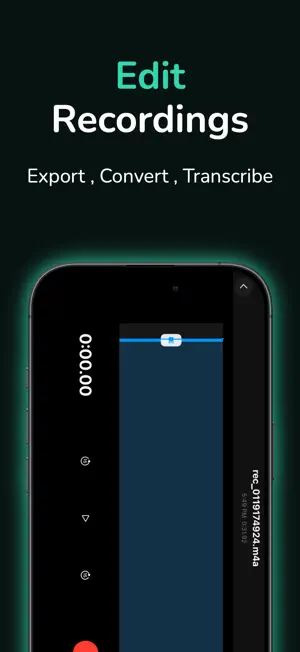
Use your device as a live microphone! Connect to any speaker and your voice comes out loud and clear. HOW IT WORKS Plug your device into a speaker (or connect via Bluetooth). Open the app and tap the screen. That's it! Your voice now plays through the speaker. Works even when your screen is locked. EASY TO USE • One tap to turn on or off • Works in the background • Runs even when screen is locked • Connect via Bluetooth, AirPlay, or cable • No complicated setup needed MAKE YOUR VOICE SOUND BETTER Add echo and reverb for fun effects. Adjust bass and treble. Make your voice louder or softer. Everything updates in real-time as you talk. EVERYTHING GETS RECORDED Every session is saved automatically. Listen back anytime. Edit and trim recordings. Share with friends. Export to your computer. WORKS WITH ANY SPEAKER • Bluetooth speakers and headphones • AirPlay devices • Wired speakers with audio cable • Home stereo systems • Car audio systems PERFECT FOR Live Streaming - Use as a wireless mic for YouTube, Twitch, or Facebook Live. No expensive equipment needed. Video Calls - Better audio for Zoom, Teams, or Skype. Your voice sounds much clearer. Podcasts - Record easily with automatic saving. Edit and share when done. Karaoke - Turn any speaker into a karaoke machine. Add echo to sound professional. Gaming - Clear voice chat for Discord, Xbox, PlayStation. Talk to your team instantly. Music - Record singing or instruments. High-quality sound for practice or content creation. Announcements - Make announcements at home or small events. Everyone can hear you clearly. Hearing Assistance - Amplify voices in meetings or classes. Helpful for better hearing. SAVE YOUR RECORDINGS • Save to iCloud Drive • Upload to Dropbox • Backup to Google Drive • Or keep everything on your phone ADJUST EVERYTHING • Control volume levels • Choose sound quality • Pick which microphone to use • Select your audio format (MP3, WAV, M4A) • Organize recordings by date LOOKS GREAT Dark mode for nighttime. Light mode for daytime. Or match your phone's theme automatically. SAFETY TIPS 1. Start with low volume 2. Connect speakers before turning on 3. Gradually increase volume to comfortable level 4. Avoid feedback by keeping device away from speakers YOUR PRIVACY Your recordings stay on your phone or your personal cloud. We don't collect or share your data. You have full control. WHAT YOU NEED An iPhone or iPad with a microphone. A speaker or headphones. That's all! Whether you stream, podcast, sing karaoke, or just want to be heard better, this app turns your iPhone into a wireless microphone in seconds. No expensive gear needed! Download now and start using your phone as a microphone!
Ratings & reviews
4.5
3.4K ratings
What’s new
Version 2026.06.24 · Updated June 26, 2026
Bug fixes and enhancements.
App privacy
The developer, Alok Singh, reported these privacy practices to Apple.
Data Used to Track You
The following data may be used to track you across apps and websites owned by other companies:
- Identifiers: Device ID
- Usage Data: Product Interaction, Advertising Data, Other Usage Data
- Diagnostics: Performance Data, Other Diagnostic Data
Data Not Linked to You
The following data, which may be collected but is not linked to your identity, may be used for the following purposes:
- Identifiers: Device ID
- Usage Data: Product Interaction, Advertising Data, Other Usage Data
- Diagnostics: Crash Data, Performance Data, Other Diagnostic Data
Used for: Third-Party Advertising, Analytics
Alternatives to Mic to Speaker - Virtual Mic
Looking for apps like Mic to Speaker - Virtual Mic? Here are 6 similar apps on the App Store. The highest rated is Microphone Live-Voice Tune Mic (4.6/5), and all 6 are free to download.
-
 Microphone Live
4.4
Microphone Live
4.4
-
 Mic Speaker
4.2
Mic Speaker
4.2
-
 Microphone Live-Voice Tune Mic
4.6
Microphone Live-Voice Tune Mic
4.6
-
 MicSwap: Microphone Recording
4.5
MicSwap: Microphone Recording
4.5
-
 Pro Microphone: Voice Record
3.7
Pro Microphone: Voice Record
3.7
-
 MicSwap MultiTrack: Mix Studio
4.6
MicSwap MultiTrack: Mix Studio
4.6
| App | Rating | Price | Last updated | Compare |
|---|---|---|---|---|
| Mic to Speaker - Virtual Mic | 4.5 / 5 (3,414 ratings) | Free | June 26, 2026 | |
| Microphone Live | 4.4 / 5 (5,155) | Free | Apr 26, 2026 | Compare |
| Mic Speaker | 4.2 / 5 (95) | Free | Oct 1, 2026 | Compare |
| Microphone Live-Voice Tune Mic | 4.6 / 5 (6,911) | Free | Oct 6, 2026 | Compare |
| MicSwap: Microphone Recording | 4.5 / 5 (6,836) | Free | Oct 10, 2026 | Compare |
| Pro Microphone: Voice Record | 3.7 / 5 (8,427) | Free | Oct 6, 2026 | Compare |
| MicSwap MultiTrack: Mix Studio | 4.6 / 5 (1,061) | Free | Sep 24, 2026 | Compare |