

Focus Go – Time Management
Aleksandr Popov Productivity iPhoneiPadiPod touch
Focus Go – Time Management is a free Productivity app for iPhone and iPad by Aleksandr Popov. Rated 4.5/5 from 2 ratings. Requires iOS 13.0.
- Rating
- 4.5
- 2 ratings
- Price
- Free
- on the App Store
- Size
- 49 MB
- Age 4+
- Updated
- Aug 6
- 2024 · v2.0.1
Screenshots
About Focus Go – Time Management
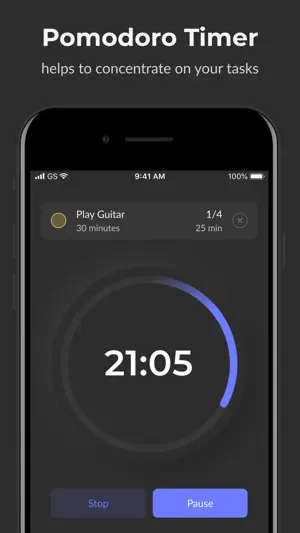
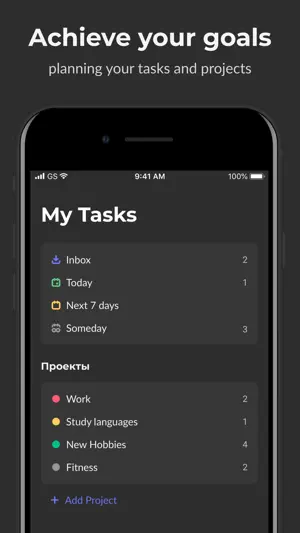
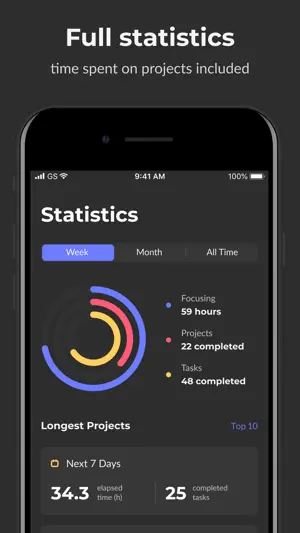
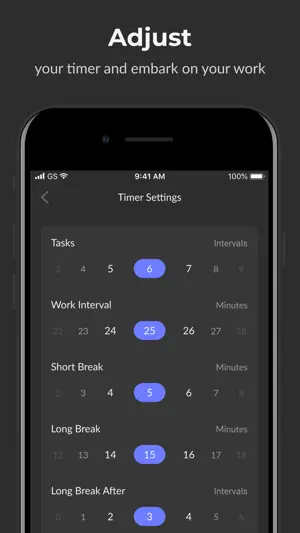
⏱ Focus Go assists you in organizing your tasks and accomplishing them efficiently with the help of the Pomodoro Technique timer. It's scientifically proven that this technique can help you to achieve productivity increase and improve your task accomplishment speed. The Application enables you to create your projects and tasks to work on effectively customizing the timer settings for each specific task. You also can change the default settings for each following task. How it works: 1. Create a task you want to work on 2. Turn on the timer and work non-stop 3. After work's completion have a rest We recommend working for 25 minutes and having a 5 minutes' rest as it is initially set in the application. The main features: – Creation of Projects and Tasks – Customization of Worktime, Breaks, Intervals – Turning off the Breaks – Selecting Tasks Priority – Timer Pause, Resume and Stop – Short and Long breaks – Completion Notification – Work Statistics – Timer Mode without a specific task What differs us from the others: – 8 unique types of timers – 8 various color themes from the brightest and richest ones to the calmest and most neutral – More than 10 variants of sound notifications – Detailed statistics of your achievements ⏰ Focus Go will prevent you from forgetting your tasks with Push Notifications which will remind you of the completion even off the App. We strive to make Focus Go the most useful tool for you. Rate the App if you liked it. Thank you! Pomodoro™ & Pomodoro Technique ® – registered trademarks of Francesco Cirillo. The application is not connected to Francesco Cirillo. Have any questions? Connect us: [email protected] Subscriptions will automatically renew unless canceled within 24-hours before the end of the current period. You can cancel anytime with your iTunes account settings. Any unused portion of a free trial will be forfeited if you purchase a subscription. Privacy Policy: https://alordead.github.io/legal/focus_go_privacy_policy.html Terms of Service: https://alordead.github.io/legal/focus_go_terms_of_service.html
What’s new
Version 2.0.1 · Updated August 6, 2024
Some improvements and bug fixes
App privacy
The developer, Aleksandr Popov, reported these privacy practices to Apple.
Data Used to Track You
The following data may be used to track you across apps and websites owned by other companies:
- Identifiers: Device ID
- Usage Data: Product Interaction
- Diagnostics: Crash Data
Data Not Linked to You
The following data, which may be collected but is not linked to your identity, may be used for the following purposes:
- Identifiers: Device ID
- Usage Data: Product Interaction
- Diagnostics: Crash Data
Used for: Analytics
Alternatives to Focus Go – Time Management
Looking for apps like Focus Go – Time Management? Here are 6 similar apps on the App Store. The highest rated is Pomodoro - Time Manager (5.0/5), and all 6 are free to download.
-
 FocusGlean: Pomodoro Timer
-
 Pomodoro - Time Manager
5.0
Pomodoro - Time Manager
5.0
-
 Blitz: Tasks, ToDo List, Notes
3.8
Blitz: Tasks, ToDo List, Notes
3.8
-
 Time Tracker & Management
3.8
Time Tracker & Management
3.8
-
 TimeToGo?
-
 10,000 Hours - Mastery Tracker
4.7
10,000 Hours - Mastery Tracker
4.7
| App | Rating | Price | Last updated | Compare |
|---|---|---|---|---|
| Focus Go – Time Management | 4.5 / 5 (2 ratings) | Free | August 6, 2024 | |
| FocusGlean: Pomodoro Timer | – | Free | Feb 16, 2025 | Compare |
| Pomodoro - Time Manager | 5.0 / 5 (4) | Free | Nov 4, 2024 | Compare |
| Blitz: Tasks, ToDo List, Notes | 3.8 / 5 (4) | Free | Mar 25, 2024 | Compare |
| Time Tracker & Management | 3.8 / 5 (19) | Free | Apr 9, 2026 | Compare |
| TimeToGo? | – | Free | Feb 3, 2025 | Compare |
| 10,000 Hours - Mastery Tracker | 4.7 / 5 (3) | Free | May 18, 2026 | Compare |