

PriApps Touch-Free
PriApps Ltd Productivity iPhoneiPadiPod touchApple Watch
PriApps Touch-Free is a free Productivity app for iPhone and iPad by PriApps Ltd. Requires iOS 8.0. Updated May 23, 2025.
- Price
- Free
- on the App Store
- Size
- 9 MB
- Age 4+
- Updated
- May 23
- 2025 · v6.3.1
Screenshots
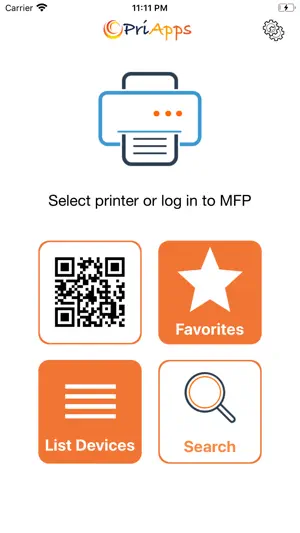


About PriApps Touch-Free
PriApps Touch-Free is a Completely contactless print management and document capture app that allows you to release print jobs at any printer, as well as authenticate at MFPs to perform print, copy, scan and fax workflows from your smartphone or tablet. PriApps Touch-Free connects to a PriApps Application server on the network or in the Cloud. It allows users to complete print, copy, scan & fax workflows without having to touch the control panel of a printer or MFP. Key features include: - Permission-based access to MFP features & services through contactless Single Sign-On (SSO) - Securely release print jobs at any printer or MFP of your choosing from your smartphone or tablet, or via a web browser - Perform automated Scan-to-Me, Scan-to-Email & Scan-to-Folder workflows - Scan to Google Drive, Microsoft OneDrive, DropBox - Make photocopies without touching the copier - Fax documents directly from your MFP - Supports other contactless authentication methods such as ID cards / security access badges using PriApps card readers - Full auditability through comprehensive usage tracking & reporting HOW IT WORKS Instead of printing directly to specific printers, PriApps allows you to print to your personal PriApps myQueue. You can access your list of print jobs via the PriApps Touch-Free app. Then you simply release your print jobs at any connected printer or MFP. PriApps Touch-Free allows you to print from any computer workstation, laptop, server, smartphone or tablet, and it supports any make or model of network printer or MFP. So you can print from your MacBook, iMac, Chromebook, Surface, even a Windows or Unix server. Once you have authenticated at an MFP, you can also perform scan workflows, initiate copying, and even fax paper documents. PriApps Touch-Free allows you to access every print, scan, copy & fax setting and finishing option on the MFP, including stapling, hole punching, collating etc. Administrators can set permission-based access to MFP services and features, as well as control color usage or set policies such as duplex printing & copying. PriApps Touch-Free also comes with a companion MFP app, that allows you to perform print, copy, scan & fax workflows without touching the control panel. It also allows users who don’t have the PriApps Touch-Free app to perform print, copy, scan and fax workflows. Please contact PriApps to learn more about PriApps Touch-Free.
What’s new
Version 6.3.1 · Updated May 23, 2025
Scan Support for Kyocera MFPs Bug fixes
App privacy
The developer, PriApps Ltd, reported these privacy practices to Apple.
Data Not Collected
The developer does not collect any data from this app.
Alternatives to PriApps Touch-Free
Looking for apps like PriApps Touch-Free? Here are 6 similar apps on the App Store. The highest rated is Deeplife (5.0/5), and all 6 are free to download.
-
 Deeplife
5.0
Deeplife
5.0
-
 Big Reader - Read Everything
-
 eGoldFax Reseller Connect App
5.0
eGoldFax Reseller Connect App
5.0
-
 mChatAI
4.8
mChatAI
4.8
-
 PDF-Unlimited OCR Scan
-
 Zip Rar Extractor - Zip,Unzip
4.8
Zip Rar Extractor - Zip,Unzip
4.8
| App | Rating | Price | Last updated | Compare |
|---|---|---|---|---|
| PriApps Touch-Free | – | Free | May 23, 2025 | |
| Deeplife | 5.0 / 5 (1) | Free | Feb 25, 2024 | Compare |
| Big Reader - Read Everything | – | Free | Jan 8, 2026 | Compare |
| eGoldFax Reseller Connect App | 5.0 / 5 (2) | Free | Apr 24, 2025 | Compare |
| mChatAI | 4.8 / 5 (6) | Free | Sep 26, 2026 | Compare |
| PDF-Unlimited OCR Scan | – | Free | Jul 22, 2025 | Compare |
| Zip Rar Extractor - Zip,Unzip | 4.8 / 5 (4) | Free | Dec 25, 2023 | Compare |
Compare PriApps Touch-Free with the top alternatives: ratings, updates, ASO score and keyword gaps →