

Document Scanner · Scan to PDF
Lazy Solutions OU Business iPhoneiPadiPod touch
Document Scanner · Scan to PDF is a free Business app for iPhone and iPad by Lazy Solutions OU. Rated 4.8/5 from 579 ratings. Requires iOS 13.0.
- Rating
- 4.8
- 579 ratings
- Price
- Free
- on the App Store
- Size
- 40 MB
- Age 4+
- Updated
- Jul 17
- 2026 · v3.0
Screenshots
About Document Scanner · Scan to PDF
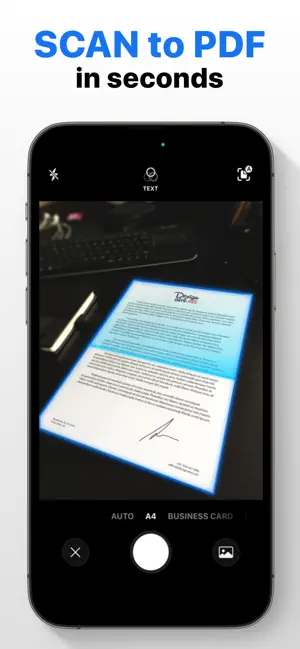
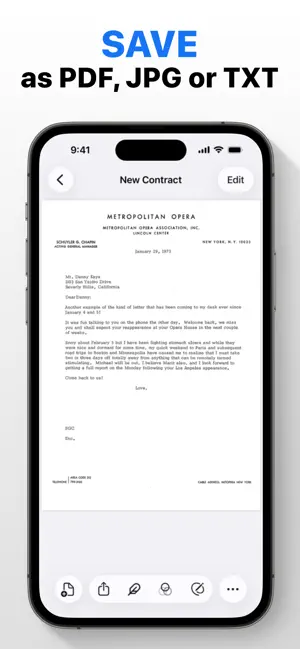
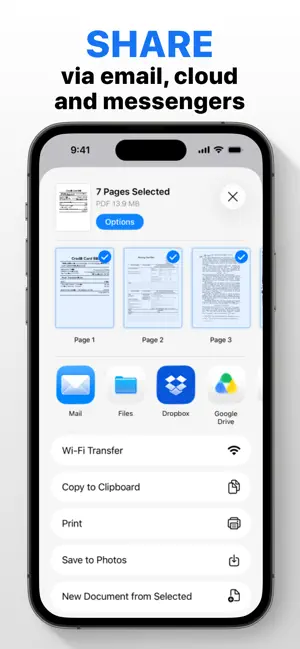
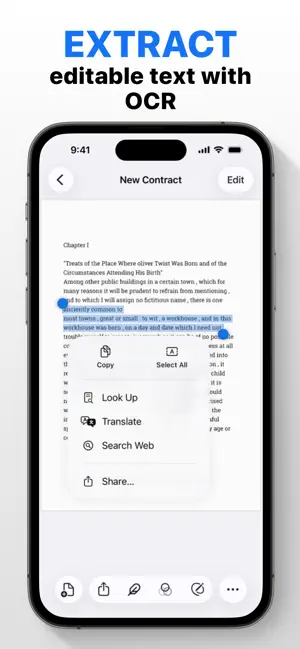
PDF Scanner: Your Ultimate Document Management Tool Turn your iPhone or iPad into a powerful, portable PDF scanner. Scan, organize, and share documents has never been easier. Perfect for work, school, or travel! Why You’ll Love It: - Fast, Clear Scans: Digitize documents in seconds with crisp, accurate results. - Smart OCR: Extract text from scans for quick editing and searching. - Pro-Grade PDFs: Convert documents into polished PDFs that retain their original format. - Effortless Editing: Crop, rotate, or highlight to make your files perfect. - Cloud Sync: Save and access your files with Dropbox, Google Drive, or OneDrive. - Secure Your Files: Protect confidential documents with passwords or Face ID/Touch ID. - Easy Sharing: Send your files via email, messaging apps, or print them wirelessly. Say goodbye to paper clutter! This app is perfect for managing receipts, contracts, notes, and more. Save time, stay organized, and keep everything at your fingertips. Download now and discover how simple managing documents can be! Join millions of users who trust our app for their scanning needs. **Premium subscription** Payment will be charged to your iTunes account upon purchase confirmation. Subscriptions automatically renew unless auto-renewal is turned off at least 24 hours before the end of the current period. Your account will be charged for renewal within 24 hours prior to the end of the current period. You can manage subscriptions and turn off auto-renewal yourself in your iTunes account settings after purchase. Cancellation of the current subscription is not allowed during the active subscription period. By using this app, you agree to our Privacy Policy and Terms of Use: Privacy Policy: https://lazy-solutions.com/privacy-policy-scanner/ Terms of use: https://lazy-solutions.com/terms-of-use-scanner/
Ratings & reviews
4.8
579 ratings
What’s new
Version 3.0 · Updated July 17, 2026
We gave the app a full redesign for a smoother experience. Also fixed a bug where the flashlight wouldn't turn on properly during document scanning.
App privacy
The developer, Lazy Solutions OU, reported these privacy practices to Apple.
Data Not Linked to You
The following data, which may be collected but is not linked to your identity, may be used for the following purposes:
- Identifiers: Device ID
- Usage Data: Product Interaction
- Diagnostics: Crash Data
Used for: Analytics, App Functionality
Alternatives to Document Scanner · Scan to PDF
Looking for apps like Document Scanner · Scan to PDF? Here are 6 similar apps on the App Store. The highest rated is Scan Hero: PDF Scanner (4.7/5), and all 6 are free to download.
-
 Scan Hero: PDF Scanner
4.7
-
 PDF Scanner・Document Scanner
4.6
-
 PDF Scanner・Scan Documents App
4.7
-
 PDF Scanner App: TapScanner
4.7
-
 Scanner – Scan PDF, ID & Docs
4.7
-
 QR Code Reader & PDF Scanner
4.7
| App | Rating | Price | Last updated | Compare |
|---|---|---|---|---|
| Document Scanner · Scan to PDF | 4.8 / 5 (579 ratings) | Free | July 17, 2026 | |
| Scan Hero: PDF Scanner | 4.7 / 5 (242,034) | Free | Jun 8, 2026 | Compare |
| PDF Scanner・Document Scanner | 4.6 / 5 (2,027) | Free | Sep 23, 2026 | Compare |
| PDF Scanner・Scan Documents App | 4.7 / 5 (604) | Free | Sep 18, 2026 | Compare |
| PDF Scanner App: TapScanner | 4.7 / 5 (26,843) | Free | Sep 16, 2026 | Compare |
| Scanner – Scan PDF, ID & Docs | 4.7 / 5 (222,768) | Free | Sep 28, 2026 | Compare |
| QR Code Reader & PDF Scanner | 4.7 / 5 (2,465) | Free | Sep 22, 2026 | Compare |