

SketchMe - Sketch Photo Editor
MAXLABS COMPANY LIMITED Photo & Video iPhoneiPadiPod touch
SketchMe - Sketch Photo Editor is a free Photo & Video app for iPhone and iPad by MAXLABS COMPANY LIMITED. Rated 4.7/5 from 3 ratings. Requires iOS 16.0.
- Rating
- 4.7
- 3 ratings
- Price
- Free
- on the App Store
- Size
- 86 MB
- Age 4+
- Updated
- Sep 17
- 2026 · v2.3.4
Screenshots
About SketchMe - Sketch Photo Editor
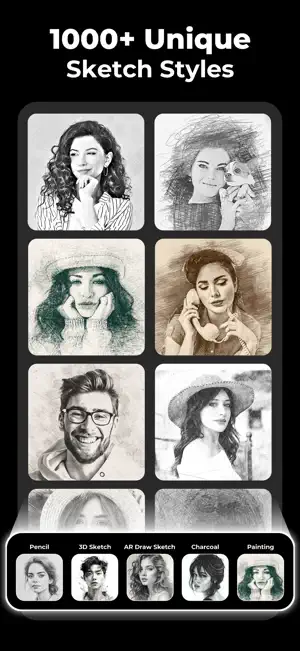
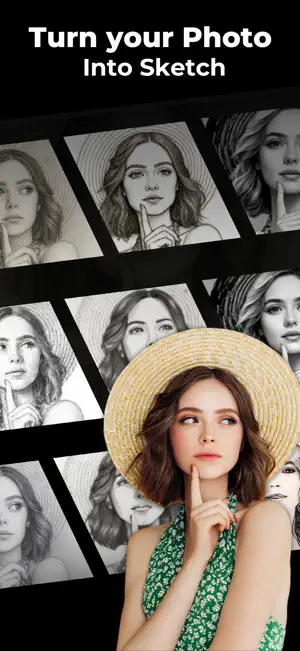
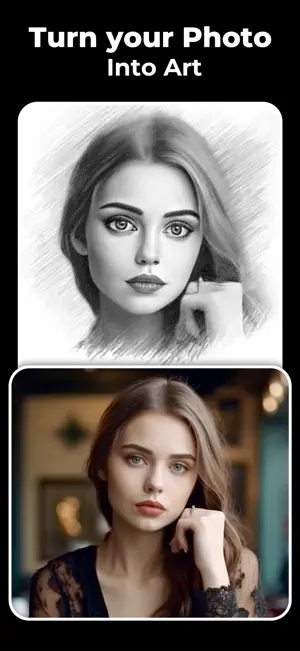
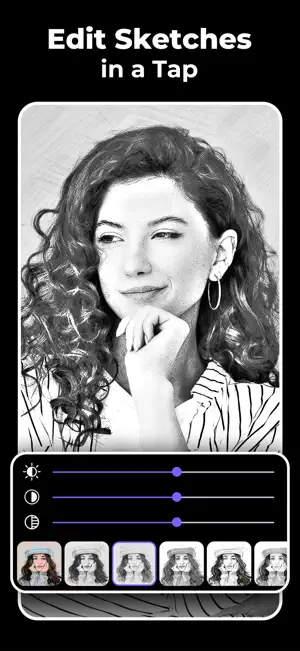
Pencil Sketch Photo Editor – Turn Your Photos into Stunning Sketch Art Elevate your photography beyond the ordinary with Pencil Sketch Photo Editor — the ultimate creative tool for turning everyday images into extraordinary works of art. Whether you’re a casual user or a passionate artist, our powerful yet easy-to-use tools let you transform everyday pictures into gallery-worthy artworks in seconds. Whether you want the timeless charm of a pencil sketch, the immersive realism of 3D Sketch, Pencil Sketch Photo Editor transforms your photos into stunning visual statements — effortlessly. Why Choose Pencil Sketch Photo Editor? - Professional Pencil Sketch Effects – Create authentic pencil drawings, detailed line art, and shaded sketches with realistic textures. - Various Effects: Choose from a wide range of effects including black strokes, white strokes, pastel, pencil sketch, color sketch, cartoon, stamp, halftone, hatching, and more. - Adjustable Parameters: Fine-tune edge strength, opacity, contrast, brightness, and saturation to achieve your desired look. - Multiple Sketch Types: From classic pencil sketches to vibrant watercolor effects, explore a variety of sketch styles to suit your artistic vision. - 3D Sketch: Add realistic depth, shadows, and contours to make your sketches appear alive. - AR Draw Sketch – Bring your art into the real world by overlaying sketches onto your surroundings. - Color & Artistic Sketch Styles – Go beyond black and white with vibrant colors and artistic variations. Capture with Sketch Camera: Take photos directly within the app using our built-in Sketch camera, with features like pinch to zoom and tap to autofocus. - One-Tap Transformation – Simply upload a photo and watch it turn into a sketch masterpiece in seconds. - Easy Sharing – Instantly share your creations to Instagram, Facebook, TikTok, and more. Why You'll Love It: Pencil Sketch Photo Editor isn’t just another filter app — it’s an immersive art experience. Our powerful algorithms replicate the intricate details of traditional drawing while offering modern enhancements like 3D rendering and AR integration. The result? Professional-quality sketches that feel personal, authentic, and unique to your vision. Whether you’re crafting content for social media, personal keepsakes, or creative projects, you’ll find the perfect balance of artistic expression and ease of use right at your fingertips. How It Works: - Snap a new photo or upload one from your gallery. - Choose from pencil sketch, 3D sketch, AR draw sketch, or other artistic styles. - Adjust details, shading, and effects to match your vision. - Save and share your masterpiece instantly. Download Pencil Sketch Photo Editor today and transform your photos into extraordinary works of art—your next masterpiece is just one tap away For any feedback or inquiries, don't hesitate to reach out to us at [email protected] We love hearing from our users and are always looking to improve your experience. Our privacy: https://www.maxlabs.hk/pencil-sketch/privacy-policy Terms of Use: https://www.maxlabs.hk/pencil-sketch/terms-of-use Apple End User License Agreement (EULA): https://www.apple.com/legal/internet-services/itunes/dev/stdeula/
What’s new
Version 2.3.4 · Updated September 17, 2026
Bug fixes and performance improvements
App privacy
The developer, MAXLABS COMPANY LIMITED, reported these privacy practices to Apple.
Data Used to Track You
The following data may be used to track you across apps and websites owned by other companies:
- Usage Data: Advertising Data
Data Not Linked to You
The following data, which may be collected but is not linked to your identity, may be used for the following purposes:
- Usage Data: Advertising Data
Used for: Third-Party Advertising, Analytics
Alternatives to SketchMe - Sketch Photo Editor
Looking for apps like SketchMe - Sketch Photo Editor? Here are 6 similar apps on the App Store. The highest rated is Photo to Sketch: PicInk (4.8/5), and all 6 are free to download.
-
 Sketch effect coloring photo
-
 Photo to Sketch: PicInk
4.8
Photo to Sketch: PicInk
4.8
-
 Pencil sketch photo edito
4.2
Pencil sketch photo edito
4.2
-
 Sketch Art Maker: Pencil & Ink
4.7
Sketch Art Maker: Pencil & Ink
4.7
-
 Pencil Sketch Image
-
 Sketch AI: Pencil Photo Sketch
4.6
Sketch AI: Pencil Photo Sketch
4.6
| App | Rating | Price | Last updated | Compare |
|---|---|---|---|---|
| SketchMe - Sketch Photo Editor | 4.7 / 5 (3 ratings) | Free | September 17, 2026 | |
| Sketch effect coloring photo | – | Free | Sep 10, 2025 | Compare |
| Photo to Sketch: PicInk | 4.8 / 5 (9) | Free | Apr 8, 2026 | Compare |
| Pencil sketch photo edito | 4.2 / 5 (30) | Free | Jan 9, 2026 | Compare |
| Sketch Art Maker: Pencil & Ink | 4.7 / 5 (22) | Free | Oct 17, 2026 | Compare |
| Pencil Sketch Image | – | Free | Jul 16, 2026 | Compare |
| Sketch AI: Pencil Photo Sketch | 4.6 / 5 (143) | Free | Nov 29, 2025 | Compare |