

PDF Scanner-Scan PDF Document
Hangzhou boniu technology co. LTD Utilities iPhoneiPadiPod touch
PDF Scanner-Scan PDF Document is a free Utilities app for iPhone and iPad by Hangzhou boniu technology co. LTD. Rated 4.5/5 from 21 ratings.
- Rating
- 4.5
- 21 ratings
- Price
- Free
- on the App Store
- Size
- 179 MB
- Age 4+
- Updated
- Aug 1
- 2026 · v3.5.5
Screenshots


About PDF Scanner-Scan PDF Document
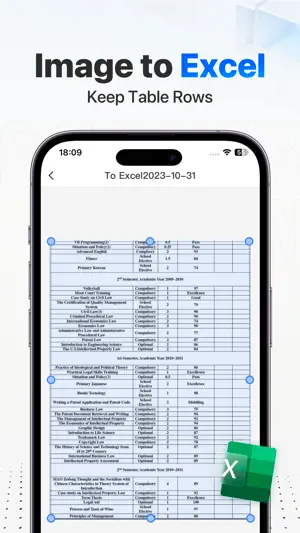
Scanner is a professional OCR scanning recognition tool that can extract text in books, photos, business cards, and forms. 【File Scanning】 The mobile phone takes paper documents, intelligent boundary detection, and generates high-definition JPEG and PDF files. Supports multiple image optimization modes to quickly turn paper documents into clear scans. 【PDF Toolkit】 Powerful PDF file processing tools, including PDF to word and other format conversions, PDF signatures, adding watermarks, PDF merging and other document processing tools; 【Text Recognition】 Scan various documents, pictures, books, business cards, etc. to extract the desired text, and edit and copy the identified content; Support multiple recognition, automatically select recognized content to convert to PDF or scanned copy; 【Form Recognition】 Support table and form recognition, accurately locate table data, intelligently parse table text, and quickly generate Excel documents that can be edited and saved; 【Certificate Identification】 Built-in camera function, through OCR text recognition technology to automatically identify, extract image text, and parse information; High-precision automatic capture of text information, eliminating the trouble of manual input; 【Photo Translation】 Scanning and translation, supporting full-text translation in multiple languages, without opening the translation APP, directly calling the scanning recognition; Support multi-language recognition: Chinese, English, Japanese, French, German, Russian, Portuguese, Spanish, Italian; ======================================= 【Automatic renewal terms】 There are three subscription options for premium accounts: Weekly VIP: only $9.99/month Yearly VIP:$39.99/year Quarterly VIP: Only $29.99/season, 3-day free trial Permanent VIP: Only $69.99 ● Subscription payments will be charged to your iTunes account at confirmation of purchase and at the beginning of each renewal period ● Renewal: Apple iTunes account will be deducted within 24 hours before expiration, and the subscription cycle will be extended by one subscription cycle after the deduction is successful. ● Cancel Renewal: You can cancel your subscription or trial at any time by going to your iTunes account settings and canceling the subscription, otherwise it will automatically renew. This must be done 24 hours before the end of the trial period or any subscription period to avoid being charged. Subscriptions that include a trial period will automatically renew to a paid subscription. ● Subscriptions may be managed by the user and auto-renewal may be turned off by going to the user's Account Settings after purchase ● When you purchase a premium subscription during the trial period, any unused portion of the trial period (if offered) will be forfeited. ●Privacy Policy: https://static.rhinox.cn/html/privacy/quannengsaomiaowang_boniu_en.html?appName=PDF Scanner ●Membership payment agreement: https://static.rhinox.cn/html/paymentagreement/general_en.html
Ratings & reviews
4.5
21 ratings
What’s new
Version 3.5.5 · Updated August 1, 2026
Fixed known bugs for smoother app performance!
App privacy
The developer, Hangzhou boniu technology co. LTD, reported these privacy practices to Apple.
Data Used to Track You
The following data may be used to track you across apps and websites owned by other companies:
- Identifiers: Device ID
- Diagnostics: Crash Data
Data Linked to You
The following data, which may be collected and linked to your identity, may be used for the following purposes:
- Identifiers: Device ID
Used for: App Functionality
Data Not Linked to You
The following data, which may be collected but is not linked to your identity, may be used for the following purposes:
- Diagnostics: Crash Data, Performance Data
Used for: Product Personalization, App Functionality
Alternatives to PDF Scanner-Scan PDF Document
Looking for apps like PDF Scanner-Scan PDF Document? Here are 6 similar apps on the App Store. The highest rated is 扫描测量全能王-手机扫描文字识别、计数、测距、翻译软件 (5.0/5), and all 6 are free to download.
-
 AI扫描全能王
-
 试卷扫描-清除手写笔迹,框选错题重组,作业辅导工具
3.5
试卷扫描-清除手写笔迹,框选错题重组,作业辅导工具
3.5
-
 扫描测量全能王-手机扫描文字识别、计数、测距、翻译软件
5.0
扫描测量全能王-手机扫描文字识别、计数、测距、翻译软件
5.0
-
 Text Extract(文字提取)-PDF Scanner
4.4
Text Extract(文字提取)-PDF Scanner
4.4
-
 手机扫描王-扫描计数、智能测距、文字OCR识别、文档增强
4.6
手机扫描王-扫描计数、智能测距、文字OCR识别、文档增强
4.6
-
 试卷100-AI智能拍照解题
4.0
试卷100-AI智能拍照解题
4.0
| App | Rating | Price | Last updated | Compare |
|---|---|---|---|---|
| PDF Scanner-Scan PDF Document | 4.5 / 5 (21 ratings) | Free | August 1, 2026 | |
| AI扫描全能王 | – | Free | Sep 24, 2026 | Compare |
| 试卷扫描-清除手写笔迹,框选错题重组,作业辅导工具 | 3.5 / 5 (4) | Free | Sep 17, 2026 | Compare |
| 扫描测量全能王-手机扫描文字识别、计数、测距、翻译软件 | 5.0 / 5 (1) | Free | Sep 5, 2026 | Compare |
| Text Extract(文字提取)-PDF Scanner | 4.4 / 5 (40) | Free | Sep 4, 2026 | Compare |
| 手机扫描王-扫描计数、智能测距、文字OCR识别、文档增强 | 4.6 / 5 (9) | Free | Mar 27, 2026 | Compare |
| 试卷100-AI智能拍照解题 | 4.0 / 5 (4) | Free | Jul 10, 2025 | Compare |