

DIMLITE pro commissioning
Zumtobel Lighting GmbH Utilities iPhoneiPadiPod touch
DIMLITE pro commissioning is a free Utilities app for iPhone and iPad by Zumtobel Lighting GmbH. Requires iOS 13.4. Updated December 16, 2024.
- Price
- Free
- on the App Store
- Size
- 25 MB
- Age 4+
- Updated
- Dec 16
- 2024 · v2.1.1
Screenshots
About DIMLITE pro commissioning
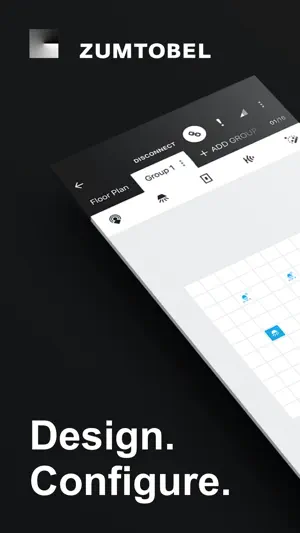
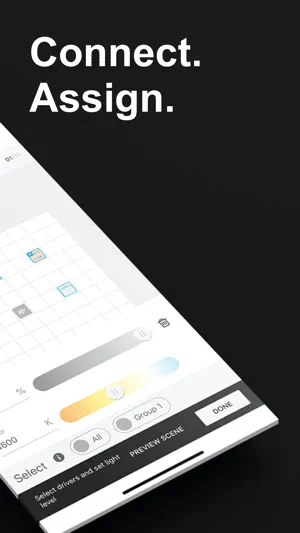
The DIMLITE pro commissioning app has been specially developed to help make commissioning the DIMLITE pro lighting control system intuitive. The DALI-2-based, scalable lighting control system for small to medium areas of application encompasses a wide range of functions – from simple switching on and off and dimming/brightening to daylight linking – even with Tunable White lighting – and individual lighting scenarios. Each system supports up to 64 DALI 1 or DALI 2-based LED drivers and 16 input devices such as sensors or momentary-action switches. A single DALI LED driver or control device can therefore belong to several groups and thus various scenes. The app is so intuitive to use, commissioning can be completed in just four simple steps. A particularly practical feature is Bluetooth, which enables unlimited use of the app even in offline mode. Step 1: Create In the first step, the new project is created. The basis for this can be either a new floor plan or a cloned layout. Luminaires are grouped and planned with corresponding light scenes. Step 2: Connect and identify Once the DIMLITE pro commissioning app is connected to the DIMLITE pro application controller, the system components (e.g. LED drivers, sensors or switches) in the app are automatically addressed. Easy device identification with the single touch of the device icon or single press of the switch push button. Step 3: Plan Using drag and drop, system components such as luminaires, sensors and momentary-action switches can now be placed in the floor plan and assigned to the various groups. Step 4: Configure The desired functions can then be defined and assigned. Finally, the project can be PIN-protected. Completed projects and templates can be shared or copied and pasted to other projects. An over-the-air update ensures that the software is always up to date.
What’s new
Version 2.1.1 · Updated December 16, 2024
Individual luminaire setups can be as well quiet complex and consist of up to 4 independent light heads with multiple drivers, groups and control devices like sensors and push button interfaces. Lighting manufacturers are able to create various luminaire setups using new Free-standing luminaire (FSL) configurator. With the latest release DIMLITE pro commissioning APP is able to bring advantages of dynamic time-based lighting to our customers as new DIMLITE pro G2 hardware support highly accurate real time clock. Now it is possible to assign different Human Centric Lighting profiles to one or multiple groups with Tunable White luminaries. Custom background images can now be used for the floor plan view. You can now take a photo or load images from your Gallery, use them as background for your plan, and store them as template for future projects.
App privacy
The developer, Zumtobel Lighting GmbH, reported these privacy practices to Apple.
Data Not Linked to You
The following data, which may be collected but is not linked to your identity, may be used for the following purposes:
- Usage Data: Product Interaction
- Diagnostics: Crash Data
Used for: Analytics
Alternatives to DIMLITE pro commissioning
Looking for apps like DIMLITE pro commissioning? Here are 6 similar apps on the App Store. The highest rated is Sensor Configuration (2.6/5), and all 6 are free to download.


| App | Rating | Price | Last updated | Compare |
|---|---|---|---|---|
| DIMLITE pro commissioning | – | Free | December 16, 2024 | |
| sCS Remote | – | Free | Sep 30, 2026 | Compare |
| sCS commissioning | – | Free | Sep 1, 2026 | Compare |
| iZy connect | – | Free | Sep 25, 2024 | Compare |
| Sensor Configuration | 2.6 / 5 (5) | Free | Feb 24, 2025 | Compare |
| Wattstopperi3 | – | Free | Oct 13, 2026 | Compare |
| DALI Cockpit Mobile | – | Free | Oct 17, 2026 | Compare |