

LongStitch: Screenshot Collage
通 张 Photo & Video iPhoneiPadiPod touchMac
LongStitch: Screenshot Collage is a free Photo & Video app for iPhone and iPad by 通 张. Rated 3.0/5 from 6 ratings. Requires iOS 17.0.
- Rating
- 3.0
- 6 ratings
- Price
- Free
- on the App Store
- Size
- 5 MB
- Age 4+
- Updated
- Nov 17
- 2026 · v2.0.0
Screenshots
Save to Pinterest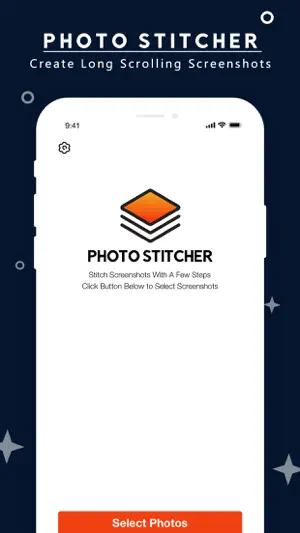

About LongStitch: Screenshot Collage
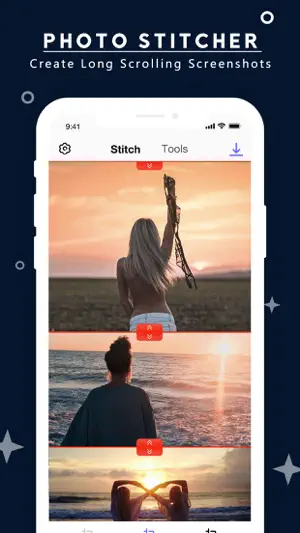
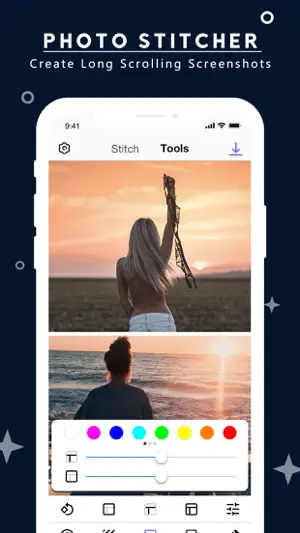
Keep the whole conversation, article or set of instructions in one image. LongStitch combines screenshots and photos into a single image you can read, annotate and share. Available for iPhone, iPad and Mac. JOIN OVERLAPPING SCREENSHOTS Choose screenshots from Photos or import image files. LongStitch checks their order and finds overlapping content to create a continuous long screenshot. Review the result and fine-tune individual joins by dragging or nudging the images. COMBINE IMAGES YOUR WAY Arrange images vertically or side by side. Reorder, remove, flip or rotate individual images before applying your changes. Combine images of different widths and stack images that have no overlapping content. DRAW, LABEL AND HIGHLIGHT Add pencil drawings, arrows and text to explain a detail or point out what matters. Use mosaic or a solid cover over areas you want to hide. Select objects directly on the image to move, resize, recolor or delete them. Undo and redo let you revise your edits. SAVE A READABLE RESULT Export as PNG for sharp text or JPEG for a smaller file. Share the finished image or save it as a file. On iPhone and iPad, you can also save directly to Photos. PICK UP WHERE YOU LEFT OFF Your latest editable draft is saved locally, so you can return to your screenshots, joins and image edits later. PROCESS IMAGES LOCALLY Stitching and image editing happen on your device. Your images do not need to be uploaded to a server for processing. HOW TO GET STARTED 1. Choose screenshots or import image files. 2. Review the automatic joins, or choose a horizontal layout. 3. Adjust, annotate and save your finished image. For automatic stitching, capture consecutive screenshots with some shared content and keep the page at the same zoom level. If a join needs attention, adjust it manually or keep the images stacked. Make chat histories easier to follow, keep reference material together, or share a visual guide as one image with LongStitch. Support: [email protected] Website: https://vertexshare.com Privacy Policy: https://vertexshare.com/privacy Terms of Use: https://vertexshare.com/terms
Ratings & reviews
3.0
6 ratings
What’s new
Version 2.0.0 · Updated November 17, 2026
Meet the redesigned LongStitch 2.0. - Automatically join overlapping screenshots into one long image. - Arrange screenshots and photos vertically or horizontally, including images of different widths. - Fine-tune joins and outer edges, reorder images, and flip or rotate individual images. - Add drawings, arrows, text, mosaic and solid covers with editable objects and undo/redo. - Continue your latest draft and export the result as PNG or JPEG. - Use the refreshed interface in light or dark mode on iPhone, iPad and Mac.
App privacy
The developer, 通 张, reported these privacy practices to Apple.
Data Not Collected
The developer does not collect any data from this app.
Alternatives to LongStitch: Screenshot Collage
Looking for apps like LongStitch: Screenshot Collage? Here are 6 similar apps on the App Store. The highest rated is Bimostitch (4.5/5), and 5 of the 6 are free to download.
-
 Longshot - Long Screenshot
4.1
-
 Panorama.
2.3
-
 PicTailor: Stitch Screenshots
4.0
-
 Pano Stitch & Crop
3.7
-
 Bimostitch Lite
3.6
-
 Bimostitch
4.5
| App | Rating | Price | Last updated | Compare |
|---|---|---|---|---|
| LongStitch: Screenshot Collage | 3.0 / 5 (6 ratings) | Free | November 17, 2026 | |
| Longshot - Long Screenshot | 4.1 / 5 (7) | Free | Jan 8, 2026 | Compare |
| Panorama. | 2.3 / 5 (3) | Free | Jan 22, 2024 | Compare |
| PicTailor: Stitch Screenshots | 4.0 / 5 (4) | Free | Nov 27, 2026 | Compare |
| Pano Stitch & Crop | 3.7 / 5 (3) | Free | Jun 17, 2024 | Compare |
| Bimostitch Lite | 3.6 / 5 (16) | Free | Nov 21, 2026 | Compare |
| Bimostitch | 4.5 / 5 (33) | 2.99 USD | Nov 21, 2026 | Compare |