

HC ROP
Panasonic Holdings Corporation Business iPhoneiPadiPod touch
HC ROP is a free Business app for iPhone and iPad by Panasonic Holdings Corporation. Rated 1.4/5 from 9 ratings. Requires iOS 15.0. Updated May 28, 2025.
- Rating
- 1.4
- 9 ratings
- Price
- Free
- on the App Store
- Size
- 41 MB
- Age 4+
- Updated
- May 28
- 2025 · v1.4
Screenshots

About HC ROP
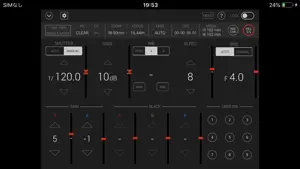
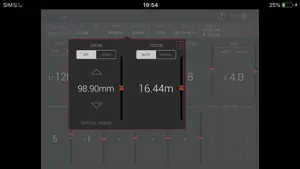
=== Name of App === HC ROP (HC series memory camera recorder Remote Operation Panel) === Description === HC ROP is a control program that enables the wireless remote control of the memory camera recorder "Panasonic HC-X series" and "Panasonic AG-CX series"(excluding some models). It provides a GUI that displays status information, settings and user switch status in a single screen and the ability to change camera settings intuitively using a screen touch. Buttons such as user buttons and REC S/S button in screen can manipulate camera recorder. HC ROP cam manipulate one memory camera reorder by switching up to eight memory camera reorders. Please tap a "?" button to see a hint for usage of this app. === Applicable Model === HC-X1500, HC-X2000、HC-X1200、HC-X1600、HC-X1800、HC-X2100、HC-X2、HC-X20 AG-CX7, AG-CX8, AG-CX10, AG-CX98、AG-CX20、AG-CX100、AG-CX18 === Supported OS === iOS 15 or later iPadOS 15 or later === Features === 1. Camera status display - List of camera information - ND/CC FILTER - ZOOM/FOCUS - KNEE - TCG - Remaining time of recording media 2. CONTROLLABLE FUNCTIONS - SHUTTER (AUTO/MANUAL) - GAIN - WHITE BALANCE(PRE/A/B, AWB, ABB) - MASTER PEDESTAL - IRIS(AUTO/MANUAL) - Painting GAIN(R/B) - USER SW (1-9) - MENU display and setting - HELP - LOCK(disable operation on HC ROP) - ZOOM(i.ZOOM/i.ZOOM_OFF) - FOCUS(AUTO/MANUAL) - KNEE(AUTO/MANUAL(MID)) - TCG(TC/UB display and setting) - REC CHECK - REC Start/Stop 3. Settings and switching of a connected camera You can set or switch connected cameras in a connect setting panel by tapping a connect manipulation button in the screen. Please refer to "CONNECTION" item by tapping "?" for details. === NOTE === (1)Permission for the local network is required since iOS14. If you cannot connect the app to the camera, make the following settings. 1. Open "Settings" on iPhone/iPad 2. Select "Privacy">"Local Network" 3. Set "HC ROP" to "ON" (2)In iOS, camera information may not be displayed correctly on the app screen.This can be fixed by turning on airplane mode and then turning off again. 1. Close "CX ROP". 2. Select "Settings" on the device home screen 3. Turn on "Airplane mode" 4. Turn off "Airplane mode" 5. Launch "CX ROP" *These settings need to be repeated after turning off or restarting the device.
Ratings & reviews
1.4
9 ratings
What’s new
Version 1.4 · Updated May 28, 2025
Fixed some minor bugs.
App privacy
The developer, Panasonic Holdings Corporation, reported these privacy practices to Apple.
Data Not Collected
The developer does not collect any data from this app.
Alternatives to HC ROP
Looking for apps like HC ROP? Here are 6 similar apps on the App Store. The highest rated is EVA ROP (5.0/5), and all 6 are free to download.


| App | Rating | Price | Last updated | Compare |
|---|---|---|---|---|
| HC ROP | 1.4 / 5 (9 ratings) | Free | May 28, 2025 | |
| CX ROP | 2.8 / 5 (5) | Free | Apr 25, 2024 | Compare |
| AG ROP | 1.6 / 5 (7) | Free | Apr 25, 2024 | Compare |
| EVA ROP | 5.0 / 5 (2) | Free | Apr 25, 2024 | Compare |
| VARICAM ROP | 3.4 / 5 (5) | Free | Apr 25, 2024 | Compare |
| Haivision Play Pro | 4.6 / 5 (19) | Free | Jul 20, 2026 | Compare |
| MagicQ Remote Control | 4.3 / 5 (10) | Free | Nov 19, 2024 | Compare |
Compare HC ROP with the top alternatives: ratings, updates, ASO score and keyword gaps →