

Permanote
Screenplay & Script Pte. Ltd. Productivity iPhoneiPadiPod touch
Permanote is a free Productivity app for iPhone and iPad by Screenplay & Script Pte. Ltd. Rated 3.5/5 from 4 ratings. Requires iOS 13.0.
- Rating
- 3.5
- 4 ratings
- Price
- Free
- on the App Store
- Size
- 41 MB
- Age 4+
- Updated
- Jun 18
- 2024 · v2.1
Screenshots


About Permanote
Writers utilize Permanote to arrange their ideas while maintaining control and flexibility over their files. Permanote enables you to modify text files in your Dropbox and synchronize them across all your devices. Enhance your experience with a customizable macro key strip above the keyboard through a Pro subscription. Unlike other text editors that impose specific themes to set the mood or require storing notes in a single folder or exclusive file system, Permanote offers you freedom. Permanote is the go-to tool for organizing thoughts among writers from the New Yorker, BBC correspondents, and CEOs. Cherish your written work. IN-APP PURCHASES Permanote is free to use, with all main features included. To access extra Pro features, opt for a Pro subscription. FEATURES - Synchronize any text file within any folder of your Dropbox - Robust macro key strip above the keyboard - Personalize your macro strip (Pro) - Editor pinch-to-zoom functionality (Pro) - Full-screen, distraction-free "Writeroom" style editing - Touch ID / Passcode privacy support (Pro) - Create custom themes (Pro) - iPad Pro Smart Keyboard shortcuts - "Insert Tab" key - Email as PDF - Adjustable word wrapping - Word/Character/Line count - International file encoding options - Convenient scratchpad - Notepad/CRLF line options - Comprehensive Dropbox Search - TextExpander Support (Pro) - Hashtag support - Preview files in PDF, HTML, Markdown, MultiMarkdown, Rich Text-RTF - Customize CSS and Base URL for markup previews - Personalize editor colors (Pro) - Alter editor fonts (Pro) - Adjust line-spacing and margins - AirPrint - Built in photo editor with advanced features for Pro users REVIEWS "I absolutely LOVE your app." - Merlin Mann, creator of 43 Folders "Permanote is arguably the best tool for writers, bloggers, or journalists who need to work on the go." - AppAdvice.com "Permanote is worth a try if you're particular about your note-taking." - geek.com
What’s new
Version 2.1 · Updated June 18, 2024
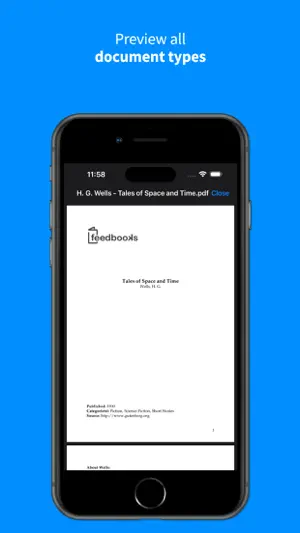
Introducing the Photo Editor! Photo Editing Made Easy: Open a photo from your Dropbox and click 'Edit' to access our new Photo Editor. Free Features for All Users: Enjoy basic editing functions like rotation, brightness adjustment, and contrast enhancement. Pro Features Unlocked: Pro Subscribers can now use advanced tools, including color filters, effects, resizing, stickers, emoticons, and text placement. Additional Updates ------------------- Improved File Handling: A progress indicator now appears when opening or saving files. Enhanced Dark Theme: We’ve fixed various issues on the file preview screen in dark mode. Full-Screen Previews: File previews are now displayed in full screen for better visibility. Expanded File Support: Added preview capabilities for additional file types such as MP4 and JPEG, ensuring they preview correctly.
App privacy
The developer, Screenplay & Script Pte. Ltd., reported these privacy practices to Apple.
Data Not Linked to You
The following data, which may be collected but is not linked to your identity, may be used for the following purposes:
- Usage Data: Advertising Data, Product Interaction, Other Usage Data
- Diagnostics: Crash Data, Performance Data, Other Diagnostic Data
Used for: Third-Party Advertising, Analytics, App Functionality
Alternatives to Permanote
Looking for apps like Permanote? Here are 6 similar apps on the App Store. The highest rated is Drafts (4.8/5), and all 6 are free to download.
-
 Stratword - Script Writing
4.4
Stratword - Script Writing
4.4
-
 Storyist 4
4.3
Storyist 4
4.3
-
 Fountain · easy screenwriting
4.5
Fountain · easy screenwriting
4.5
-
 Drafts
4.8
Drafts
4.8
-
 Scriptation: PDF for Film & TV
4.8
Scriptation: PDF for Film & TV
4.8
-
 Final Draft Go
4.0
Final Draft Go
4.0
| App | Rating | Price | Last updated | Compare |
|---|---|---|---|---|
| Permanote | 3.5 / 5 (4 ratings) | Free | June 18, 2024 | |
| Stratword - Script Writing | 4.4 / 5 (97) | Free | Sep 23, 2026 | Compare |
| Storyist 4 | 4.3 / 5 (393) | Free | Sep 9, 2026 | Compare |
| Fountain · easy screenwriting | 4.5 / 5 (35) | Free | Sep 14, 2026 | Compare |
| Drafts | 4.8 / 5 (10,828) | Free | Oct 21, 2026 | Compare |
| Scriptation: PDF for Film & TV | 4.8 / 5 (3,554) | Free | Sep 29, 2026 | Compare |
| Final Draft Go | 4.0 / 5 (1,712) | Free | Sep 14, 2026 | Compare |
Compare Permanote with the top alternatives: ratings, updates, ASO score and keyword gaps →