

Juice Watch: Battery Monitor
Ganotis Holdings, Inc. Utilities iPhoneiPadiPod touchMacApple Watch
Juice Watch: Battery Monitor is a free Utilities app for iPhone and iPad by Ganotis Holdings, Inc. Rated 4.4/5 from 394 ratings. Requires iOS 15.0.
- Rating
- 4.4
- 394 ratings
- Price
- Free
- on the App Store
- Size
- 22 MB
- Age 4+
- Updated
- Oct 22
- 2026 · v2026.30
Screenshots



About Juice Watch: Battery Monitor
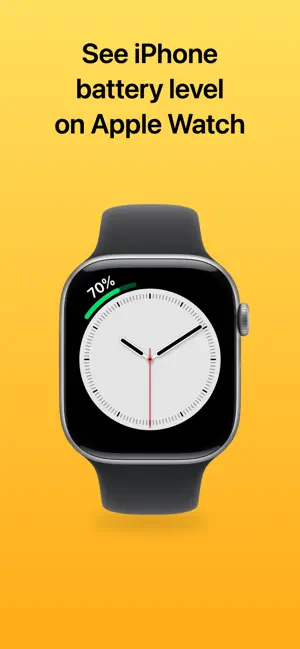
Monitor your iPhone battery level from your wrist. Juice Watch is a simple app designed to do two things well: • Show the battery level of the paired iPhone in a complication on Apple Watch • Deliver a notification on your iPhone when your Apple Watch is charging and gets above 90% (or whatever level you choose, from 50% to 100%) Just glance at your wrist to monitor the charge of your iPhone throughout the day. Or, keep tabs on the battery level of your iPhone while it is plugged in and charging in another room. You can see both your iPhone and Apple Watch battery levels on the same complication. You can also get a notification on your Apple Watch when the paired iPhone is charging and reaches at least 80% (or whatever level you choose, from 50% to 100%). You can set up low battery notifications, to get notifications when your Apple Watch or iPhone battery is low. Juice Watch is available for a wide variety of complications, so you can use it on your favorite watch faces. You can also use this app to check your Apple Watch battery level from your paired iPhone. This can be useful while your Apple Watch is charging somewhere else. Keep in mind that the iPhone battery level shown on Apple Watch is not real-time. It is refreshed periodically, about every 5–60 minutes. The Apple Watch battery level shown on the paired iPhone refreshes at approximately the same rate. Note: The Juice Watch complication must be installed on your active watch face for the app to work as expected. Since iOS 17 and watchOS 10, Apple shares battery levels with apps rounded to the nearest 5%, so some readings in Juice Watch are rounded. Subscription automatically renews unless canceled at least 24 hours before the end of the current period. Manage or cancel in your device’s Settings under your Apple Account. Privacy Policy: https://ganotis.com/juice-watch-privacy.html Terms of Use: https://www.apple.com/legal/internet-services/itunes/dev/stdeula/
Ratings & reviews
4.4
394 ratings
What’s new
Version 2026.30 · Updated October 22, 2026
Device names: Give your iPhone and Apple Watch custom names to use in the app and widgets. Widgets: Improved device-name display and battery readings when switching from one Apple Watch to another. Apple Watch: The battery list adapts better to the available space. App icons: Added icon selection on iPad and an Automatic option that follows light and dark appearance.
App privacy
The developer, Ganotis Holdings, Inc., reported these privacy practices to Apple.
Data Linked to You
The following data, which may be collected and linked to your identity, may be used for the following purposes:
- Purchases: Purchase History
- Identifiers: User ID
- Usage Data: Product Interaction
Used for: Analytics, App Functionality
Data Not Linked to You
The following data, which may be collected but is not linked to your identity, may be used for the following purposes:
- Usage Data: Other Usage Data
- Diagnostics: Crash Data, Performance Data, Other Diagnostic Data
Used for: Analytics, App Functionality
Alternatives to Juice Watch: Battery Monitor
Looking for apps like Juice Watch: Battery Monitor? Here are 6 similar apps on the App Store. The highest rated is Unplugged: Battery Monitor (4.7/5), and 5 of the 6 are free to download.
-
 Unplugged: Battery Monitor
4.7
Unplugged: Battery Monitor
4.7
-
 BatteryPhone
3.6
BatteryPhone
3.6
-
 Very Long Screenshot Maker
4.5
Very Long Screenshot Maker
4.5
-
 Cloud Battery
4.0
Cloud Battery
4.0
-
![File Explorer & Player [Pro]](https://is1-ssl.mzstatic.com/image/thumb/Purple211/v4/44/4c/e5/444ce5c8-7e27-fc00-3858-59a201c19f6c/AppIcon-0-0-1x_U007emarketing-0-8-0-85-220.png/200x200bb.webp) File Explorer & Player [Pro]
4.6
File Explorer & Player [Pro]
4.6
-
 invsi – Photo & Video Vault
4.1
invsi – Photo & Video Vault
4.1
| App | Rating | Price | Last updated | Compare |
|---|---|---|---|---|
| Juice Watch: Battery Monitor | 4.4 / 5 (394 ratings) | Free | October 22, 2026 | |
| Unplugged: Battery Monitor | 4.7 / 5 (116) | Free | Oct 7, 2026 | Compare |
| BatteryPhone | 3.6 / 5 (156) | Free | Sep 2, 2026 | Compare |
| Very Long Screenshot Maker | 4.5 / 5 (25) | 6.99 USD | Oct 14, 2026 | Compare |
| Cloud Battery | 4.0 / 5 (1,518) | Free | Oct 30, 2026 | Compare |
| File Explorer & Player [Pro] | 4.6 / 5 (836) | Free | Oct 26, 2026 | Compare |
| invsi – Photo & Video Vault | 4.1 / 5 (9) | Free | Oct 27, 2026 | Compare |