

Draw Pixel Painting
秉博 王 Utilities iPhoneiPadiPod touch
Draw Pixel Painting is a free Utilities app for iPhone and iPad by 秉博 王. Rated 5.0/5 from 10 ratings. Requires iOS 10.0. Updated December 3, 2025.
- Rating
- 5.0
- 10 ratings
- Price
- Free
- on the App Store
- Size
- 19 MB
- Age 9+
- Updated
- Dec 3
- 2025 · v1.13.2
Screenshots

About Draw Pixel Painting
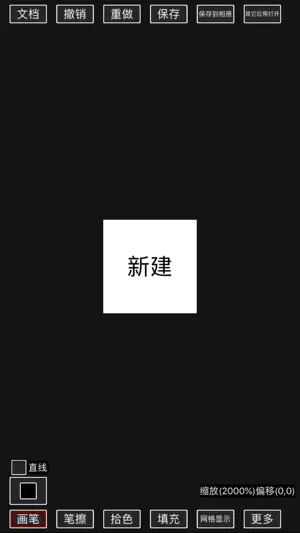
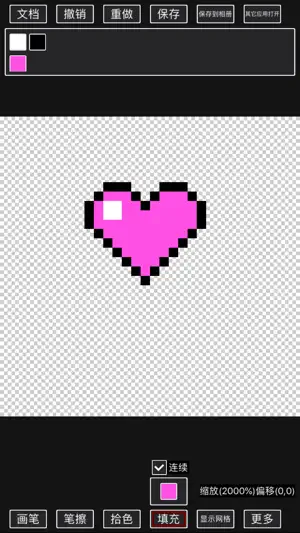
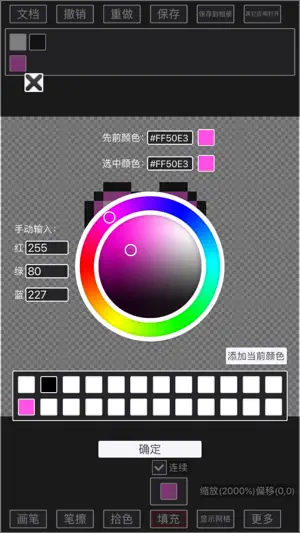
The interface is simple, providing basic functions such as brush, filling, erasing, and color picking, and supports undo and redo; The pen can draw straight lines, rectangles (can be forced to be square), ellipses (can be forced to be round) and regular polygons; Various operations on the canvas support sliding operations directly on the canvas, or [press mode] operations; The filling function can discontinuously replace colors; Supports flipping and rotating the canvas left and right; Support canvas size change, when changing, you can specify the direction of increase or decrease; Support real-time preview function; Color supports transparent channel, supports palette-related operations, and supports RGB and HSV modes for selecting colors; Support layer related operations: New layer; Copy layer Layer exchange level; Layer chain Layer naming; Layer modification transparency; Layer merging (the merging operation of invisible layers is equivalent to deleting layers, so only visible layers can be merged) includes upward merging, downward merging, all merging, and chain merging; Delete the layer. Support selection function: In the selection mode, you can select the area; The frame selection tool is used to directly select or increase or decrease the rectangular area; The magic wand tool is used to directly select or increase or decrease adjacent areas of the same color; After selecting an area, you can move the selection, or copy or cut the content of the selection to a new layer. Support animation function: (1). You can edit the animation by adding key frames on the timeline; (2). Currently, it supports displaying and hiding key attributes and displacement key attributes, and supports popular easing interpolation effects between displacement key frames; (3). Support exporting your work as gif animation. Please note that the gif format does not support translucency, and one pixel can only be completely transparent or completely opaque. Support block function: (1). You can save the entire document or a selection as a block; (2). The block can be pasted into your current creation, and a new layer will be automatically created for the block; (3). The picture block list is arranged in reverse order, so that the newly added picture blocks are the easiest to use. Support opening the pixel art in the album and the pixel art shared from other applications, and support the resolution of the pixel art into the smallest pixel block; When there is unsaved document content, the document can be automatically saved in the background to prevent the loss of creative content; The built-in document module can be saved as a document (as a document), and the operation can be continued next time when it is closed. It can be saved to an album or sent to other applications. Suggestions or comments are welcome to add QQ group 1018390234 Or send an email to the developer [email protected]
Ratings & reviews
5.0
10 ratings
What’s new
Version 1.13.2 · Updated December 3, 2025
Fix known bugs.
App privacy
The developer, 秉博 王, reported these privacy practices to Apple.
Data Used to Track You
The following data may be used to track you across apps and websites owned by other companies:
- Diagnostics: Performance Data
Data Linked to You
The following data, which may be collected and linked to your identity, may be used for the following purposes:
- Diagnostics: Performance Data
Used for: Third-Party Advertising, Developer’s Advertising or Marketing, Analytics
Data Not Linked to You
The following data, which may be collected but is not linked to your identity, may be used for the following purposes:
- Identifiers: Device ID
- Usage Data: Product Interaction, Advertising Data
- Diagnostics: Crash Data
Used for: Third-Party Advertising, Analytics, App Functionality
Alternatives to Draw Pixel Painting
Looking for apps like Draw Pixel Painting? Here are 6 similar apps on the App Store. The highest rated is Coloring Book - Pixel Color (5.0/5), and all 6 are free to download.
-
 qiming
-
 Draw Paint - draw app
4.8
Draw Paint - draw app
4.8
-
 Coloring Book - Pixel Color
5.0
Coloring Book - Pixel Color
5.0
-
 白噪音宝宝助眠安抚宝-婴儿助眠白噪音,有效缓解肠绞痛
-
 取名宝典 - 助你取一个称心如意的好名字
5.0
取名宝典 - 助你取一个称心如意的好名字
5.0
-
 樱桃助手 - 精品私人视频合集多功能播放器&影院在线观看辅助
5.0
樱桃助手 - 精品私人视频合集多功能播放器&影院在线观看辅助
5.0
| App | Rating | Price | Last updated | Compare |
|---|---|---|---|---|
| Draw Pixel Painting | 5.0 / 5 (10 ratings) | Free | December 3, 2025 | |
| qiming | – | Free | Sep 29, 2025 | Compare |
| Draw Paint - draw app | 4.8 / 5 (10) | Free | Jun 12, 2025 | Compare |
| Coloring Book - Pixel Color | 5.0 / 5 (1) | Free | Dec 23, 2025 | Compare |
| 白噪音宝宝助眠安抚宝-婴儿助眠白噪音,有效缓解肠绞痛 | – | Free | Nov 25, 2025 | Compare |
| 取名宝典 - 助你取一个称心如意的好名字 | 5.0 / 5 (2) | Free | Oct 21, 2026 | Compare |
| 樱桃助手 - 精品私人视频合集多功能播放器&影院在线观看辅助 | 5.0 / 5 (2) | Free | Apr 1, 2025 | Compare |