

CompassTip: AR Compass
Tanadium Navigation iPhoneiPadiPod touch
CompassTip: AR Compass is a free Navigation app for iPhone and iPad by Tanadium. Requires iOS 18.0. Updated May 18, 2026.
- Price
- Free
- on the App Store
- Size
- 248 MB
- Age 4+
- Updated
- May 18
- 2026 · v2.1.0
Screenshots


About CompassTip: AR Compass
CompassTip app features an augmented reality virtual 3D compass presented on the live camera feed of your device. Easily find your point of interest via your camera and also through the focus eyelet in the middle of the compass. From there, you can read the compass directions without having to lift your head or shift your eyes to away from your point of interest. The compass also features a map that automatically updates as you move your device. The app features a unique responsive compass where the indicators tilt and move according to the tilt of your device. The indicators are designed to tilt and move in a way that display intuitive directions in 3D space. For example, normal standard compasses and standard indicators of direction have a fixed arrow that points downwards when you have your device held vertically in front of you even if that direction is directly behind you. Arrows pointing straight up when you are facing straight ahead are more intuitive than arrows that point straight down when it is meant to be pointing behind you. The tilting of the compass also provides intuitive visual feedback on how much you are tilting your device. CompassTip is designed to tilt that arrow so that it points inwards towards the screen to indicate a direction that is behind you, and this happens accurately and smoothly as you move your device around. This is coupled with augmented reality so that you can view what you are pointing at and have a proper indication of directions in relation to your camera. The app also lets you adjust the camera (digital) zoom to aid you in visually finding your point of interest. Key features: • Augmented reality compass with 3D direction needles that also moves according to the tilt of your device; • A map that is synchronized to your current location and heading, which automatically updates as you move your device; • Adjustable map size; • Ability to adjust the camera zoom; • Ability to turn AR on and off; • Ability to share a screenshot of your compass screen; and • Information display that includes current heading, longitude, latitude and elevation. This app uses an in-app credit system called, CompassTip Beans. You earn CompassTip Beans by interacting with advertisements or making consumable in-app purchases that top-up the number of beans. You may then exchange and redeem these beans for other features in the app including activating ad-free periods. The app offers the following consumable items: • Title: Purchase 10000 Beans - Description: Adds 10000 CompassTip Beans to your account - Price: (Please check the app or the App Store for the latest price as it may be subject to change) • Title: Purchase 200 Beans - Description: Adds 200 CompassTip Beans to your account - Price: (Please check the app or the App Store for the latest price as it may be subject to change) For more information, please see our Terms of Use (https://compasstip.com/terms) and Privacy Policy (https://compasstip.com/privacy-policy).
What’s new
Version 2.1.0 · Updated May 18, 2026
• Added ability to zoom in and out with the AR camera; and • Bug fixes and general improvements.
App privacy
The developer, Tanadium, reported these privacy practices to Apple.
Data Used to Track You
The following data may be used to track you across apps and websites owned by other companies:
- Location: Coarse Location
- Identifiers: Device ID
- Usage Data: Product Interaction, Advertising Data
- Diagnostics: Crash Data, Performance Data, Other Diagnostic Data
Data Not Linked to You
The following data, which may be collected but is not linked to your identity, may be used for the following purposes:
- Location: Coarse Location
- Identifiers: Device ID, User ID
- Usage Data: Product Interaction, Advertising Data, Other Usage Data
- Diagnostics: Crash Data, Performance Data, Other Diagnostic Data
- Other Data: Other Data Types
Used for: Third-Party Advertising, Analytics, App Functionality
Alternatives to CompassTip: AR Compass
Looking for apps like CompassTip: AR Compass? Here are 6 similar apps on the App Store. The highest rated is FULL COMPASS (4.8/5), and all 6 are free to download.
-
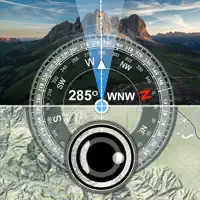 Direction Compass Camera
3.0
Direction Compass Camera
3.0
-
 AR Compass 3D
4.5
AR Compass 3D
4.5
-
 Compass XXL
4.5
Compass XXL
4.5
-
 FULL COMPASS
4.8
FULL COMPASS
4.8
-
 Best Compass™
4.7
Best Compass™
4.7
-
 Compass_S
4.6
Compass_S
4.6
| App | Rating | Price | Last updated | Compare |
|---|---|---|---|---|
| CompassTip: AR Compass | – | Free | May 18, 2026 | |
| Direction Compass Camera | 3.0 / 5 (5) | Free | Jun 23, 2025 | Compare |
| AR Compass 3D | 4.5 / 5 (37) | Free | Aug 14, 2026 | Compare |
| Compass XXL | 4.5 / 5 (11) | Free | Feb 2, 2026 | Compare |
| FULL COMPASS | 4.8 / 5 (34) | Free | Jan 9, 2026 | Compare |
| Best Compass™ | 4.7 / 5 (1,201) | Free | Dec 29, 2025 | Compare |
| Compass_S | 4.6 / 5 (281) | Free | Jan 9, 2026 | Compare |