

Save Speech
gangadhar goud Utilities iPhoneiPadiPod touch
Save Speech is a free Utilities app for iPhone and iPad by gangadhar goud. Requires iOS 12.0. Updated June 22, 2025.
- Price
- Free
- on the App Store
- Size
- 12 MB
- Age 4+
- Updated
- Jun 22
- 2025 · v1.5
Screenshots


About Save Speech
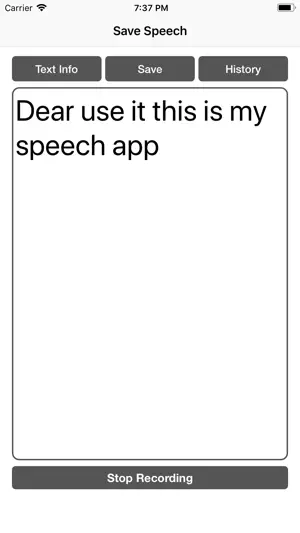
If you want to send a text message to someone, you need to type out the entire message, which can take a lot of time. However, with the Save Speech app, you can easily send a text message. Simply click the "Start Recording" button, and the app will begin recording your speech. Once you finish speaking, click the "Stop Recording" button. You can then save your speech by clicking the "Save" button and share the text message by going to the "History" section. Many people attend speeches but may forget the content a few days later. The Save Speech app helps them by allowing users to save the speech, enabling them to revisit and edit it later. With this app, users can practice the pronunciation of words.
What’s new
Version 1.5 · Updated June 22, 2025
Minor bug fixes. UI improvements.
App privacy
The developer, gangadhar goud, reported these privacy practices to Apple.
Data Used to Track You
The following data may be used to track you across apps and websites owned by other companies:
- Usage Data: Advertising Data
Data Linked to You
The following data, which may be collected and linked to your identity, may be used for the following purposes:
- Usage Data: Advertising Data
Used for: Third-Party Advertising