

Audio Editor: Recording Studio
Giant Brains Utilities iPhoneiPadiPod touch
Audio Editor: Recording Studio is a free Utilities app for iPhone and iPad by Giant Brains. Rated 4.3/5 from 12,136 ratings. Requires iOS 17.0.
- Rating
- 4.3
- 12.1K ratings
- Price
- Free
- on the App Store
- Size
- 154 MB
- Age 4+
- Updated
- Aug 18
- 2026 · v8.1
Screenshots



About Audio Editor: Recording Studio
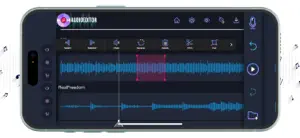
Edit your favorite songs, change the way you send voice notes, record audios in a professional way, and edit any audio in your device, with an easy to use-yet powerful tool that will make your audios more stunning than ever before. • Editing your audios is just as easy as cutting, pasting, and using your creativity to create amazing masterpieces. • Record audio directly from the app, and add them to your favorite songs with just a tap on the screen. • Add music effects to your recordings, and edit your audios like a professional. • Save your mixes directly in the app, or download them to your phone, and use it whenever necessary. • Change the quality of your recordings, and give a professional style to your music. • Share your creations with your friends, and let them know your musical ability. • Import and export sound from your phone, and make your creations as complete as you want. Easily edit your audio files with the most professional style. Take your favorite songs to the next level, and create your favorite mixes with nothing but your imagination! Your passion for music, and the professional tools that Audio Editor brings directly to the palm of your hand. 1. Title of publication or service: Audio Editor PRO. 2. Length of subscription & Price of subscription, and price per unit if appropriate: - Monthly (First 3 day free trial) 3. Price of subscription: - 3 day free trial then $9.99 per month - 3 day free trial then $49.99 per year 4. Payment will be charged to iTunes Account at confirmation of purchase 5. Subscription automatically renews unless auto-renew is turned off at least 24-hours before the end of the current period. You can turn of the auto-renew subscription from iPhone setting 6. Account will be charged for renewal within 24-hours prior to the end of the current period, and identify the cost of the renewal 7. Subscriptions may be managed by the user and auto-renewal may be turned off by going to the user's Account Settings after purchase. 8. Privacy Policy: https://giantbrainsllc.wordpress.com/privacy-policy/ 9. Terms of use: https://giantbrainsllc.wordpress.com/terms-of-use/ 10. Any unused portion of a free trial period, if offered, will be forfeited when the user purchases a subscription to that publication where applicable 11. Audio Editor adds new features above and are available through an auto-renewing subscription. Subscriptions will be charged to your credit card through your iTunes account. Your subscription will automatically renew unless cancelled at least 24 hours before the end of your current subscription, and you can cancel anytime a subscription during the active period. You can manage your subscription, either by viewing your account in iTunes from your Mac or PC, or Account Settings on your device after purchase.
Ratings & reviews
4.3
12.1K ratings
What’s new
Version 8.1 · Updated August 18, 2026
Introducing AI Music Generation! Craft unique melodies with our latest feature. Try it now and unleash your creativity! Enjoying our app? Share your thoughts with us! Leave a review on the App Store and help us improve your experience. Thank you for your support!
App privacy
The developer, Giant Brains, reported these privacy practices to Apple.
Data Used to Track You
The following data may be used to track you across apps and websites owned by other companies:
- Usage Data: Other Usage Data
Data Linked to You
The following data, which may be collected and linked to your identity, may be used for the following purposes:
- Usage Data: Other Usage Data
- Identifiers: User ID
- Diagnostics: Crash Data
- Purchases: Purchase History
Used for: Developer’s Advertising or Marketing, Analytics, App Functionality
Data Not Linked to You
The following data, which may be collected but is not linked to your identity, may be used for the following purposes:
- Diagnostics: Other Diagnostic Data
Used for: Analytics
Alternatives to Audio Editor: Recording Studio
Looking for apps like Audio Editor: Recording Studio? Here are 6 similar apps on the App Store. The highest rated is Recorder Plus - Audio Editor (4.8/5), and all 6 are free to download.
-
 Recorder Plus - Audio Editor
4.8
-
 Audio editor | AudioLab: Mixer
4.6
-
 Noise Reducer - audio enhancer
4.5
-
 Voice Memos & Sound Recorder
4.6
-
 Voice recorder: Audio editor
4.6
-
 Recorder for iPhone
4.4
| App | Rating | Price | Last updated | Compare |
|---|---|---|---|---|
| Audio Editor: Recording Studio | 4.3 / 5 (12,136 ratings) | Free | August 18, 2026 | |
| Recorder Plus - Audio Editor | 4.8 / 5 (3,767) | Free | Oct 21, 2026 | Compare |
| Audio editor | AudioLab: Mixer | 4.6 / 5 (3,315) | Free | Oct 15, 2026 | Compare |
| Noise Reducer - audio enhancer | 4.5 / 5 (3,603) | Free | Oct 12, 2026 | Compare |
| Voice Memos & Sound Recorder | 4.6 / 5 (13,729) | Free | Aug 21, 2026 | Compare |
| Voice recorder: Audio editor | 4.6 / 5 (7,492) | Free | Aug 21, 2026 | Compare |
| Recorder for iPhone | 4.4 / 5 (2,973) | Free | Oct 23, 2026 | Compare |