

SlideBook
FJB Photo & Video iPhoneiPadiPod touch
SlideBook is a paid Photo & Video app for iPhone and iPad by FJB. Rated 4.8/5 from 8 ratings. Requires iOS 16.0. Updated August 2, 2026.
- Rating
- 4.8
- 8 ratings
- Price
- 3.99 USD
- on the App Store
- Size
- 2 MB
- Age 4+
- Updated
- Aug 2
- 2026 · v3.3
Screenshots



About SlideBook
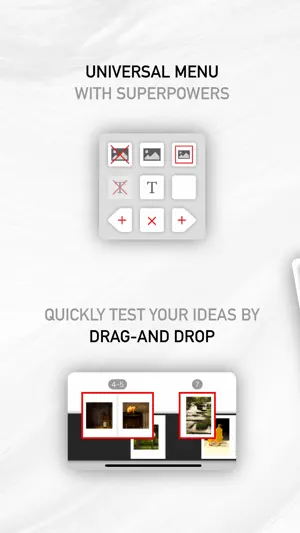
Contrary to full-fledged desktop publishing software, SlideBook is simple enough for anyone to use, and yet has all it takes to create professional-looking books. Just import your photos, layout the pages with intuitive gestures, add some text, create a cover page, and you're done! With SlideBook, you can : - insert, delete or modify pages - easily test visual associations by moving around individual pages or spreads - browse your book with a smooth visual experience as close as possible to browsing a real book - create stunning video books with an optional sound track to share your work with friends or on social media - export your book content and cover pages as PDF documents - print your book on Blurb® In addition, SlideBook supports the following advanced features : - auto-saving - synchronize your books via iCloud - infinite number or undos and redos - multiple text items on each page, including rotated text - page footers with page number support - powerful layout styles for photos - visual guides for centering and alignment - support for double page photos - keyboard shortcuts on iPad (long-press on the command key for help) - a hard-cover editor with PDF or photo backgrounds - export of spread snapshots (great for gallery thumbnails) - import of PDF books created by desktop publishing software such as Scribus or Adobe® InDesign® - support of copyright information and other meta-data in all exported media
Ratings & reviews
4.8
8 ratings
What’s new
Version 3.3 · Updated August 2, 2026
• Full iOS 26 Compatibility. • Remember recently used albums. • Enhanced video generation. • Books with damaged data now open again: instead of failing, the book is restored to its last saved state and a message lets you know. • Fixed a crash when deleting the last page of a book that has a cover. • Fixed rare crashes when opening books, including when tapping several books in quick succession. • Fixed rare crashes while browsing page thumbnails, undoing changes, and exporting to PDF. • Exporting a very large book no longer crashes when memory runs low — an error message is shown instead. • Fixed a crash that prevented the creation of new photo boxes
App privacy
The developer, FJB, reported these privacy practices to Apple.
Data Not Collected
The developer does not collect any data from this app.
Alternatives to SlideBook
Looking for apps like SlideBook? Here are 6 similar apps on the App Store. The highest rated is SimplePrints Photo Books (4.9/5), and all 6 are free to download.
-
 Famm - Family Album
4.7
-
 Recently Photo Books
4.6
-
 Project Life
4.4
-
 PixBook: Photo Book Creator
4.8
-
 SimplePrints Photo Books
4.9
-
 Slideshow Maker - MovieStudio
4.7
| App | Rating | Price | Last updated | Compare |
|---|---|---|---|---|
| SlideBook | 4.8 / 5 (8 ratings) | 3.99 USD | August 2, 2026 | |
| Famm - Family Album | 4.7 / 5 (83) | Free | Oct 13, 2026 | Compare |
| Recently Photo Books | 4.6 / 5 (1,224) | Free | Dec 1, 2025 | Compare |
| Project Life | 4.4 / 5 (496) | Free | Sep 22, 2026 | Compare |
| PixBook: Photo Book Creator | 4.8 / 5 (859) | Free | Apr 17, 2024 | Compare |
| SimplePrints Photo Books | 4.9 / 5 (16,169) | Free | Oct 5, 2026 | Compare |
| Slideshow Maker - MovieStudio | 4.7 / 5 (2,334) | Free | Oct 6, 2026 | Compare |
Compare SlideBook with the top alternatives: ratings, updates, ASO score and keyword gaps →