

Courier Complete Mobile 2
Complete Innovations Inc Business iPhoneiPadiPod touch
Courier Complete Mobile 2 is a free Business app for iPhone and iPad by Complete Innovations Inc. Rated 3.0/5 from 2 ratings. Requires iOS 15.0.
- Rating
- 3.0
- 2 ratings
- Price
- Free
- on the App Store
- Size
- 33 MB
- Age 4+
- Updated
- Oct 30
- 2025 · v1.5.8
Screenshots
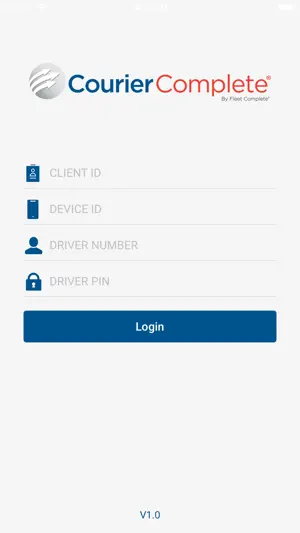
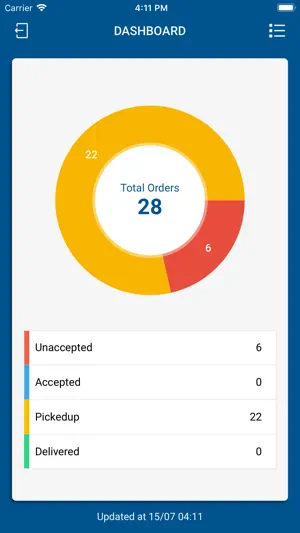
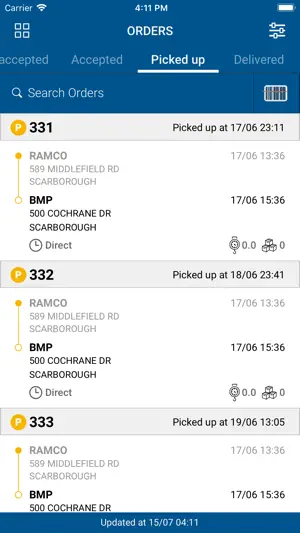
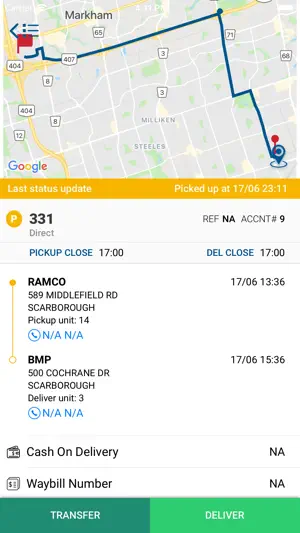
About Courier Complete Mobile 2
Courier Complete Mobile 2 for iOS. Courier Complete is the most widely used courier software in North America. Courier Complete automates the front office, back-end business and in-field courier processes, including online customer order entry, accounts receivable, real-time deliver tracking, and account information. It uses wireless two-way data technology to enable dispatchers to wirelessly send detailed order information to a driver’s device. Drivers can view and interact with the information on their device and keep dispatchers up to date by remotely updating the status of pickups and deliveries. The Courier Complete solution includes: - Unlimited Courier Complete desktop (dispatcher) licenses - Support through our North American support department - Courier Complete web portal for your clients to place orders - Mobile device tracking (while user is logged in) and unlimited Fleet Complete licenses In addition, data services can be provided to assist in the conversion to the Courier Complete product; and a large custom development and consulting team is available to develop custom solutions to give your businesses the competitive advantage. ccMobile2 provides additional functionality to: - take photo's when interacting with an order - timestamp arrival at pickup and delivery location - specify an exception code for the order ccMobile2 will require additional Web Services be configured and changes to your Courier Complete application/server. Please contact Courier Complete Support for prior to using this version of ccMobile. Please Note: Continued use of GPS running in the background can dramatically decrease battery life.
What’s new
Version 1.5.8 · Updated October 30, 2025
1. Toggle between Light Mode and Dark Mode (affecting Splash Screen, Login Screen, Dashboard, Order List Screen, Order Details Screen, Package Details Screen, etc.) 2. Toggle between Collapsed and Expanded as the default setting for the Order List Screen (auto-expanded by default) 3. Upon each order status progression (New -> Accepted -> Arrived at PU -> Picked Up -> Arrived at DEL -> Delivered), toggle between 4. Default Flow: Auto-Redirect to the Next Tab 5. New Flow #1: Stay in the Current Tab 6. New Flow #2: Return to the Dashboard Screen 7. Implemented the ability to browse images in Camera Roll/Photo Gallery to the Photos/Order Images feature 8. Fixed the app crashing issue related to OrderListActivity,ForegroundServiceStartNotAllowedException when starting LocationService from onResume. This is triggered and bubbles up through ActivityThread.performResumeActivity
App privacy
The developer, Complete Innovations Inc, reported these privacy practices to Apple.
Data Not Collected
The developer does not collect any data from this app.
Alternatives to Courier Complete Mobile 2
Looking for apps like Courier Complete Mobile 2? Here are 6 similar apps on the App Store. The highest rated is Ziing.ai (5.0/5), and all 6 are free to download.
-
 DeliverySuite Driver
-
 Ziing.ai
5.0
Ziing.ai
5.0
-
 Purolator Delivery Pro
-
 Safety Evolution
5.0
Safety Evolution
5.0
-
 1Courier Drivers
-
 ClearD Mobile 4
| App | Rating | Price | Last updated | Compare |
|---|---|---|---|---|
| Courier Complete Mobile 2 | 3.0 / 5 (2 ratings) | Free | October 30, 2025 | |
| DeliverySuite Driver | – | Free | Sep 29, 2026 | Compare |
| Ziing.ai | 5.0 / 5 (1) | Free | Oct 22, 2026 | Compare |
| Purolator Delivery Pro | – | Free | Oct 13, 2026 | Compare |
| Safety Evolution | 5.0 / 5 (1) | Free | Oct 25, 2026 | Compare |
| 1Courier Drivers | – | Free | Aug 28, 2026 | Compare |
| ClearD Mobile 4 | – | Free | Sep 8, 2026 | Compare |