

ABCDEF Keyboard Custom layout
Philipp Baldauf Productivity iPhoneiPadiPod touch
ABCDEF Keyboard Custom layout is a paid Productivity app for iPhone and iPad by Philipp Baldauf. Rated 3.6/5 from 31 ratings. Requires iOS 15.0.
- Rating
- 3.6
- 31 ratings
- Price
- 3.99 USD
- on the App Store
- Size
- 4 MB
- Age 4+
- Updated
- Sep 8
- 2026 · v4.0.0
Screenshots


About ABCDEF Keyboard Custom layout
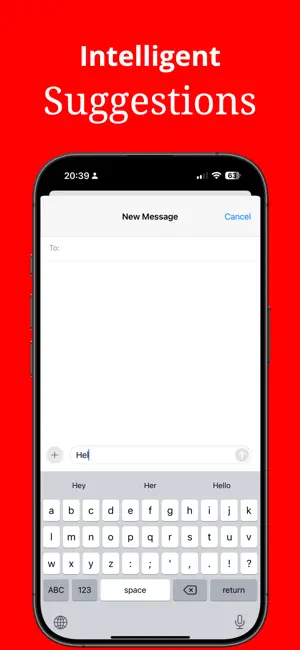
Typing that finally makes sense The keys are in the order you already know. A, B, C, all the way to Z. There is no QWERTY to decode and no hunting for letters. Most people are texting, searching and emailing with confidence minutes after they install it. NEW: THE KEYBOARD FINISHES YOUR SENTENCE On iPhone with Apple Intelligence, ABCDEF now predicts what you are about to write. Not only the next word, but the rest of your sentence, shown right above the keys. Tap it and it is written. • A whole sentence in one tap, not just single words • Four suggestions in the row, so there is always a useful one • The prediction reads the conversation you are in. Answering a friend is not the same as filling in a search box • Type in two languages and it follows you, switching to the language you are actually writing in • Everything runs on your iPhone. Your words are never uploaded and never stored • Prefer it quiet? Turn the sentence row off in the app 100% PRIVATE, AND WE MEAN IT ABCDEF does not require Full Access. That is the iOS switch that lets a keyboard send everything you type to a server. We never ask for it, so we could not read your messages even if we wanted to. The predictions run on Apple's on-device model, so your words never leave your iPhone. BUILT FOR PEOPLE, NOT FOR TYPISTS • Instant familiarity for anyone who never trained on QWERTY • Big, clear keys in a layout that does not move around under your finger • Works well with VoiceOver: it reads each letter, then a sample word starting with it, so you always know which key you are on • Emojis, numbers and accented letters on a long press • Works in every app, from Messages and Mail to your banking app Whether you are setting up an iPad for a parent, helping a friend stay in touch, or you simply never got on with QWERTY, this keyboard turns a daunting screen back into a conversation. Sentence predictions need an iPhone or iPad with Apple Intelligence on iOS 26 or later. On older devices the keyboard keeps its dictionary suggestions and works exactly as before. Download it and find the letters where you expect them.
Ratings & reviews
3.6
31 ratings
What’s new
Version 4.0.0 · Updated September 8, 2026
Your keyboard can now finish your sentence. On iPhone with Apple Intelligence, ABCDEF predicts what you are about to write and shows the rest of your sentence right above the keys. One tap and it is written. What is new • A whole sentence, not just the next word • Four suggestions in the row instead of three, so there is always a useful one to tap • Predictions read the conversation you are in: answering a message is not the same as filling in a search box • Type in two languages and it follows you, switching to the language you are actually writing in • Suggestions start appearing while the model is still writing, so you wait less • Everything runs on your iPhone. Your words are never uploaded and never stored, and Full Access is still never required • Do not want the sentence row? Switch it off in the app Also in this release • A fresh look on iOS 26 with rounder keys and a glass accent picker • The keys stay put when the sentence row opens • Smaller fixes to VoiceOver, dark mode and the accent picker The alphabetical layout has not changed. A is still where you left it.
App privacy
The developer, Philipp Baldauf, reported these privacy practices to Apple.
Data Not Collected
The developer does not collect any data from this app.
Alternatives to ABCDEF Keyboard Custom layout
Looking for apps like ABCDEF Keyboard Custom layout? Here are 6 similar apps on the App Store. The highest rated is SUPER_PDF_OCR (5.0/5), and 3 of the 6 are free to download.
-
 W TEXT BOX
-
 SUPER_PDF_OCR
5.0
-
 Line-Writer: Flexible Template
-
 Text Clean
5.0
-
 Mind Planner 365
-
 Pastes - Notes meets Clipboard
| App | Rating | Price | Last updated | Compare |
|---|---|---|---|---|
| ABCDEF Keyboard Custom layout | 3.6 / 5 (31 ratings) | 3.99 USD | September 8, 2026 | |
| W TEXT BOX | – | 0.99 USD | Jun 21, 2025 | Compare |
| SUPER_PDF_OCR | 5.0 / 5 (3) | 1.99 USD | Mar 21, 2024 | Compare |
| Line-Writer: Flexible Template | – | 4.99 USD | Oct 19, 2024 | Compare |
| Text Clean | 5.0 / 5 (1) | Free | Nov 20, 2025 | Compare |
| Mind Planner 365 | – | Free | Jun 24, 2025 | Compare |
| Pastes - Notes meets Clipboard | – | Free | Nov 12, 2025 | Compare |