

Python IDE & Jupyter – Juno
Rational Matter Developer Tools iPhoneiPadiPod touch
Python IDE & Jupyter – Juno is a free Developer Tools app for iPhone and iPad by Rational Matter. Rated 4.6/5 from 1,145 ratings. Requires iOS 17.0.
- Rating
- 4.6
- 1.1K ratings
- Price
- Free
- on the App Store
- Size
- 1.1 GB
- Age 4+
- Updated
- Oct 27
- 2026 · v4.4.1
Screenshots
About Python IDE & Jupyter – Juno
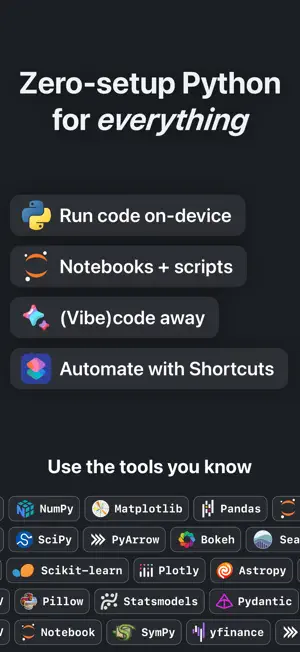
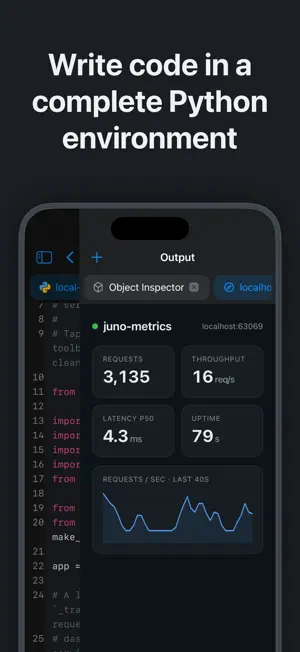
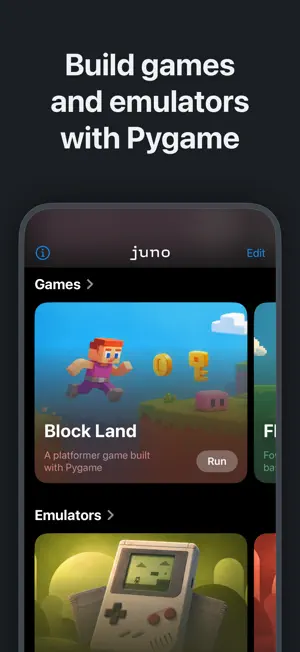
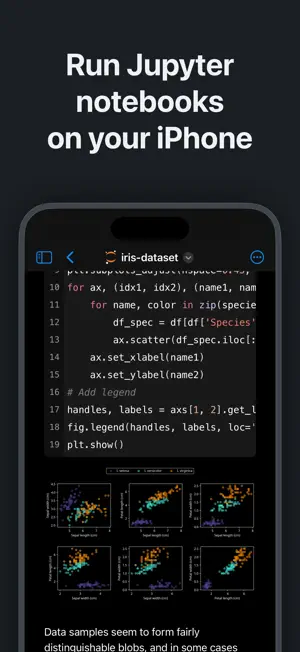
Zero-setup Python IDE that runs your code offline, an AI coding assistant, and a developer toolbox — in a first-class citizen app for iPad and iPhone. Juno is designed to cover all your Python coding needs, supporting both Python scripts (.py) and Jupyter notebooks (.ipynb) — a document format focused on applying Python to data analysis and computational science. FREE FEATURES - Navigate and manage files and folders, quickly preview documents and media - Browse and edit Jupyter notebooks in a powerful, customizable notebook editor with beautifully rendered previews — editing is free - Write and edit code sources, scripts, JSON, XML, and other text-based formats — one versatile editor for code and text alike, with syntax highlighting - Add quick access bookmarks for file system locations outside the app's sandbox, or simply open documents in place PRO FEATURES Only one thing in Juno is Pro: running code. Even that is free to try — a generous trial allowance lets you run notebooks, scripts, projects, and the REPL before you buy. After the trial, running code unlocks with a one-time Pro purchase — not a subscription. - Run Jupyter notebooks, Python scripts, and whole projects locally with the built-in Python 3.13 interpreter and a full suite of up-to-date, preinstalled scientific and data packages — entirely offline - Explore interactively in a Python REPL — open a standalone prompt, or drop into it after running a script or project to keep exploring what it defined - Search the variables, functions, and imports in your session with the Object Inspector — no need to print each one - Open any folder as a project: file tree, multiple editor tabs, run any script, with a coding assistant aware of the whole project - Keep side outputs — Preview, Browser, Console, Object Inspector — open as side-by-side tabs in an output sidebar - View local web servers and HTML your code produces in a built-in browser with developer debug tools - Long-running scripts and Jupyter sessions keep going in the background - Automate with Shortcuts and Siri: App Intents run a Python file, run Python code, or open a file — pass arguments and files, capture output, and chain actions - Leverage powerful data analysis, machine learning and developer tools: NumPy, pandas, Polars, DuckDB, Matplotlib, SciPy, Scikit-learn, OpenCV, pygame, and more - Enjoy painless package management: install any pure Python package with an intuitive package manager ON-DEVICE AI AND MACHINE LEARNING Run LLMs locally with llama.cpp and MLX, train neural networks with Keras, and create images with Stable Diffusion. Hugging Face is built in. Start with five ready-to-run projects. AI CODING ASSISTANT The assistant runs on your account or your key, not ours: sign in with your account or add your OpenAI, Anthropic, or Gemini API key, and requests go straight from your device to your provider. You control what you spend and share — Juno never takes a cut. GAMES AND EMULATORS pygame is built in: write games with touch controls, sound, and full-screen graphics, and play them on your device. Eight complete games ship as examples, alongside NES, Game Boy, and CHIP-8 emulators written in Python, each with a library of freely licensed homebrew games — play them, then open the code to see how they work. PYTHON MEETS iOS Reach native iOS APIs straight from Python with the built-in juno modules: clipboard, Keychain, device info, location, motion sensors, contacts, reminders, photos, sound, notifications, sharing, and Bluetooth. Show native alerts and pickers, present full-screen image, video, and web previews, or call into UIKit, Foundation, and any Objective-C framework via the Objective-C bridge. SCRIPTS AND NOTEBOOKS Python scripts (.py) get intelligent code completion, a console with a full terminal emulator, and a media viewer for plots and web apps. Jupyter notebooks (.ipynb) keep code, markdown, plots, and LaTeX equations in one file, outputs included.
Ratings & reviews
4.6
1.1K ratings
What’s new
Version 4.4.1 · Updated October 27, 2026
What's New in Juno 4.4: AI & ML ON-DEVICE – Run language models, generate images and train neural networks on your iPhone or iPad, from your own Python code: llama-cpp-python, MLX, mlx-lm and Keras now ship with Juno. – Five ready-to-run projects in Home's new AI & ML section: chat with a local LLM, Stable Diffusion image generation, Keras training, RAG over your own notes, and LoRA fine-tuning. Models download on the first run and work offline after that. MLX, KERAS AND STABLE DIFFUSION – Apple's MLX array framework and mlx-lm are built in: run language models and fine-tune them with LoRA adapters, right on your device. – Build and train neural networks with Keras on a fast MLX backend — the same Keras code you would write on a laptop. – Generate images from a text description with Stable Diffusion running on MLX; a compact model downloads first, and larger ones are one line away. RUN LLMS LOCALLY – Chat with a GGUF language model through llama-cpp-python, the Python bindings for llama.cpp, with replies streamed word by word. Start with the Qwen3 download, or drop in a GGUF file of your own. – Ask questions about your own notes: a small embedding model finds the relevant passages and a local LLM answers from those passages only, so nothing leaves your device. HUGGING FACE BUILT IN – huggingface_hub, transformers, tokenizers and safetensors now ship with Juno — nothing to install, just import them. Downloaded models are kept in Files, in Juno's huggingface folder. MORE – New built-in packages, including pymunk for 2D physics and audioop-lts. – Leaving the REPL now keeps your session, so you can pick up where you left off. – Notebook settings such as Wrap Lines and Show Line Numbers now apply to newly opened notebooks without a relaunch. – Security updates: refreshed trusted certificates and a fix for a vulnerability in the bundled Brotli decoder (CVE-2026-111497). – A range of stability and reliability fixes.
App privacy
The developer, Rational Matter, reported these privacy practices to Apple.
Data Not Linked to You
The following data, which may be collected but is not linked to your identity, may be used for the following purposes:
- Usage Data: Other Usage Data
- Diagnostics: Crash Data
Used for: App Functionality
Alternatives to Python IDE & Jupyter – Juno
Looking for apps like Python IDE & Jupyter – Juno? Here are 6 similar apps on the App Store. The highest rated is Python Coding (4.8/5), and all 6 are free to download.
-
 Carnets - Jupyter
4.6
Carnets - Jupyter
4.6
-
 Python Coding
4.8
Python Coding
4.8
-
 Pyto IDE
3.7
Pyto IDE
3.7
-
 Python Editor App
4.1
Python Editor App
4.1
-
 CodeSnack IDE: AI Coding Agent
4.4
CodeSnack IDE: AI Coding Agent
4.4
-
 Node.js Lab
3.9
Node.js Lab
3.9
| App | Rating | Price | Last updated | Compare |
|---|---|---|---|---|
| Python IDE & Jupyter – Juno | 4.6 / 5 (1,145 ratings) | Free | October 27, 2026 | |
| Carnets - Jupyter | 4.6 / 5 (322) | Free | Nov 26, 2025 | Compare |
| Python Coding | 4.8 / 5 (1,227) | Free | Oct 13, 2026 | Compare |
| Pyto IDE | 3.7 / 5 (1,001) | Free | Jun 9, 2024 | Compare |
| Python Editor App | 4.1 / 5 (6,452) | Free | May 16, 2026 | Compare |
| CodeSnack IDE: AI Coding Agent | 4.4 / 5 (1,559) | Free | Oct 22, 2026 | Compare |
| Node.js Lab | 3.9 / 5 (24) | Free | Oct 1, 2025 | Compare |