

Bengali Keyboard - Banglish
banuchander janarthn Utilities iPhoneiPadiPod touch
Bengali Keyboard - Banglish is a free Utilities app for iPhone and iPad by banuchander janarthn. Rated 4.4/5 from 946 ratings. Requires iOS 16.6.
- Rating
- 4.4
- 946 ratings
- Price
- Free
- on the App Store
- Size
- 66 MB
- Age 4+
- Updated
- Oct 7
- 2026 · v2.9.1
Screenshots
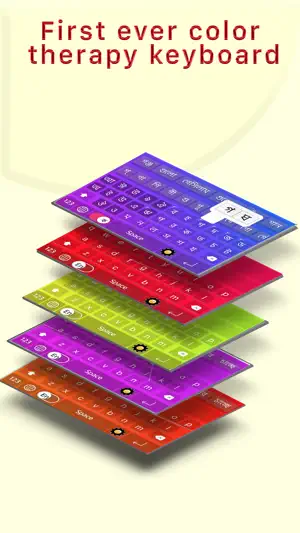
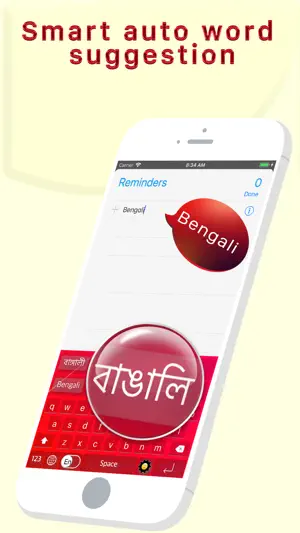
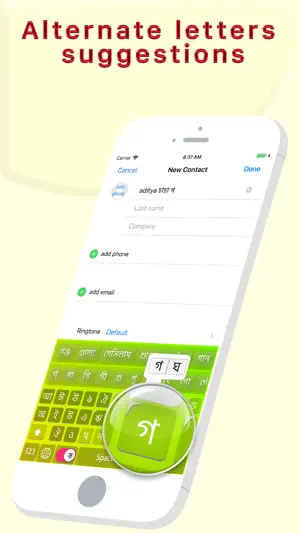
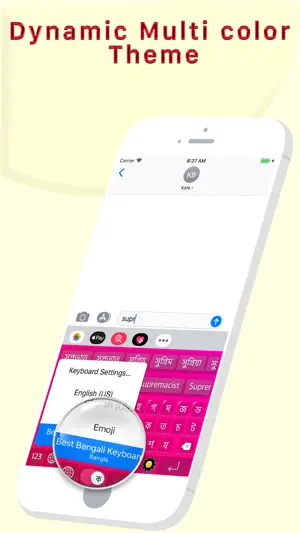
About Bengali Keyboard - Banglish
-------------------------------------------- START USING BANGLA EVERYWHERE ------------------------------------------- ◉ Best Bangla Keyboard Ever for Bangla Speaking Peoples ◉ Type the English word, Get the Bangla Meaning Instantly Offline ◉ Easy Letter Suggestions - Offline ◉ 50% More Faster than normal keyboards ◉ Easily differentiate the Letters ◉ Get suggestions for the letters ◉ Help Grow Bangla Community ◉ Please Support Development By sharing with others -------------------------------------------- HOW TO INSTALL BEST BANGLA KEYBOARD ------------------------------------------- Once you downloaded the app from Appstore. Step 1: Go to iPhone settings. Step 2: Find General And Click on it. Step 3:Scroll Down to bottom and see Keyboard option, Click on it. Step 4: Click on the Keyboards Row. Step 5: Scroll Down the bottom of the screen and find "Add New Keyboard" Option and tap on it. Step 6: Scroll down and find the BEST BANGLA Keyboard Option And tap on it, That's it you are done. Now finally open any of the WhatsApp, Facebook, Email, Notes, Twitter, SMS app, and long press the Globe icon from the default keyboard, now choose the BEST BANGLA Keyboard Option. And Start Typing In BANGLA. The smartest Bangla keyboard for iPhone — type in English, get Bengali script instantly. ◉ TRANSLITERATION (BANGLISH) Type "ami tomake bhalobashi" → আমি তোমাকে ভালোবাসি. Type "kemon acho" → কেমন আছো. No complex layouts — just type naturally in English (Banglish) and the keyboard converts it to perfect Bengali script in real time. ◉ SMART WORD SUGGESTIONS As you type, see Bengali word predictions instantly from a database of 400,000+ Bengali words. Next-word prediction learns common word pairs so your sentences flow faster. ◉ WORKS EVERYWHERE Works in WhatsApp, Instagram, Messages, Facebook, Gmail — any app on your iPhone. One-tap switch between Bangla and English. ◉ EMOJI & SYMBOL FRIENDLY Add emojis or symbols after your word — they stay attached when you select a suggestion. Nothing gets lost. ◉ BUILT FOR BANGLA SPEAKERS • 400,000+ Bengali word database • Banglish → Bengali live transliteration • Next-word prediction (bigram model) • Supports both Bangladesh & West Bengal vocabulary • Works offline — no internet needed • Clean, fast, battery friendly
Ratings & reviews
4.4
946 ratings
What’s new
Version 2.9.1 · Updated October 7, 2026
- Redesigned Home page - New step-by-step guide to turn on your keyboard - New keyboard, reworked entirely, with a new UI and new designs - Performance improvements
App privacy
The developer, banuchander janarthn, reported these privacy practices to Apple.
Data Used to Track You
The following data may be used to track you across apps and websites owned by other companies:
- Identifiers: Device ID
Data Not Linked to You
The following data, which may be collected but is not linked to your identity, may be used for the following purposes:
- Identifiers: Device ID
- Usage Data: Advertising Data
Used for: Third-Party Advertising, Analytics
Alternatives to Bengali Keyboard - Banglish
Looking for apps like Bengali Keyboard - Banglish? Here are 6 similar apps on the App Store. The highest rated is Bengali Keyboard · (5.0/5), and all 6 are free to download.
-
 Bengali Keyboar : Translator
1.0
Bengali Keyboar : Translator
1.0
-
 Desh Bangla Keyboard
4.6
Desh Bangla Keyboard
4.6
-
 Bengali Keyboard ·
5.0
Bengali Keyboard ·
5.0
-
 Bangla Priyo Keyboard
-
 Bengali Keyboard - Translator
4.2
Bengali Keyboard - Translator
4.2
-
 Postal Vote BD
4.1
Postal Vote BD
4.1
| App | Rating | Price | Last updated | Compare |
|---|---|---|---|---|
| Bengali Keyboard - Banglish | 4.4 / 5 (946 ratings) | Free | October 7, 2026 | |
| Bengali Keyboar : Translator | 1.0 / 5 (1) | Free | Aug 9, 2026 | Compare |
| Desh Bangla Keyboard | 4.6 / 5 (1,457) | Free | Nov 11, 2025 | Compare |
| Bengali Keyboard · | 5.0 / 5 (8) | Free | Mar 7, 2025 | Compare |
| Bangla Priyo Keyboard | – | Free | Aug 6, 2026 | Compare |
| Bengali Keyboard - Translator | 4.2 / 5 (46) | Free | Jan 12, 2026 | Compare |
| Postal Vote BD | 4.1 / 5 (242) | Free | Oct 8, 2026 | Compare |