

Beastcam - Pro Camera
BeastGrip Photo & Video iPhoneiPadiPod touch
Beastcam - Pro Camera is a paid Photo & Video app for iPhone and iPad by BeastGrip. Rated 4.0/5 from 198 ratings. Requires iOS 11.0.
- Rating
- 4.0
- 198 ratings
- Price
- 2.99 USD
- on the App Store
- Size
- 35 MB
- Age 4+
- Updated
- Nov 19
- 2025 · v1.24
Screenshots
About Beastcam - Pro Camera
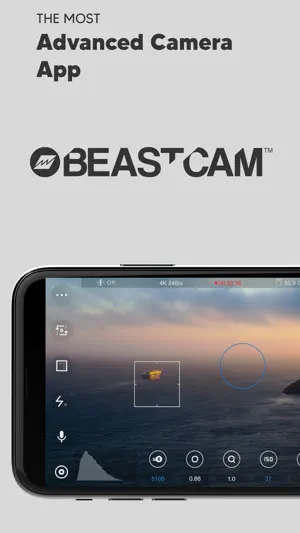
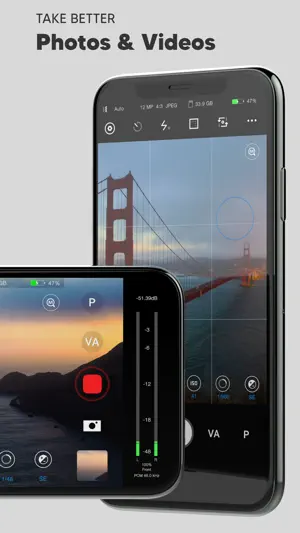
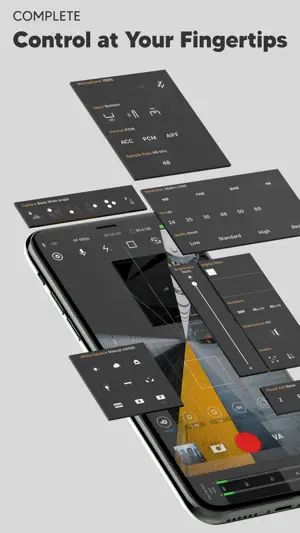
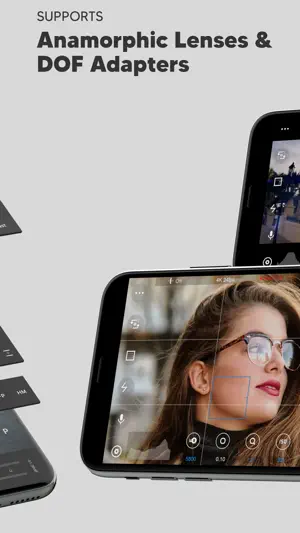
Beastcam makes it easier than ever to capture the best possible photos and videos on your iPhone. It’s fast and easy-to-use, but powerful and customizable as a professional camera when you need it. We believe Beastcam is the most intuitive and advanced camera app ever created for capturing life’s special moments, expanding the capabilities of your iPhone camera to its fullest potential, and taking your #iPhoneography to the next level! *Complete control Easily set, fine-tune, and lock the most important settings you need in seconds, such as focus, exposure, zoom, white balance, and more using Beastcam’s intuitive design, quick-access buttons, precise value sliders, focus, and exposure reticles. All are available with a single tap on the home screen. *Hardware support Enhance your creativity with built-in support for DOF adapters, 1.33X & 1.55X anamorphic lenses in both photo and video mode. Improve your sound quality with external microphones and dial in the perfect settings for your environment, such as gain, audio format, sample rates. *Advanced presets Speed up and organize your workflow with shareable presets for every available setting. Save time setting up your camera with unlimited customizable presets for all available settings that can be applied at any time. Perfect for multi-phone setups, DOF Adapters, 1.33X & 1.55X anamorphic lenses, and other commonly used settings like frame rate, resolution, etc. *File management Save time finding your files by creating projects and scenes that auto-generate readable file names based on the project name, scene name and take # and prioritize your best footage (or delete your worst) with a single tap as soon as you’ve finished recording, or later in the built-in gallery. Conveniently manage and share all of your organized photos and videos with the built-in gallery. -SSD recording support on iPhone 15 and 16 Pro Series # Features - Set and lock focus and exposure with reticles - Precisely adjust white balance, focus, zoom, and exposure settings right from the home screen - Analyze your shots accurately: focus peaking, false colors, zebras, and histogram - Take steadier shots with standard or cinematic image stabilization - De-squeeze footage to 2.39:1 for 1.33X anamorphic lenses and 2.76:1 for 1.55X anamorphic lenses - Rotate orientation for DOF lens adapters - quick zoom, perfect for manual focus - Switch between any of your iPhone cameras - Monitor audio levels, microphone type, format, and sample rate right on the home screen - Compose your shots with 1:1, 2.39:1, and 2.76:1 aspect ratio guides and grids - Show/hide all of the menus from your home screen - Built-in flash/torch control - Create projects and scenes that auto-generate easy-to-read folder and file names based on the project name, scene name, take # - Prioritize your best footage (or delete your worst) with a single tap as soon as you’ve finished recording or later in the gallery - View, rename, move, share, or delete files with the built-in gallery - Custom local presets for white balance, zoom, and focus - Create shareable global presets for all available settings (video mode only) - Custom settings/rules for a fresh start - Easily adjust exposure, focus, zoom with gesture controls # Video - 4K 3840x2160, QHD 2560x1440, FHD 1920x1080 or HD 1280x720 resolutions - 24, 25, 30, 48, 50, 60, 120, or 240 FPS options - Bit rates: Low, Standard, High, Beast (up to 160 Mbit/s) - 10-bit Dolby Vision HDR - 10-bit SDR - ProRes (+Apple Log on iPhone 15, 16, and 17 Pro Series) Note: Some resolution and FPS options are not available on older iPhone models. The bit rate may vary depending on the resolution, FPS, and scene of your video # Audio - ACC, PCM, AIFF audio formats - 44.1kHz and 48kHz audio sample rates (device-dependent) - Supports built-in and external microphones - Control gain for external microphones #Photo - JPEG, HEIF, RAW, file formats - 1:1 , 4:3, 3:2, and 16:9 aspect ratios
Ratings & reviews
4.0
198 ratings
What’s new
Version 1.24 · Updated November 19, 2025
Optimized for iPhone 17 Pro Series. - Updated camera selection menu to display correct camera options. - Added a 2X zoom button in the UI for the main 24mm camera and the 100mm telephoto camera. - Added ProRes and ProRes Apple Log support. New LUT Menu: - Apply LUTs for preview (recording with LUT coming soon). - Adjust LUT intensity. - Mark your favorite LUTs for quick access in a dedicated tab. - Real-time anamorphic de-squeeze is enabled at all resolutions and formats. - Improved stability and minor bug fixes. We are working on new Apple ProRes RAW integration and more flexible format selection options. Your patience is greatly appreciated. If you have any feedback, please email us at [email protected]
App privacy
The developer, BeastGrip, reported these privacy practices to Apple.
Data Not Linked to You
The following data, which may be collected but is not linked to your identity, may be used for the following purposes:
- Contact Info: Email Address
- Location: Coarse Location
- Usage Data: Product Interaction
- Diagnostics: Crash Data
Used for: Developer’s Advertising or Marketing, Analytics
Alternatives to Beastcam - Pro Camera
Looking for apps like Beastcam - Pro Camera? Here are 6 similar apps on the App Store. The highest rated is Cinema P3 Pro Camera (4.7/5), and all 6 are free to download.
-
 Cinema P3 Pro Camera
4.7
Cinema P3 Pro Camera
4.7
-
 Pro Camera - Reeflex
4.4
Pro Camera - Reeflex
4.4
-
 Filmic Legacy
1.4
Filmic Legacy
1.4
-
 Filmic Firstlight - Photo App
4.5
Filmic Firstlight - Photo App
4.5
-
 ReeXpose - RAW Long Exposure
4.3
ReeXpose - RAW Long Exposure
4.3
-
 Filmic Pro-Video Camera
3.7
Filmic Pro-Video Camera
3.7
| App | Rating | Price | Last updated | Compare |
|---|---|---|---|---|
| Beastcam - Pro Camera | 4.0 / 5 (198 ratings) | 2.99 USD | November 19, 2025 | |
| Cinema P3 Pro Camera | 4.7 / 5 (376) | Free | Oct 31, 2026 | Compare |
| Pro Camera - Reeflex | 4.4 / 5 (1,000) | Free | Sep 25, 2026 | Compare |
| Filmic Legacy | 1.4 / 5 (479) | Free | Apr 22, 2026 | Compare |
| Filmic Firstlight - Photo App | 4.5 / 5 (919) | Free | Jan 23, 2025 | Compare |
| ReeXpose - RAW Long Exposure | 4.3 / 5 (457) | Free | Apr 29, 2026 | Compare |
| Filmic Pro-Video Camera | 3.7 / 5 (10,181) | Free | Sep 8, 2026 | Compare |