

PhotoShrink - Optimize Photo
hirokazu murabe Photo & Video iPhoneiPadiPod touch
PhotoShrink - Optimize Photo is a free Photo & Video app for iPhone and iPad by hirokazu murabe. Requires iOS 17.6. Updated December 18, 2025.
- Price
- Free
- on the App Store
- Size
- 5 MB
- Age 4+
- Updated
- Dec 18
- 2025 · v1.2
Screenshots


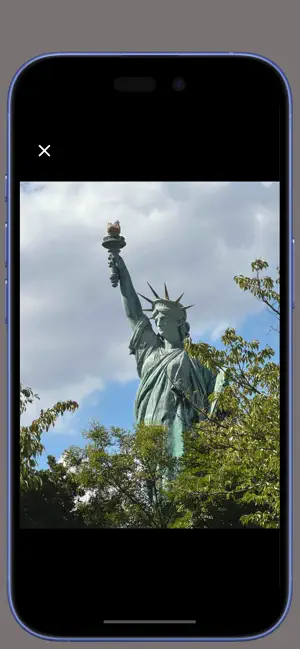
About PhotoShrink - Optimize Photo
Running out of storage because your photos pile up? Do you often face this problem? Instead of deleting your photos right away, first save them in this app as compressed images. Your original photos will shrink to just one-tenth of their size, so you can keep them without worrying about storage. You can keep your memories—always stored on your phone without worrying about space. Common Problems • Frequent “Storage is full” alerts • Not enough free space to update your OS • Want to keep old photos but still free up space • Cloud storage is full and you hesitate to pay extra fees This App Solves It! This app compresses the images in your photo library and saves them compactly inside the app. • Keeps the quality clear enough for cell phone viewing • Reduces file size dramatically (to about 1/10 or less) • Compressed photos look almost identical to the originals on your phone • Free up storage after backing up and deleting the originals Easy to Use • Open the app and tap the Import button. Just that. • If you stop midway, just tap again to resume compression and saving • Original photos remain untouched in your photo library • Confirm compressed photos are saved in the app’s viewer • Back up and delete originals from the photo library. → Your compressed compact photos stay with you, while your storage space increases significantly! Key Features • Ultra-light gallery: Browse thousands or even tens of thousands of photos smoothly • Detailed info: Shooting date and location data are preserved, so you can revisit places on the map • Fully offline: All data stays on your device, never uploaded to the cloud—your privacy is safe • A new choice: Don’t delete precious memories—carry them in a smaller size instead Download now and make your cell phone feel lighter!
What’s new
Version 1.2 · Updated December 18, 2025
* Minor code maintenance.
App privacy
The developer, hirokazu murabe, reported these privacy practices to Apple.
Data Used to Track You
The following data may be used to track you across apps and websites owned by other companies:
- Identifiers: Device ID
Data Not Linked to You
The following data, which may be collected but is not linked to your identity, may be used for the following purposes:
- Identifiers: Device ID
Used for: Third-Party Advertising
Alternatives to PhotoShrink - Optimize Photo
Looking for apps like PhotoShrink - Optimize Photo? Here are 6 similar apps on the App Store. The highest rated is Kemify Pro - Video Converter (5.0/5), and 3 of the 6 are free to download.
-
 Geo Shot Camera
-
 Add Logo - Video Watermark
-
 Kemify Pro - Video Converter
5.0
Kemify Pro - Video Converter
5.0
-
 Video to Audio: Video to MP3
-
 SnapX Pro: Save Your Moments
5.0
SnapX Pro: Save Your Moments
5.0
-
 Family Album: Poeti Journal
5.0
Family Album: Poeti Journal
5.0
| App | Rating | Price | Last updated | Compare |
|---|---|---|---|---|
| PhotoShrink - Optimize Photo | – | Free | December 18, 2025 | |
| Geo Shot Camera | – | Free | Dec 15, 2025 | Compare |
| Add Logo - Video Watermark | – | Free | Dec 10, 2025 | Compare |
| Kemify Pro - Video Converter | 5.0 / 5 (1) | 2.99 USD | Dec 12, 2025 | Compare |
| Video to Audio: Video to MP3 | – | Free | Dec 15, 2025 | Compare |
| SnapX Pro: Save Your Moments | 5.0 / 5 (1) | 1.99 USD | Jul 29, 2025 | Compare |
| Family Album: Poeti Journal | 5.0 / 5 (5) | 3.99 USD | Jan 13, 2026 | Compare |