

Easy NAS - SMB File Manager
hirokazu murabe Lifestyle iPhoneiPadiPod touch
Easy NAS - SMB File Manager is a free Lifestyle app for iPhone and iPad by hirokazu murabe. Rated 2.5/5 from 2 ratings. Requires iOS 16.6.
- Rating
- 2.5
- 2 ratings
- Price
- Free
- on the App Store
- Size
- 5 MB
- Age 4+
- Updated
- Dec 17
- 2025 · v18.2
Screenshots

About Easy NAS - SMB File Manager
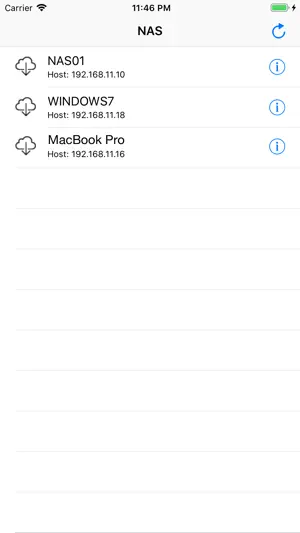
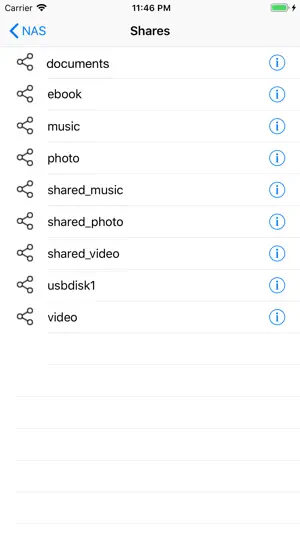
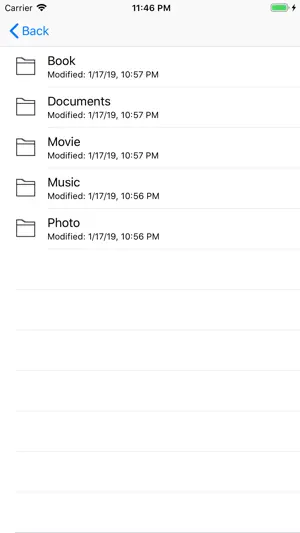
NAS File Transfer is an app to transfer file from Samba (SMB) NAS network drive, file server, windows shared folder, mac shared folder to appropriate app in iOS device. Features * Download movie file from file server and open it with movie player app in iOS device. * Download music file from file server and open it with music player app in iOS device. etc. How to use 1. Launch the NAS File Transfer app. 2. App show the list of file servers. 3. Tap the file server to connect with. If the file server requires the login, tap the 'Info' icon on the right of file server name and enter the user and password. 4. App shows the shared folder list in selected file server. 5. Tap the share folder name. If the shared folder requires the login, tap the 'Info' icon on the right of file share name and enter the user and password. 6. App show the list of filed and directories in the selected share folder. 7. Drill down to the folders and select the name of file to download. 8. App download the selected file. 9. After the file is downloaded, app shows the icons of app that can open the download file. 10. Select the icon of the app to open the dowloaded file with. 11. Enjoy the movies, music, ebooks etc that you have downloaded.
What’s new
Version 18.2 · Updated December 17, 2025
* Minor code maintenance.
App privacy
The developer, hirokazu murabe, reported these privacy practices to Apple.
Data Used to Track You
The following data may be used to track you across apps and websites owned by other companies:
- Identifiers: Device ID
Data Not Linked to You
The following data, which may be collected but is not linked to your identity, may be used for the following purposes:
- Identifiers: Device ID
Used for: Third-Party Advertising