

Scientific Calculator Plus 991
Tran Duy Education iPhoneiPadiPod touchMac
Scientific Calculator Plus 991 is a free Education app for iPhone and iPad by Tran Duy. Rated 4.7/5 from 12,540 ratings. Requires iOS 15.
- Rating
- 4.7
- 12.5K ratings
- Price
- Free
- on the App Store
- Size
- 169 MB
- Age 12+
- Updated
- Oct 22
- 2026 · v3.6.6
Screenshots

About Scientific Calculator Plus 991
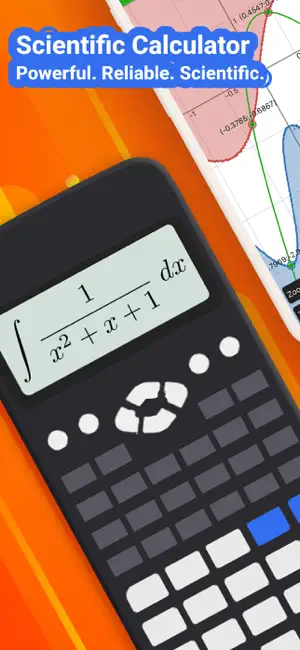
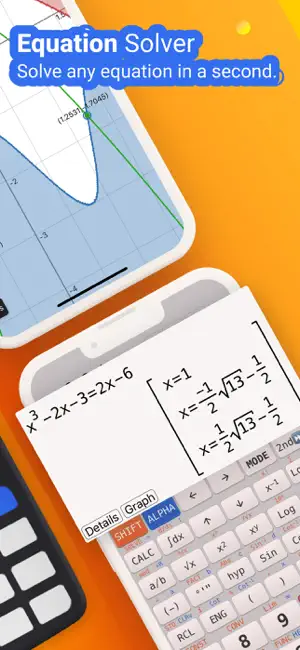
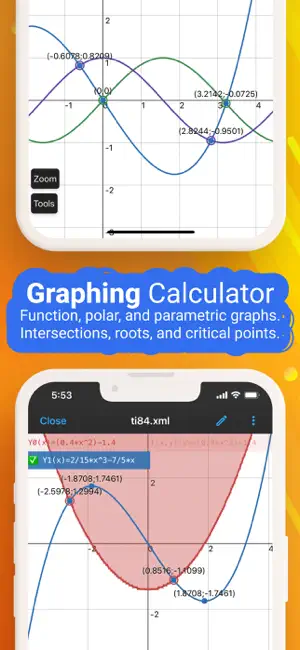
NCalc — Powerful Scientific Calculator, Graphing, and Converter NCalc combines a natural-display scientific calculator, advanced math tools, a full graphing module (as 83/84 calculator), a large formula library, and a comprehensive unit and currency converter—designed for students, engineers, and anyone who loves math. ◉ Main Calculator Features - Natural display: Enter expressions exactly as in textbooks—fractions, roots, exponents, and more—see results as written on paper. - Keyboard layout: Matches popular models for familiarity and speed: 115 ES Plus, 991 ES Plus, 300 ES Plus, and 991 EX. - Symbolic and numeric modes: Perform exact fraction calculation or evaluate numerically when needed. - Arbitrary precision integers: Work with very large integers without losing accuracy. - Output types: Choose from fraction, mixed fraction, decimal, repeating decimal, degrees/minutes/seconds, and polar coordinates. - Angle units: Degree, radian, and gradian (grade). - Decimal formatter: Display numbers in normal, engineering, engineering SI, scientific, or fixed formats. - Calculation history: Review and reuse past calculations with ease. - Copy and paste support for fast data entry and sharing. ◉ Algebra, Calculus, and Core Math - Algebra calculation: Expansion, factorization, simplification, and more. - Calculus calculator: Derivatives, integrals, and limits of expressions. - Complex number calculation: Arithmetic, polar/rectangular conversion, exponential, logarithm, powers, roots, and full trigonometric functions. ◉ Equations and Inequalities - Equation solver: Solve general equations, plus dedicated solvers for quadratic, cubic, and quartic equations. - System of equations solver: Solve systems with 2, 3, or 4 variables. - Inequality solvers: Quadratic, cubic, and quartic inequalities with interval-based solutions. ◉ Matrices and Vectors - Operations: Addition, subtraction, multiplication for matrices and vectors. - Advanced tools: Determinant, inverse, transpose, rank, eigenvalues, and eigenvectors. ◉ Statistics and Distributions - Statistical calculation: Descriptive stats and regression calculation (including a regression plotter). - Distribution calculation: Normal distribution, binomial distribution, Poisson distribution, t-distribution, chi-square distribution, and F-distribution. ◉ Number Bases and Formats - Base N calculation: Effortlessly switch between binary, octal, decimal, and hexadecimal, with arithmetic in each base. ◉ Tables, Variables, and Custom Functions - Table Generator: Generate value tables based on any expression and range. - Calculator variables: Store values and reuse them across calculations. - User-defined functions: Create your own functions to streamline repetitive work. - Built-in constants: A rich set of mathematical and physical constants. ◉ Formulas - Extensive formula collection: Math and Physics formulas, clearly categorized—ideal for secondary school, high school, and university students. ◉ Unit Converter - Currency Converter - 1000+ unit conversions ◉ Graphing as 83, 84 calculator - Cartesian functions, implicit plots, polar, and parametric. - Tracing, roots, intersections, extrema, derivative, and integral evaluations on graphs. ◉ Auto-renewing subscription You may purchase an auto-renewing subscription through an In-App Purchase. • Auto-renewable subscription • Your subscription will be charged to your AppStore account at confirmation of purchase and will automatically renew (at the duration selected) unless auto-renew is turned off at least 24 hours before the end of the current period. • Current subscription may not be cancelled during the active subscription period; however, you can manage your subscription and/or turn off auto-renewal by visiting your AppStore Account Settings after purchase • Privacy policy and terms of use: https://ncalc-app.web.app/terms-of-services.html
Ratings & reviews
4.7
12.5K ratings
What’s new
Version 3.6.6 · Updated October 22, 2026
- Customize key sounds, volume and vibration, and choose separate fonts for the keyboard and display. - Equation solver: find more roots and view equations and inequalities on a graph. - Camera: frame and zoom in on an expression, with the photo kept visible during recognition. - Preview Normal, FIX, SCI and ENG formats and choose how many digits to show. - History keeps your BASE-N and SOLVE calculations. - Matching brackets are highlighted and grow to fit fractions. Tap the display arrows to scroll long expressions. - Browse 47 scientific constants by category in CONST. - Fixed the order of user-defined functions after rearranging them.
App privacy
The developer, Tran Duy, reported these privacy practices to Apple.
Data Used to Track You
The following data may be used to track you across apps and websites owned by other companies:
- Identifiers: Device ID
Data Linked to You
The following data, which may be collected and linked to your identity, may be used for the following purposes:
- Contact Info: Email Address, Name
- User Content: Other User Content
- Identifiers: User ID
Used for: App Functionality
Data Not Linked to You
The following data, which may be collected but is not linked to your identity, may be used for the following purposes:
- Location: Precise Location, Coarse Location
- Identifiers: Device ID
- Usage Data: Advertising Data, Product Interaction
- Diagnostics: Performance Data, Crash Data, Other Diagnostic Data
Used for: Third-Party Advertising, Developer’s Advertising or Marketing, Analytics
Alternatives to Scientific Calculator Plus 991
Looking for apps like Scientific Calculator Plus 991? Here are 6 similar apps on the App Store. The highest rated is Scientific Calculator fx-991 (4.6/5), and all 6 are free to download.
-
 Scientific Calculator fx-991
4.6
Scientific Calculator fx-991
4.6
-
 GeoGebra Calculator Suite
4.3
GeoGebra Calculator Suite
4.3
-
 GeoGebra Graphing Calculator
4.3
GeoGebra Graphing Calculator
4.3
-
 Taculator 84 Graphing Calc
4.5
Taculator 84 Graphing Calc
4.5
-
 GeoGebra 3D Calculator
4.0
GeoGebra 3D Calculator
4.0
-
 Desmos Scientific Calculator
4.3
Desmos Scientific Calculator
4.3
| App | Rating | Price | Last updated | Compare |
|---|---|---|---|---|
| Scientific Calculator Plus 991 | 4.7 / 5 (12,540 ratings) | Free | October 22, 2026 | |
| Scientific Calculator fx-991 | 4.6 / 5 (446) | Free | Oct 23, 2026 | Compare |
| GeoGebra Calculator Suite | 4.3 / 5 (61) | Free | Oct 12, 2026 | Compare |
| GeoGebra Graphing Calculator | 4.3 / 5 (284) | Free | Oct 12, 2026 | Compare |
| Taculator 84 Graphing Calc | 4.5 / 5 (7,658) | Free | Oct 9, 2026 | Compare |
| GeoGebra 3D Calculator | 4.0 / 5 (52) | Free | Oct 12, 2026 | Compare |
| Desmos Scientific Calculator | 4.3 / 5 (335) | Free | Oct 24, 2026 | Compare |