

WorshipStorm Projector Classic
kadosh3, llc Productivity iPhoneiPadiPod touchMac
WorshipStorm Projector Classic is a free Productivity app for iPhone and iPad by kadosh3, llc. Rated 4.2/5 from 20 ratings. Requires iOS 15.6.
- Rating
- 4.2
- 20 ratings
- Price
- Free
- on the App Store
- Size
- 46 MB
- Age 4+
- Updated
- Aug 27
- 2026 · v2026.0.2
Screenshots



About WorshipStorm Projector Classic
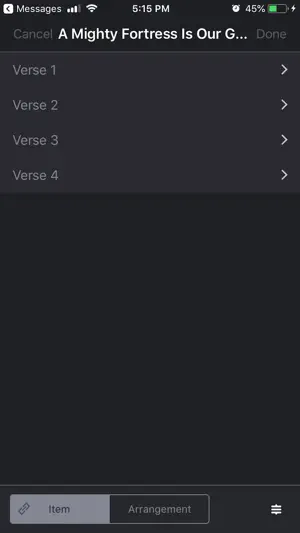
WorshipStorm Projector Classic is a church presentation app that connects to your existing Planning Center Services account to display lyrics, images, videos, and slides during your services. Features include: - Log in to Planning Center Services and view any plans you've created. Slides are created for all songs with lyrics and items with linked media. Use arrow left or right to change slides or (double-)click any slide to jump directly to it - Display Output and Confidence windows on any screen connected to your Mac. - Select image or video backgrounds for any items in your plan from your PCO Services Media database. - Select a layout for each item to quickly apply formatting. Create custom layouts to select your own fonts, colors, and spacing. - Display slideshows from PowerPoint or other slideshow presentation software. Just export the presentation to ZIP or PDF file and attaching the ZIP or PDF file to a plan item. - Reorder your slides by editing the song sequence. - Custom Slides feature to add text and media slides (such as scripture and videos) - Set a logo and quickly display it or a black screen using the logo or black screen buttons. - Use online, or offline once your plan has downloaded. - Turn on slide looping and set a number of seconds to auto-advance. - Add an iTunes or Apple Music playlist to looping slides to have music loop with your slides. - Alerts feature to overlay text or numbers on all slides when enabled. - Countdown feature to display time before the service starts. - Rapidly add a new song to the Plan with the Quick Song feature. - Include streaming video links (like from YouTube) in your Plan and Projector will stream them to the Output window. - Choose 16:9 Widescreen or 4:3 Standard definition aspect ratios. Usage Requirements: This application requires an active Planning Center Services account to use. All users of this app must agree to the Terms of Use in the following link: https://worshipstorm.com/help/projector-classic/terms-and-policies/worshipstorm-projector-terms-of-use/ Projector Trial: - A free 30 day trial is granted to any Planning Center organization simply by logging into your Planning Center Services account in the app Projector Subscription: - After the 30 day trial has expired, one Apple ID in your Planning Center Organization must purchase a monthly or annual auto-renewing Projector Subscription (in-app purchase) to continue using Projector. - The Projector Subscription provides access to the app for the subscription owner and any other Organization users.
Ratings & reviews
4.2
20 ratings
What’s new
Version 2026.0.2 · Updated August 27, 2026
• Fixed service times for organizations outside UTC — the countdown now starts from your plan's true start time, and upcoming plans no longer drop off the plan list early. • Trials now show the correct details for WorshipStorm Cloud trials versus legacy Projector trials, and Projector no longer prompts you to subscribe when your organization is already in a paid Cloud trial. • Added "Refresh Subscription Status" to the trial screen.
App privacy
The developer, kadosh3, llc, reported these privacy practices to Apple.
Data Linked to You
The following data, which may be collected and linked to your identity, may be used for the following purposes:
- Contact Info: Email Address, Name
- User Content: Customer Support
- Identifiers: User ID
- Usage Data: Product Interaction
- Diagnostics: Crash Data
Used for: Analytics, App Functionality
Alternatives to WorshipStorm Projector Classic
Looking for apps like WorshipStorm Projector Classic? Here are 6 similar apps on the App Store. The highest rated is ProRemote - Presenter Control (5.0/5), and all 6 are free to download.
-
 FreeShow Remote
-
 ProRemote - Presenter Control
5.0
ProRemote - Presenter Control
5.0
-
 Church Presenter - Remote
5.0
Church Presenter - Remote
5.0
-
 Pocket Worship
5.0
Pocket Worship
5.0
-
 WorshipTeam
2.8
WorshipTeam
2.8
-
 Epson Setting Assistant
4.4
Epson Setting Assistant
4.4
| App | Rating | Price | Last updated | Compare |
|---|---|---|---|---|
| WorshipStorm Projector Classic | 4.2 / 5 (20 ratings) | Free | August 27, 2026 | |
| FreeShow Remote | – | Free | Dec 2, 2025 | Compare |
| ProRemote - Presenter Control | 5.0 / 5 (2) | Free | Mar 13, 2026 | Compare |
| Church Presenter - Remote | 5.0 / 5 (1) | Free | Sep 14, 2026 | Compare |
| Pocket Worship | 5.0 / 5 (1) | Free | Sep 8, 2026 | Compare |
| WorshipTeam | 2.8 / 5 (4) | Free | Sep 24, 2026 | Compare |
| Epson Setting Assistant | 4.4 / 5 (463) | Free | Jun 24, 2026 | Compare |