

Simple Calendar : Quarterplan
Raemedy Limited Productivity iPhoneiPadiPod touch
Simple Calendar : Quarterplan is a free Productivity app for iPhone and iPad by Raemedy Limited. Rated 3.3/5 from 10 ratings. Requires iOS 13.4.
- Rating
- 3.3
- 10 ratings
- Price
- Free
- on the App Store
- Size
- 41 MB
- Age 4+
- Updated
- Nov 18
- 2024 · v1.5.0
Screenshots



About Simple Calendar : Quarterplan
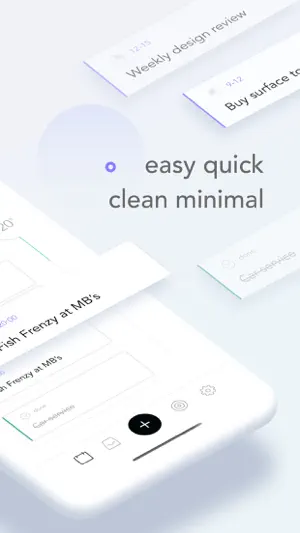
Get organized and stay on top of your tasks with Quarterplan - the ultimate minimal task management app. With a clean and minimal design, you can focus on what's important and get things done. Plan your day with ease using our unique time block feature Never forget important tasks and events with specific time reminders and notifications Stay on top of your GTD or custom workflow with our intuitive inbox feature Keep track of your progress with our calendar view and daily/weekly statistics Customize your experience with dark mode, categories, and priorities And the best part? Most features are available for free, with the option to upgrade for additional benefits such as unlimited categories and notifications. Time Blocks Quickly plan your day in 3 hour time blocks and easily check your progress throughout the day in the calendar view. Specific Time with Notification Specify a specific time and set a reminder to make sure that you don’t forget important events and tasks. Inbox Or for any tasks that doesn't have a specific time or date, or if you are following GTD or your own custom workflow then simply add tasks to your inbox. Try It - It’s Free Most of the features are available for free (calendar, inbox, checklists, notes, repeating tasks, daily and weekly statistics, dark mode, up to 5 categories and priorities), and if your require more then a subscription will give you unlimited categories and priorities, notifications, monthly statistics and cloud storage. -- FEATURES -- - CALENDAR A calendar for scheduling tasks and appointments - INBOX An inbox for ideas, lists, projects and any tasks that doesn’t have a fixed date - CHECKLISTS For when you need to break down your task into smaller actions - DARK MODE For evenings or when you want to surrender to the dark side - REPEATING TASKS Create tasks that repeat every day, week, month or year - CATEGORIES & PRIORITIES Create up to 5 custom categories and priorities to define your own workflow - STATISTICS Daily and weekly statistics gives you a clear overview of your activity -- PRO FEATURES -- - NOTIFICATIONS Reminders make sure you don’t miss anything important - CATEGORIES & PRIORITIES Create unlimited custom categories and priorities to define your own workflow - STATISTICS Monthly statistics gives you a clear overview of your activity -- Membership -- - Payment will be charged to iTunes Account at confirmation of purchase - Subscription automatically renews unless auto-renew is turned off at least 24-hours before the end of the current period - Account will be charged for renewal within 24-hours prior to the end of the current period, and identify the cost of the renewal - Subscriptions may be managed by the user and auto-renewal may be turned off by going to the user's Account Settings after purchase - Any unused portion of a free trial period, if offered, will be forfeited when the user purchases a subscription to that publication, where applicable Privacy policy: https://www.quarterplan.com/privacy_policy.html Terms of use: https://www.quarterplan.com/terms_conditions.html -- MAKE IT YOURS -- Quarterplan is flexible so that you can use your own work flow and methodologies. Create your own categories and priorities so that the Inbox works for you, whether you use GTD, The Action Method, 20/80 or your own custom setup. Please feel free to contact us if you have any feedback or questions: [email protected]
Ratings & reviews
3.3
10 ratings
What’s new
Version 1.5.0 · Updated November 18, 2024
- Fixes and enhancements to give you a better experience, enjoy!
App privacy
The developer, Raemedy Limited, reported these privacy practices to Apple.
Data Not Linked to You
The following data, which may be collected but is not linked to your identity, may be used for the following purposes:
- Identifiers: Device ID
- Usage Data: Product Interaction
- Diagnostics: Crash Data
Used for: Analytics
Alternatives to Simple Calendar : Quarterplan
Looking for apps like Simple Calendar : Quarterplan? Here are 6 similar apps on the App Store. The highest rated is Timemator: Time Tracker (4.7/5), and all 6 are free to download.
-
 To Do List Task Manager: Todoz
4.5
To Do List Task Manager: Todoz
4.5
-
 Rocket Typist
4.1
Rocket Typist
4.1
-
 Dropshare - File Sharing Tool
4.1
Dropshare - File Sharing Tool
4.1
-
 Timemator: Time Tracker
4.7
Timemator: Time Tracker
4.7
-
 Purelist: Notes & Tasks
4.6
Purelist: Notes & Tasks
4.6
-
 Organizly: Task & Notes
4.5
Organizly: Task & Notes
4.5
| App | Rating | Price | Last updated | Compare |
|---|---|---|---|---|
| Simple Calendar : Quarterplan | 3.3 / 5 (10 ratings) | Free | November 18, 2024 | |
| To Do List Task Manager: Todoz | 4.5 / 5 (8) | Free | Oct 15, 2026 | Compare |
| Rocket Typist | 4.1 / 5 (24) | Free | Feb 23, 2026 | Compare |
| Dropshare - File Sharing Tool | 4.1 / 5 (66) | Free | Oct 23, 2026 | Compare |
| Timemator: Time Tracker | 4.7 / 5 (172) | Free | Oct 8, 2026 | Compare |
| Purelist: Notes & Tasks | 4.6 / 5 (41) | Free | Feb 12, 2024 | Compare |
| Organizly: Task & Notes | 4.5 / 5 (2) | Free | Oct 20, 2026 | Compare |