

Flash Brain Training Game
Toru Shinnae Education iPhoneiPadiPod touch
Flash Brain Training Game is a free Education app for iPhone and iPad by Toru Shinnae. Requires iOS 18.0. Updated November 11, 2025.
- Price
- Free
- on the App Store
- Size
- 5 MB
- Age 4+
- Updated
- Nov 11
- 2025 · v3.0.0
Screenshots
About Flash Brain Training Game
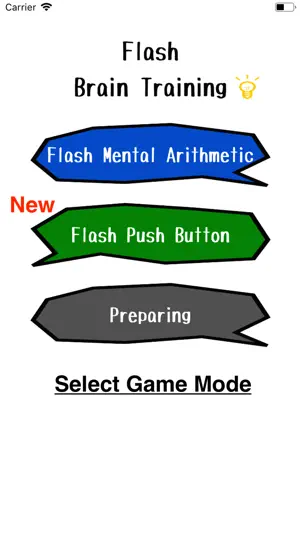
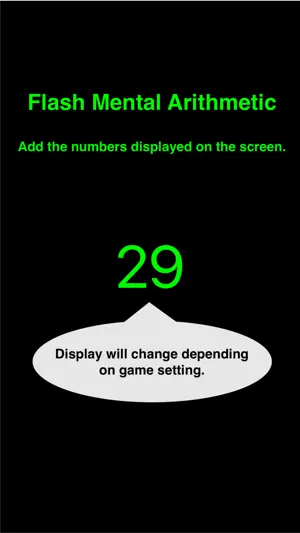
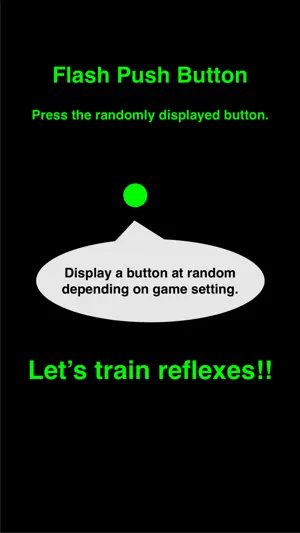
How to play "Flash Push Button". 1. Set game setting. Button Num :This means the number of displayed button. Speed : This means switching speed for displayed button 2. Select "Start!!" 3. Displaying a button at random by above setting. Press displayed button. 4. Show result. If you want to exit the game, you select "Exit" button. And then, back to game setting. if you want to retry the game, you select "Retry" button. And then, displaying a button by same setting. How to play "Flash Mental Arithmetic". 1. Set game setting. Figure : The number of figures. If 1 is set on this, the displayed number is either of 1 ~ 9. Item :This means the number of data. Speed : This means switching speed for the number 2. Select "Start!!" 3. Displaying the number by above setting. You must add displaying the number. 4. Input you answer. 5. Show result. If you want to exit the game, you select "Exit" button. if you want to continue the game, you select "Next" button. And then, displaying the number by same setting. How to Play the Flash Icon. 1. Set the number of icons to display and the display speed. 2. Select "Start." 3. Memorize the icons that are diplayed. 4. On the answer screen, select one icon that was NOT displayed.
What’s new
Version 3.0.0 · Updated November 11, 2025
Add new game that icons were displayed to train your memory.
Play today's Sudoku puzzle
A quick 6×6 Sudoku every day; levels grow to the classic 9×9. A free daily puzzle from Fiplay, same board for everyone. It plays right here, no download.
App privacy
The developer, Toru Shinnae, reported these privacy practices to Apple.
Data Used to Track You
The following data may be used to track you across apps and websites owned by other companies:
- Identifiers: Device ID
- Usage Data: Advertising Data
Data Not Linked to You
The following data, which may be collected but is not linked to your identity, may be used for the following purposes:
- Identifiers: Device ID
- Usage Data: Advertising Data
- Diagnostics: Crash Data, Performance Data
Used for: Third-Party Advertising, Analytics