

Notes Writer: PDF, AI, Markup
Kairoos Solutions SL Productivity iPhoneiPadiPod touch
Notes Writer: PDF, AI, Markup is a free Productivity app for iPhone and iPad by Kairoos Solutions SL. Rated 4.5/5 from 7,335 ratings. Requires iOS 26.0.
- Rating
- 4.5
- 7.3K ratings
- Price
- Free
- on the App Store
- Size
- 660 MB
- Age 4+
- Updated
- Oct 28
- 2026 · v27.1.8
Screenshots
Save to Pinterest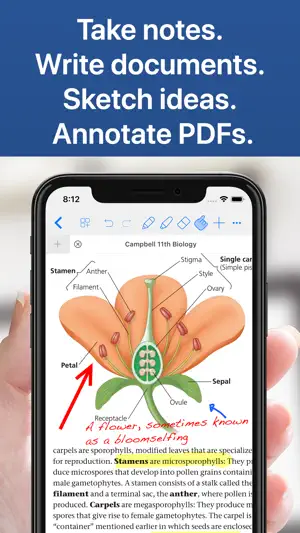
About Notes Writer: PDF, AI, Markup
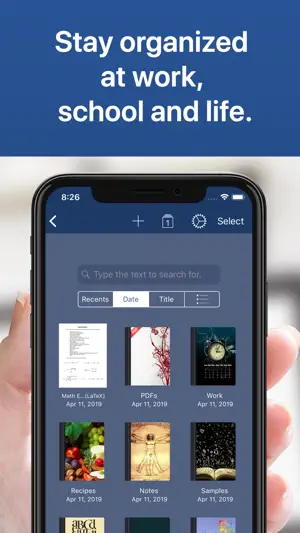
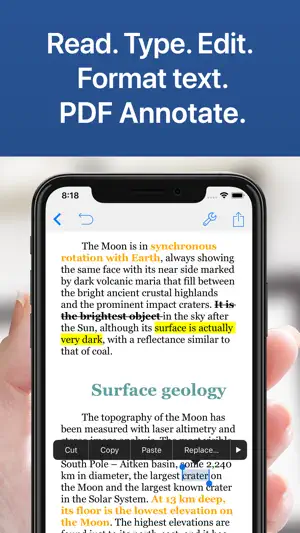
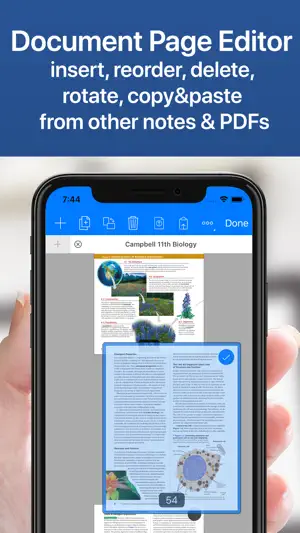
Every note. Every format. Unlimited Digital Notebooks. Like paper, but better. Take lecture notes, prepare for exams and develop your research. Bring the same tools to manuscripts, interviews, lesson plans, meetings and creative projects. Notes Writer keeps your work together on iPad, iPhone and compatible Apple silicon Macs. Designed for students and anyone who wants to learn, create and stay organized—including teachers, writers, journalists, doctors, architects, illustrators, mathematicians, researchers and business professionals. WRITE & CAPTURE • Handwriting, sketching & painting Take handwritten notes with Apple Pencil, type a document or explore a concept through drawing. Use dedicated sketching, watercolor and oil painting tools for illustrations and creative work. • PDF annotation Review lecture slides, medical literature and professional reports. Highlight PDFs, add comments, images and shapes, fill forms and sign documents. Keep your annotations beside the source material. • Recording & transcription Record lectures, business meetings and interviews, transcribe the audio and search the transcript for the detail you need. Add recordings to PDF notes and whiteboards, then listen back at your own pace. STUDY & RESEARCH • Courses, manuscripts & research projects Choose an optional project tree to arrange topics, sources and drafts in a Study Project. Use the Binder for structure, the Corkboard to plan sections and compilation to assemble a document or ebook. • Whiteboards, diagrams & outlines Create whiteboards with notes, images, recordings and tables. Build flowcharts and diagrams to explain a process, compare findings or plan a lesson or project. Use Outline Notes when your ideas need a hierarchy. • Flashcards & review Create flashcards with text, handwriting and images, or generate them from notes and PDFs with optional AI tools. Review with spaced repetition, answer by typing or speaking, and track your progress. MATH & SCIENCE • Calculations, Python & charts Math Notebooks combine written reasoning, symbolic calculations and Python cells. Plot results, explore a model and present your data in editable Chart documents. • LaTeX & technical PDFs Write technical papers in LaTeX and compile them to PDF with a preview of the result. For plans and technical drawings, set a scale and measure distances, perimeters and areas directly on the PDF. ORGANIZE & SHARE • Notebooks, folders & templates Create and customize folders, subfolders and notebooks. Choose names, covers and paper templates that suit each course or project. Scan handouts, search your collection and manage documents with sorting, moving and grouping tools. • Documents side by side Open documents in tabs and work with your reading and draft side by side. Create a study planner, lesson plan, research journal or manuscript within the same library. • Formats for your work Work across PDF, Microsoft Word (DOCX), EPUB, RTF, Markdown, plain text (TXT), HTML, LaTeX and OPML outlines. Edit formatted documents, read ebooks and export supported documents as PDF, DOCX, RTF, HTML or EPUB. Export options vary by document type. • Sync, backup & privacy Sync with iCloud and work with Dropbox and Google Drive files through the Files app, with changes synced by your provider. Set up automatic document backups, use autosave and recovery, and protect the app and folders with a passcode. OPTIONAL AI ASSISTANT Ask questions about your notes and documents, simplify an explanation, summarize a reading or refine your writing. Use translation, grammar and tone tools when they help. Review every suggestion and decide what belongs in your work. Start a notebook. Study, create and work your way. Privacy Policy http://www.noteswriter.com/Kairoos_Privacy_Policy.html Terms of Use https://www.apple.com/legal/internet-services/itunes/dev/stdeula/
Ratings & reviews
4.5
7.3K ratings
What’s new
Version 27.1.8 · Updated October 28, 2026
- iPhone Duo and iOS 27 ready! Huge major UI/UX app update! Now Microsoft Word and LaTeX compatible documents! - We update Notes Writer frequently to make it even better. Each update has product improvements or bug fixes. If you enjoy using the app, please leave us a review!
App privacy
The developer, Kairoos Solutions SL, reported these privacy practices to Apple.
Data Not Collected
The developer does not collect any data from this app.
Alternatives to Notes Writer: PDF, AI, Markup
Looking for apps like Notes Writer: PDF, AI, Markup? Here are 6 similar apps on the App Store. The highest rated is Prodrafts - Infinite Notes (4.8/5), and all 6 are free to download.
-
 Element Note
4.6
-
 MyScript Notes: AI Handwriting
4.7
-
 Prodrafts - Infinite Notes
4.8
-
 QuickNotes X: Notes, AI & PDF
4.3
-
 Feenote - Notes and lists
4.8
-
 Noteful: Notes & PDF Markup
4.8
| App | Rating | Price | Last updated | Compare |
|---|---|---|---|---|
| Notes Writer: PDF, AI, Markup | 4.5 / 5 (7,335 ratings) | Free | October 28, 2026 | |
| Element Note | 4.6 / 5 (2,643) | Free | Sep 24, 2026 | Compare |
| MyScript Notes: AI Handwriting | 4.7 / 5 (38,707) | Free | Oct 6, 2026 | Compare |
| Prodrafts - Infinite Notes | 4.8 / 5 (3,943) | Free | Oct 30, 2026 | Compare |
| QuickNotes X: Notes, AI & PDF | 4.3 / 5 (3,775) | Free | Sep 9, 2026 | Compare |
| Feenote - Notes and lists | 4.8 / 5 (2,058) | Free | Nov 4, 2026 | Compare |
| Noteful: Notes & PDF Markup | 4.8 / 5 (24,340) | Free | Oct 11, 2026 | Compare |