

Touch Portal
Rils Productivity iPhoneiPadiPod touch
Touch Portal is a free Productivity app for iPhone and iPad by Rils. Rated 4.5/5 from 812 ratings. Requires iOS 13.0. Updated October 19, 2026.
- Rating
- 4.5
- 812 ratings
- Price
- Free
- on the App Store
- Size
- 10 MB
- Age 4+
- Updated
- Oct 19
- 2026 · v4.7.1
Screenshots
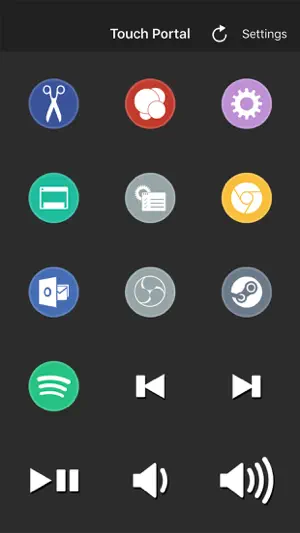


About Touch Portal
Touch Portal is the #1 All-in-One Remote Control Macro and Stream app for Phones and Tablets with a deck of buttons as a board on your desk and workspace. You will get the following features: - OBS STUDIO INTEGRATION (OBS web-socket required) - STREAMLABS OBS INTEGRATION - STREAMELEMENTS OBS.LIVE INTEGRATION (OBS web-socket required) - ADOBE PHOTOSHOP INTEGRATION - ADOBE LIGHTROOM CLASSIC INTEGRATION - REMOTE CONTROL PC AND/OR MAC - XSPLIT INTEGRATION - TWITCH INTEGRATION - HOME AUTOMATION - PHILIPS HUE INTEGRATION - MACRO BUTTONS - SMART TOUCH BUTTONS - CUSTOMIZABLE LOOK AND FEEL - COMMUNITY-DRIVEN DEVELOPMENT Touch Portal is a companion app to control a PC or a Mac by using a deck of buttons to improve the workflow & productivity of game streamers, content creators and professionals. Touch Portal gives you all the essential controls you’d need, we keep adding more features every update! With Touch Portal you are allowed up to 110 unique buttons per page for the Pro version, not to mention you could use the pages to even increase this! Use it as a Macro Deckboard or Shortcut Board for your video and photo editing software and edit faster and more efficient. Use cases: - Game streamers: Stream your games while having total control of your broadcast overlays with a deck of buttons. - Video editors: Edit your videos faster, easier and smarter with a fully customizable page with the buttons you use most often on your Touch Portal deck. Create macros and shortcut buttons to optimize your workflow. - Photo editors: Edit your photos faster, you don't have to learn all the shortcuts the photo editing software gives you, just add the action you want to the "Touch Portal Desktop" app and start editing. - Professionals: Create your own customizable page to improve your productivity and workflow. The app is an extension of your keyboard, with much more features. IMPORTANT!: * You need to download the "Touch Desktop" app on your PC or your Mac to use this app. Please go to our website to download it from our website. https://www.touch-portal.com/ Please join us at our Discord server for the fastest help. We are daily available on discord, our community is also willing to help you further with your Touch Portal experience. Discord server: https://discord.gg/MgxQb8r
Ratings & reviews
4.5
812 ratings
What’s new
Version 4.7.1 · Updated October 19, 2026
We have improved functionality for windowed modes and fixed a few bugs related the screensaver.
App privacy
The developer, Rils, reported these privacy practices to Apple.
Data Not Collected
The developer does not collect any data from this app.
Alternatives to Touch Portal
Looking for apps like Touch Portal? Here are 6 similar apps on the App Store. The highest rated is spacedesk - USB Display for PC (4.7/5), and all 6 are free to download.
-
 Deckboard: Macropad for PC
2.8
Deckboard: Macropad for PC
2.8
-
 Elgato Stream Deck Mobile
4.6
Elgato Stream Deck Mobile
4.6
-
 Overdeck
-
 spacedesk - USB Display for PC
4.7
spacedesk - USB Display for PC
4.7
-
 Duet Air - Remote Desktop
4.3
Duet Air - Remote Desktop
4.3
-
 KDE Connect
4.2
KDE Connect
4.2
| App | Rating | Price | Last updated | Compare |
|---|---|---|---|---|
| Touch Portal | 4.5 / 5 (812 ratings) | Free | October 19, 2026 | |
| Deckboard: Macropad for PC | 2.8 / 5 (16) | Free | Jan 5, 2026 | Compare |
| Elgato Stream Deck Mobile | 4.6 / 5 (5,888) | Free | Jul 23, 2026 | Compare |
| Overdeck | – | Free | Sep 4, 2024 | Compare |
| spacedesk - USB Display for PC | 4.7 / 5 (2,295) | Free | Nov 2, 2026 | Compare |
| Duet Air - Remote Desktop | 4.3 / 5 (1,875) | Free | May 5, 2026 | Compare |
| KDE Connect | 4.2 / 5 (279) | Free | Oct 9, 2026 | Compare |
Compare Touch Portal with the top alternatives: ratings, updates, ASO score and keyword gaps →