

Diarly: Diary, Private Journal
Krzysztof Nowak Health & Fitness iPhoneiPadiPod touchMacApple Watch
Diarly: Diary, Private Journal is a free Health & Fitness app for iPhone and iPad by Krzysztof Nowak. Rated 4.7/5 from 1,469 ratings. Requires iOS 18.0.
- Rating
- 4.7
- 1.4K ratings
- Price
- Free
- on the App Store
- Size
- 281 MB
- Age 4+
- Updated
- Oct 17
- 2026 · v3.6.3
Screenshots


About Diarly: Diary, Private Journal
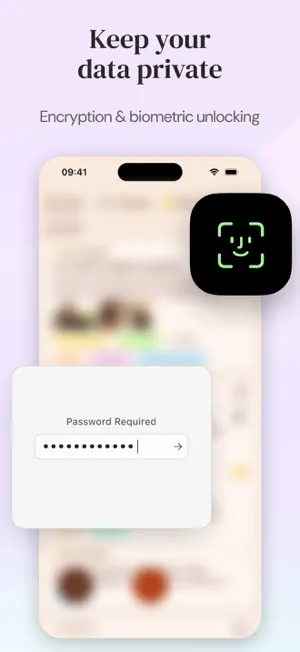
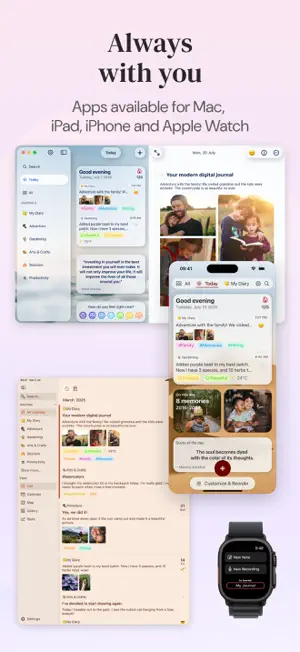
You don't need a free hour or the right words to keep a journal. Start with five minutes and one honest sentence. Write with your first coffee, on the train home, or in the quiet before sleep. A journal grows the same way a life does: one ordinary day at a time. Diarly is a private journal, diary, and notes app for Mac, iPhone, iPad, and Apple Watch. Each entry becomes part of a personal timeline you can search, revisit, and keep. DAILY JOURNAL, DIARY, AND PRIVATE NOTES Use Diarly as a daily journal or diary, a gratitude journal, a travel journal, a mood diary, a photo journal, a voice journal, or private notes with a password. Create separate journals, or keep dated entries and undated notes together. Diarly Free includes one journal with unlimited entries and media. Add photos, videos, drawings, audio, tags, locations, weather, and calendar details. Write in Markdown and organize notes, lists, ideas, plans, and quotes. MOOD TRACKER AND JOURNAL INSIGHTS The built-in mood tracker makes it easy to log how you feel. You can also save your mood and feelings to Apple Health. Mood Calendar and Insights show how your logged moods change over time, gently highlighting lighter or heavier stretches without judging what they mean. Diarly can be used as a private mental health journal for writing about thoughts, feelings, stress, or anxiety. It is a journaling and reflection tool, not a medical or mental health tracker. JOURNAL PROMPTS, TEMPLATES, AND DAILY WRITING Journal prompts and reusable templates make daily journaling easier to begin. Build a journal template with a prompt, weather, location, calendar events, today's photos, or Apple Health details such as sleep, steps, and workouts. These optional details can support a sleep journal, fitness journal, or health journal without analyzing your health. The Today view gives you a quick glimpse of your journal through a customizable feed of recent entries, mood check-ins, writing suggestions, quotes, tags, calendar events, and On This Day memories. Reminders, writing goals, and journal streaks help you return without making the diary another chore. FIND AND REVISIT YOUR MEMORIES Search finds entries and notes by words, tags, moods, and dates. Timeline and Calendar organize daily entries by date. Map shows travel journal entries saved with a location. Gallery gathers journal photos, videos, and drawings. On This Day recalls earlier years. PRIVATE DIARY WITH PASSWORD AND ICLOUD SYNC Your journal stays on your device. Premium syncs your diary through your personal iCloud Drive. There is no separate account to create, and we never store your journal on our servers. Lock the app with a password, Face ID, or Touch ID for free. Premium adds encryption for the text of your entries and private notes. The app is built exclusively for Apple devices. One Premium subscription covers iPhone, iPad, Mac, and Apple Watch and adds iCloud sync, multiple journals, encryption, themes, export formats, and the AI Assistant. IMPORT, EXPORT, AND KEEP YOUR JOURNAL Import journals from Apple Journal, Day One, Journey, Stoic, Evernote, Markdown, and CSV. Export your journal to Markdown, PDF, Rich Text, and HTML so your writing remains readable outside the app. AI+ is a separate optional subscription. It lets you transcribe audio journal entries into text and use OCR to extract text from photos. Your journal remains yours, whether you write a daily diary, track moods, collect memories, or keep private notes. Help Guides → https://diarly.app/help Privacy Policy → https://diarly.app/privacy Terms of Use (EULA) → https://www.apple.com/legal/internet-services/itunes/dev/stdeula/
Ratings & reviews
4.7
1.4K ratings
What’s new
Version 3.6.3 · Updated October 17, 2026
Ready for iPhone Duo: Diarly is fully tested and optimized for the new iPhone Duo. Also in this update: - Diarly is now available in 12 additional languages. - Markdown formatting symbols now appear around your cursor or selected text. Enable "Show Markdown syntax" in Settings to try it. - Enjoy improved list editing and the option to collapse the keyboard toolbar on iOS for more writing space. We've also made a few under-the-hood improvements to keep things running smoothly. ~ ~ ~ Enjoying Diarly? A quick App Store rating means a lot to us and helps us keep making Diarly better. Thank you for your support!
App privacy
The developer, Krzysztof Nowak, reported these privacy practices to Apple.
Data Linked to You
The following data, which may be collected and linked to your identity, may be used for the following purposes:
- Identifiers: Device ID
Used for: App Functionality
Data Not Linked to You
The following data, which may be collected but is not linked to your identity, may be used for the following purposes:
- Usage Data: Product Interaction
- Diagnostics: Crash Data
Used for: Analytics, App Functionality
Alternatives to Diarly: Diary, Private Journal
Looking for apps like Diarly: Diary, Private Journal? Here are 6 similar apps on the App Store. The highest rated is Clearful - Journal & Diary (4.7/5), and all 6 are free to download.
-
 Clearful - Journal & Diary
4.7
Clearful - Journal & Diary
4.7
-
 Digital Journal Diary
4.6
Digital Journal Diary
4.6
-
 Recollect - Journal & Diary
4.5
Recollect - Journal & Diary
4.5
-
 Daybook: AI Journal & Diary
4.7
Daybook: AI Journal & Diary
4.7
-
 Moleskine Journal
4.5
Moleskine Journal
4.5
-
 Reflection: AI Journal & Coach
4.7
Reflection: AI Journal & Coach
4.7
| App | Rating | Price | Last updated | Compare |
|---|---|---|---|---|
| Diarly: Diary, Private Journal | 4.7 / 5 (1,469 ratings) | Free | October 17, 2026 | |
| Clearful - Journal & Diary | 4.7 / 5 (3,134) | Free | Oct 18, 2026 | Compare |
| Digital Journal Diary | 4.6 / 5 (6,517) | Free | Sep 23, 2026 | Compare |
| Recollect - Journal & Diary | 4.5 / 5 (41) | Free | Oct 9, 2026 | Compare |
| Daybook: AI Journal & Diary | 4.7 / 5 (900) | Free | Oct 15, 2026 | Compare |
| Moleskine Journal | 4.5 / 5 (2,649) | Free | Sep 29, 2026 | Compare |
| Reflection: AI Journal & Coach | 4.7 / 5 (1,100) | Free | Sep 2, 2026 | Compare |