

Phone Call Recorder Free of Ad
Must Have Apps Business iPhoneiPadiPod touch
Phone Call Recorder Free of Ad is a free Business app for iPhone and iPad by Must Have Apps. Rated 4.4/5 from 10,691 ratings. Requires iOS 16.0.
- Rating
- 4.4
- 10.6K ratings
- Price
- Free
- on the App Store
- Size
- 60 MB
- Age 4+
- Updated
- Sep 11
- 2026 · v3.10.23
Screenshots



About Phone Call Recorder Free of Ad
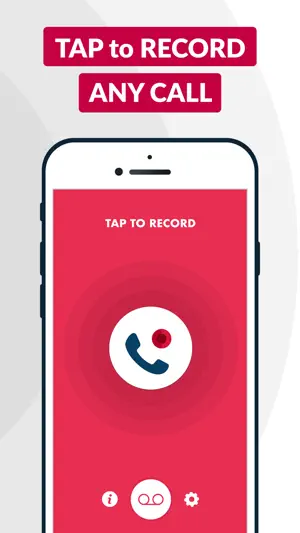
◉ ACR Call Recorder is a full-featured auto phone call recorder app for iPhone to help you easily record unlimited outgoing & incoming calls with a clear recording quality ◉ Download now and record phone calls and save them easily by using ACR phone call recorder! Also, enjoy unlimited call recording storage that comes with the app. Once you complete your call, your recording will be immediately available under the recordings tab. From there, you can re-play, delete, save to Dropbox, iCloud and Google Drive or share via email, iMessage, Facebook and Twitter. ***ACR CALL RECORDER FEATURES*** ◉ Unlimited incoming calls recording ◉ Unlimited outgoing calls recording ◉ Unlimited photo call recording storage ◉ Access recordings as soon as the conversation is over ◉ Share your recordings via email, iMessage, Messenger, Facebook, Twitter etc. ◉ Save your recordings to Dropbox, iCloud, Google Drive and more ◉ Export recordings to other apps ◉ Rename recordings for ACR identification ◉ Delete recordings if it's not needed anymore ◉ Highly intuitive interface ◉ Great customer service via email ACR Call Recorder uses your carrier's conference call feature to record conversations. If you cannot merge calls, please contact your carrier to find out if conference calling is available on your account —————————————————————— FREQUENTLY ASKED QUESTIONS —————————————————————— 【How does this app record incoming calls?】 When you're on a call and you want to record it, open ACR Call Recorder and press the record button. We will put your call on hold and dial our recording line. As soon as our line answers tap the merge button on your screen to create a 3-way call between your other caller and our recording line. 【How does this app record outgoing calls?】 If you want to record an outgoing call, open ACR Call Recorder and just press the red record button. The app will dial our recording line and will begin recording as soon as our line answers. Once that happens, tap the add call button on your screen, call the person you want to record, then press the merge button when they answer. 【Can I download recordings to my computer?】 Yes, and we've made it extremely ACR to do this. From inside the app you can attach the recording to an email and send it to yourself as an MP3 and download to your computer if you want. 【How many recordings can I make? 】 As many as you want! We don't have a limit on the number of recordings you can make. 【How long can a recording be?】 As long as you want! We don't have a limit on how long your recording can be. ACR Call Recorder offers subscriptions for premium users. Your payment will be charged to your iTunes Account once you confirm your purchase. Your iTunes account will be charged again when your subscription automatically renews at the end of your current subscription period unless auto-renew is turned off at least 24 hours prior to the end of the current period. Where applicable, any unused portion of a free trial period, if offered, will be forfeited when the user repurchases a subscription. You can manage or turn off auto-renew in your Apple ID Account settings on your phone any time after purchase. By downloading ACR Call Recorder you accept our Term of Use and Privacy Policies. For more information please see below: Term of Use: https://plusminusone.notion.site/Call-Recorder-Terms-and-condition-14ad1f25cbf580d58102d77441cc7e34 Privacy Policy: http://bit.ly/acrcallrecorderprivacy
Ratings & reviews
4.4
10.6K ratings
What’s new
Version 3.10.23 · Updated September 11, 2026
Performance enhancements. Bug fixes and optimizations.
App privacy
The developer, Must Have Apps, reported these privacy practices to Apple.
Data Used to Track You
The following data may be used to track you across apps and websites owned by other companies:
- Identifiers: User ID
- Usage Data: Product Interaction
Data Not Linked to You
The following data, which may be collected but is not linked to your identity, may be used for the following purposes:
- User Content: Customer Support, Audio Data
- Identifiers: User ID, Device ID
- Usage Data: Product Interaction
- Diagnostics: Crash Data
- Contact Info: Phone Number
- Contacts: Contacts
Used for: Analytics, App Functionality
Alternatives to Phone Call Recorder Free of Ad
Looking for apps like Phone Call Recorder Free of Ad? Here are 6 similar apps on the App Store. The highest rated is Invoice Maker: Moon Invoice (4.7/5), and all 6 are free to download.
-
 iFax App Send Fax From iPhone
4.6
iFax App Send Fax From iPhone
4.6
-
 Fill and Sign Documents: eSign
4.3
Fill and Sign Documents: eSign
4.3
-
 TapeACall: Call Recorder
4.3
TapeACall: Call Recorder
4.3
-
 Invoice Maker: Moon Invoice
4.7
Invoice Maker: Moon Invoice
4.7
-
 PDF Editor Converter & Scanner
4.7
PDF Editor Converter & Scanner
4.7
-
 CV Maker & Resume Builder app
4.7
CV Maker & Resume Builder app
4.7
| App | Rating | Price | Last updated | Compare |
|---|---|---|---|---|
| Phone Call Recorder Free of Ad | 4.4 / 5 (10,691 ratings) | Free | September 11, 2026 | |
| iFax App Send Fax From iPhone | 4.6 / 5 (37,409) | Free | Sep 14, 2026 | Compare |
| Fill and Sign Documents: eSign | 4.3 / 5 (5,073) | Free | Sep 30, 2026 | Compare |
| TapeACall: Call Recorder | 4.3 / 5 (38,249) | Free | Apr 20, 2026 | Compare |
| Invoice Maker: Moon Invoice | 4.7 / 5 (1,455) | Free | Sep 28, 2026 | Compare |
| PDF Editor Converter & Scanner | 4.7 / 5 (924) | Free | Sep 30, 2026 | Compare |
| CV Maker & Resume Builder app | 4.7 / 5 (258) | Free | Mar 18, 2026 | Compare |