

Omnistream Live Video Creator
Omnistream Ltd. Photo & Video iPhoneiPadiPod touch
Omnistream Live Video Creator is a free Photo & Video app for iPhone and iPad by Omnistream Ltd. Rated 2.8/5 from 10 ratings. Requires iOS 15.6.
- Rating
- 2.8
- 10 ratings
- Price
- Free
- on the App Store
- Size
- 95 MB
- Age 4+
- Updated
- Aug 29
- 2026 · v1.1.29
Screenshots
About Omnistream Live Video Creator
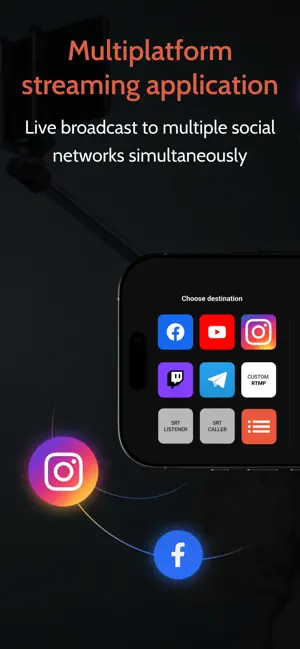
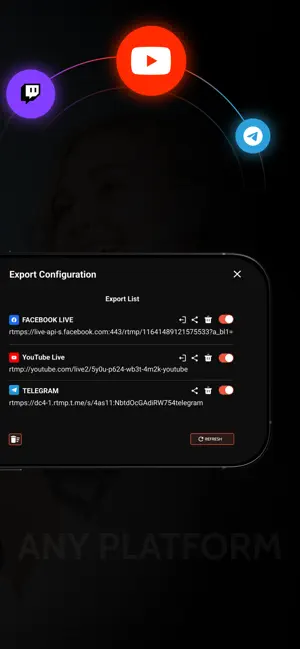
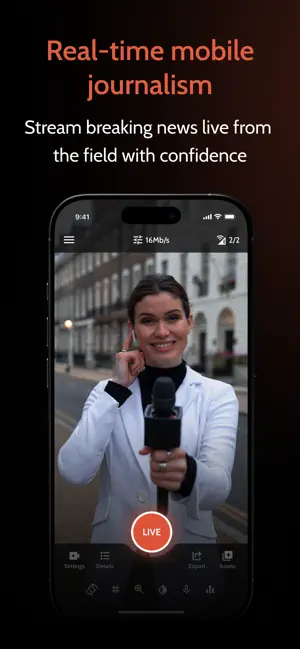
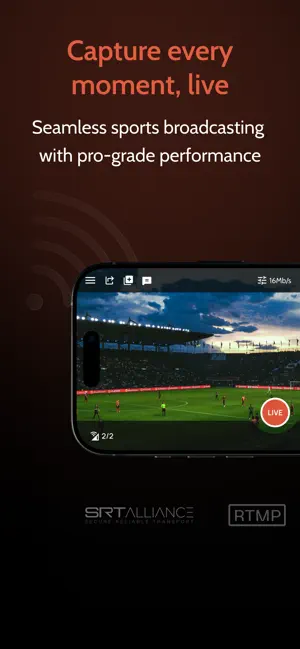
Go Live Like a Pro - From Your iPhone/ iPad Whether you're streaming IRL, capturing live events, or running a professional broadcast, Omnistream gives you everything you need to produce, stream, and share high-quality video content. Stream to Any Platform Broadcast in up to UHD quality to Facebook, YouTube, Twitch, Kick, Instagram, Telegram, Dacast, or any RTMP/SRT-compatible destination. Expand your reach with multiplatform streaming and take control of your content. Stable, Reliable Video With Cellular Bonding Combine multiple network connections — Wi-Fi + LTE/5G — for rock-solid live streams, even in unpredictable environments. External Camera Support With Accsoon SeeMo 4K Connect your DSLR or HDMI camera using the Accsoon SeeMo 4K for cinematic image quality and full external camera control. Stream like a pro with greater depth of field, better lenses, and enhanced visuals — all powered through your iPhone / iPad. Professional Tools Built In Omnistream supports HEVC streaming and flexible bitrate control (VBR/CBR) — allowing you to adjust bitrate in real time based on your network conditions. It also includes external microphone input for professional-grade audio and local recording with user-selectable quality — unaffected by streaming bandwidth. Picture-in-Picture (PiP) mode lets you stay live while multitasking, keeping your stream running in a floating window. Built-in Teleprompter Omnistream includes a built-in Teleprompter, allowing creators, journalists, presenters, and production teams to read scripts while staying focused on the camera during live broadcasts. Remote Dashboard / Controller App Manage your production from anywhere with the Omnistream Dashboard. Control connected devices, monitor streaming status, adjust settings in real time, and collaborate with your team — all from a single, intuitive remote interface. Advanced Broadcast Features Power your studio-grade productions with SDI output via the Omnistream Recipient app and Decklink Blackmagic integration. Designed for professional workflows, this feature set includes remote file storage, store-and-forward capability for low-connectivity environments or flexible content delivery, a full remote production dashboard, guest invitation tools for managing multi-source streams, multiple licenses, or reporters simultaneously, and IFB (Interruptible Foldback) for real-time communication with on-air talent. Perfect For IRL streamers, content creators and influencers, Videographers and production teams, Broadcasters and mobile journalists. Flexible Usage for Every Creator Whether you stream daily or just for special events, Omnistream offers flexible monthly and annual subscriptions to fit your workflow. Subscription Plans Omnistream requires a purchase to access its features. We offer a one-time One-Week access license for short-term projects, as well as auto-renewable monthly and annual subscriptions for ongoing use. All features listed above require an active license or subscription. The Influencer plan includes core features such as cellular bonding, multi-platform RTMP distribution, and external camera support. The Videographer plan is designed for professional users and includes everything in the Influencer plan plus HEVC and SRT for high-end broadcast needs. Account Required An Omnistream account is required to manage licenses, sync purchases across devices, and receive updates. Terms of Use https://www.apple.com/legal/internet-services/itunes/dev/stdeula/
Ratings & reviews
2.8
10 ratings
What’s new
Version 1.1.29 · Updated August 29, 2026
Bug Fixes and Improvements: We’ve resolved minor glitches to improve app performance and enhanced overall stability for a smoother and more reliable experience.
App privacy
The developer, Omnistream Ltd., reported these privacy practices to Apple.
Data Used to Track You
The following data may be used to track you across apps and websites owned by other companies:
- User Content: Photos or Videos
Data Linked to You
The following data, which may be collected and linked to your identity, may be used for the following purposes:
- Contact Info: Email Address
- Usage Data: Product Interaction
- Diagnostics: Crash Data
- Location: Precise Location
- User Content: Photos or Videos
Used for: Analytics, Product Personalization, App Functionality
Data Not Linked to You
The following data, which may be collected but is not linked to your identity, may be used for the following purposes:
- Contact Info: Name, Phone Number
- User Content: Customer Support, Other User Content
- Diagnostics: Performance Data
Used for: Analytics, Product Personalization, App Functionality
Alternatives to Omnistream Live Video Creator
Looking for apps like Omnistream Live Video Creator? Here are 6 similar apps on the App Store. The highest rated is Stream to Studio (5.0/5), and all 6 are free to download.
-
 Larix Broadcaster: Live Stream
3.6
Larix Broadcaster: Live Stream
3.6
-
 LM-Cam for OBS studio
4.2
LM-Cam for OBS studio
4.2
-
 TopDirector (NDI,SRT,UVC,RTSP)
4.1
TopDirector (NDI,SRT,UVC,RTSP)
4.1
-
 Airmix Solo
4.4
Airmix Solo
4.4
-
 Stream Studio NDI OBS Camera
4.1
Stream Studio NDI OBS Camera
4.1
-
 Stream to Studio
5.0
Stream to Studio
5.0
| App | Rating | Price | Last updated | Compare |
|---|---|---|---|---|
| Omnistream Live Video Creator | 2.8 / 5 (10 ratings) | Free | August 29, 2026 | |
| Larix Broadcaster: Live Stream | 3.6 / 5 (131) | Free | Oct 12, 2026 | Compare |
| LM-Cam for OBS studio | 4.2 / 5 (5) | Free | Oct 26, 2026 | Compare |
| TopDirector (NDI,SRT,UVC,RTSP) | 4.1 / 5 (114) | Free | Oct 15, 2026 | Compare |
| Airmix Solo | 4.4 / 5 (591) | Free | Oct 28, 2025 | Compare |
| Stream Studio NDI OBS Camera | 4.1 / 5 (9) | Free | Aug 8, 2025 | Compare |
| Stream to Studio | 5.0 / 5 (2) | Free | Jun 3, 2025 | Compare |