

Super Easy Timer
Paul Solt Productivity iPhoneiPadiPod touchMac
Super Easy Timer is a free Productivity app for iPhone and iPad by Paul Solt. Rated 5.0/5 from 6 ratings. Requires iOS 26.0. Updated November 4, 2026.
- Rating
- 5.0
- 6 ratings
- Price
- Free
- on the App Store
- Size
- 22 MB
- Age 4+
- Updated
- Nov 4
- 2026 · v3.0
Screenshots
Save to Pinterest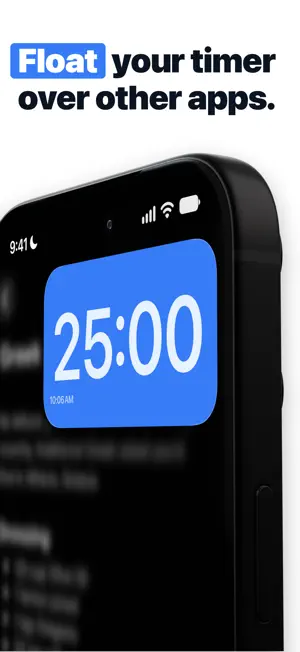


About Super Easy Timer
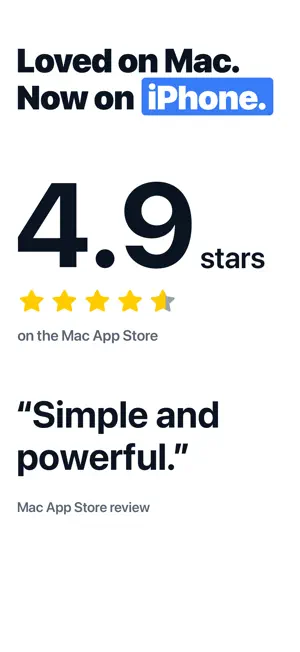
Your timer shouldn't disappear when you switch apps. This one floats on top. You start a timer. You open your email, a recipe, or your workout music. Then you have to go back just to check how much time is left. Not anymore. Super Easy Timer floats over your other apps in a small Picture in Picture window that shows the time left and when it ends. Pause it right from that window. Setting it takes a second: press the +, slide up to the time you want, and let go. Your timer starts. Or type it the way you'd say it: "25 min", "1h 30m", or "5pm". Meeting running long? Type "+5" and keep going, without starting over. Or turn on count up, and see exactly how far over you are. Three ways to see your time: • Floating over your other apps, with Picture in Picture • Full Screen: turn your phone sideways, and the digits fill the screen, big enough to read from across the room • Lock Screen and Dynamic Island: check the time left, and pause it, without unlocking Want just the time? Tap any empty space, and the clutter disappears, leaving only your timer and its controls. Turn on Prevent Auto-Lock, and the screen stays awake while the timer runs. For every part of your day: • Focus and study: 25 minutes on, 5 off (Pomodoro) • Workouts: work and rest intervals, in rounds (Tabata) • Classes, meetings, and speeches: a big timer that counts up when you run over • Cooking: a kitchen timer that stays in view while you read the recipe • Stopwatch down to the millisecond, and a clock when you just need the time • Repeat: restart the same timer automatically Phone on silent? For countdowns, turn on Use System Alarm, and your timer rings like an iPhone alarm, even when your phone is locked. It uses iOS Alarms & Timers, so iOS asks for your permission once. Loved on the Mac since 2018 4.9 stars on the Mac App Store • "I've been using it for about 5 years and it's been the best timer I've ever used." • "If you need an app to just show a countdown timer on your screen, especially for presentations, this is absolutely perfect." • "Even adding an extra 5 minutes is simple (type '+5m' and you're done)." • "It's helped me stay on task. It's helped me keep on deadlines." • "...absolutely loving how easy it is to use and that I can input an end time for when to finish my lessons." – Mac App Store reviews Universal app: now available on iPhone, iPad, iPhone Duo, and Mac. No ads. No accounts. Just a timer you can see.
Ratings & reviews
5.0
6 ratings
App privacy
The developer, Paul Solt, reported these privacy practices to Apple.
Data Not Collected
The developer does not collect any data from this app.
Alternatives to Super Easy Timer
Looking for apps like Super Easy Timer? Here are 6 similar apps on the App Store. The highest rated is DropTask (5.0/5), and 4 of the 6 are free to download.
-
 DropTask
5.0
-
 TypeDraw
4.5
-
 Parchment: Agenda & Daily Note
4.8
-
 Unforgetful: Never Lose a Task
4.7
-
 Foldtype
3.0
-
 Finalist: Daily Planner
4.7
| App | Rating | Price | Last updated | Compare |
|---|---|---|---|---|
| Super Easy Timer | 5.0 / 5 (6 ratings) | Free | November 4, 2026 | |
| DropTask | 5.0 / 5 (4) | Free | Nov 23, 2026 | Compare |
| TypeDraw | 4.5 / 5 (107) | 4.99 USD | Nov 21, 2026 | Compare |
| Parchment: Agenda & Daily Note | 4.8 / 5 (327) | 4.99 USD | Nov 18, 2026 | Compare |
| Unforgetful: Never Lose a Task | 4.7 / 5 (270) | Free | Nov 6, 2026 | Compare |
| Foldtype | 3.0 / 5 (4) | Free | Nov 20, 2026 | Compare |
| Finalist: Daily Planner | 4.7 / 5 (562) | Free | Nov 22, 2026 | Compare |
Compare Super Easy Timer with the top alternatives: ratings, updates, ASO score and keyword gaps →