

Magic Photo Effect - DreamPix
Manani Jyotiben Photo & Video iPhoneiPadiPod touch
Magic Photo Effect - DreamPix is a free Photo & Video app for iPhone and iPad by Manani Jyotiben. Rated 2.7/5 from 6 ratings. Requires iOS 18.0.
- Rating
- 2.7
- 6 ratings
- Price
- Free
- on the App Store
- Size
- 33 MB
- Age 4+
- Updated
- Mar 18
- 2025 · v1.2
Screenshots


About Magic Photo Effect - DreamPix
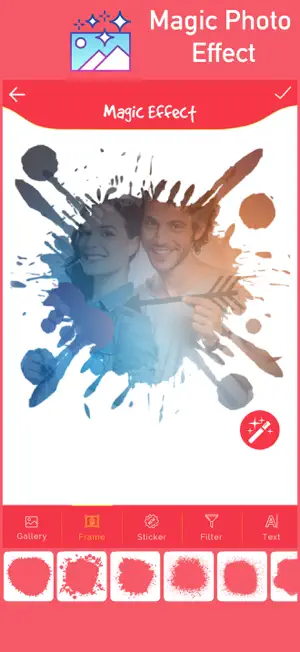
Magic Photo Effect - DreamPix is a powerful photo editor that transforms your pictures with stunning movie FX effects, shimmer camera filters, and artistic photo edits in seconds. Key Features : • Shimmer Camera – Add magical movie-like effects • Advanced Photo Editing Tools – Blur, hand-drawn effects & more • Magic Art Effects & Filters – Unique artistic transformations • Bokeh Overlays & Color Splash – Stunning visual effects • Fun Stickers & Creative Elements – Personalize your photos • Blur Background & DSLR Effects – Professional-grade edits Photo Lab Art / Magic Photo Effect / Shimmer Effect / Color Splash Photo Effect / DSLR Camera / Blur Background / Photo Lab New / Photo Effect Editor / Art Photo Lab FX / FX Effect / Smoke Effect / Photo Lab Art Effects / Pixel Effect / Movie Effect / Stunning Effect / Stunning Art/ Photo Lab Editor / Magical Photo Effect PhotoAlchemy, PixieLab, MagicSnap, EnchantiPic, MysticLens, DreamPix, WonderPhoto, SnapWizard, FairyFrame, GlowEdit, LumeFX, AuraPix, PrismaLab, Ethereal Edits, Magix Studio, HoloFrame, SpectraPic, Glitch & Glam, NeoVision, Chromagic. Turn your ordinary photos into extraordinary art with DreamPix. Download now and let the magic begin.
Ratings & reviews
2.7
6 ratings
What’s new
Version 1.2 · Updated March 18, 2025
• New Magic Photo Effects – Transform your photos with stunning new artistic effects • Revamped User Interface – Sleek, modern, and more user-friendly design • Performance Enhancements – Faster processing and smoother editing experience • New Filters & Stickers – Explore a variety of fresh, trendy filters and fun stickers • Improved Blur & Bokeh Effects – Create DSLR-like backgrounds with ease • Enhanced Color Splash Tool – Make your photos pop with vibrant colors • Advanced Editing Tools – More precision and control over your edits • Bug Fixes & Stability Improvements – A smoother, crash-free experience • Optimized for All Devices – Works better across different screen sizes and resolutions • Faster Sharing – Easily share your creations on social media with one tap
App privacy
The developer, Manani Jyotiben, reported these privacy practices to Apple.
Data Used to Track You
The following data may be used to track you across apps and websites owned by other companies:
- Identifiers: Device ID
Data Linked to You
The following data, which may be collected and linked to your identity, may be used for the following purposes:
- Identifiers: Device ID
Used for: Third-Party Advertising