

SimLab AR/VR Viewer
Simulation Lab Software Utilities iPhoneiPadiPod touch
SimLab AR/VR Viewer is a free Utilities app for iPhone and iPad by Simulation Lab Software. Rated 3.4/5 from 5 ratings. Requires iOS 15.0.
- Rating
- 3.4
- 5 ratings
- Price
- Free
- on the App Store
- Size
- 338 MB
- Age 4+
- Updated
- Jul 19
- 2026 · v16.0.7
Screenshots


About SimLab AR/VR Viewer
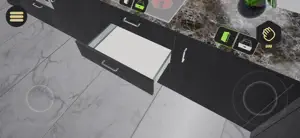
SimLab AR/VR Viewer allows you to explore interactive 3D and VR experiences created using SimLab Composer or SimLab VR Studio. These tools prepare 3D models from more than 30 supported file formats and convert them into fully interactive scenes that you can open and view on your Apple device. Important: 3D files (such as FBX, OBJ, or USDZ) must be prepared in SimLab Composer or SimLab VR Studio before viewing. Direct file import into the app is not supported. Features: • View complete VR training and educational simulations. • Explore mechanical assemblies and interact with prepared 3D objects. • Deliver hands-on demonstrations and immersive learning experiences. • Add measurements and notes for review and collaboration. • Join multi-user sessions to communicate and work together in real time across supported platforms. • Sync wirelessly with SimLab Composer or SimLab VR Studio to transfer and update VR experiences. Ideal For: • Architects and engineers: Review designs and model details in an immersive environment. • Educators and trainers: Present interactive lessons and simulations. • Designers and product teams: Showcase prototypes and concepts. • Collaborative teams: Meet inside shared VR spaces to review work together. To create VR experiences that can be viewed in this app, use SimLab Composer or SimLab VR Studio on desktop.
Ratings & reviews
3.4
5 ratings
What’s new
Version 16.0.7 · Updated July 19, 2026
• Grab & Grabbable Sequence Improvements: Apply Grabbable Object properties and Grabbable Sequences to a single asset simultaneously, enabling complex, multi-layered manual interactions on interconnected object parts. • VR Runtime QR Code Interactivity: Scan physical or virtual QR codes during simulations to read data strings and dynamically trigger context-specific events. • Quest 3 Instant QR Launch: Load VR experiences instantly on Meta Quest 3 by scanning a QR code, completely bypassing the account login process. • Quest Hand Tracking in PC-VR: Utilize native Meta Quest hand tracking seamlessly while streaming heavy, high-fidelity experiences via tethered PC-VR mode. • Hand Attachment Tools: Pin 3D objects or custom animation sequences directly to virtual hands to ensure they follow and move perfectly with the player's hands. • Adding Enhancements for overall performance and Fixing some bugs in the Application To Enhance the overall User Experience
App privacy
The developer, Simulation Lab Software, reported these privacy practices to Apple.
Data Not Collected
The developer does not collect any data from this app.
Alternatives to SimLab AR/VR Viewer
Looking for apps like SimLab AR/VR Viewer? Here are 6 similar apps on the App Store. The highest rated is VRPlayerX (5.0/5), and all 6 are free to download.
-
 VR Camera Viewer
-
 SKM AR Viewer
-
 RTAB-Map - 3D LiDAR Scanner
4.8
RTAB-Map - 3D LiDAR Scanner
4.8
-
 VRPlayerX
5.0
VRPlayerX
5.0
-
 vrBox - VR Player
-
 3D File Viewer: OBJ STP & more
4.4
3D File Viewer: OBJ STP & more
4.4
| App | Rating | Price | Last updated | Compare |
|---|---|---|---|---|
| SimLab AR/VR Viewer | 3.4 / 5 (5 ratings) | Free | July 19, 2026 | |
| VR Camera Viewer | – | Free | Nov 28, 2024 | Compare |
| SKM AR Viewer | – | Free | Nov 25, 2025 | Compare |
| RTAB-Map - 3D LiDAR Scanner | 4.8 / 5 (41) | Free | Dec 23, 2025 | Compare |
| VRPlayerX | 5.0 / 5 (2) | Free | Apr 30, 2025 | Compare |
| vrBox - VR Player | – | Free | Oct 21, 2026 | Compare |
| 3D File Viewer: OBJ STP & more | 4.4 / 5 (53) | Free | Aug 15, 2026 | Compare |