

MyOS Radio Music Player
Frederick Weber Music iPhoneiPadiPod touch
MyOS Radio Music Player is a free Music app for iPhone and iPad by Frederick Weber. Rated 5.0/5 from 7 ratings. Requires iOS 13.0. Updated October 9, 2024.
- Rating
- 5.0
- 7 ratings
- Price
- Free
- on the App Store
- Size
- 833 MB
- Age 4+
- Updated
- Oct 9
- 2024 · v3.10
Screenshots
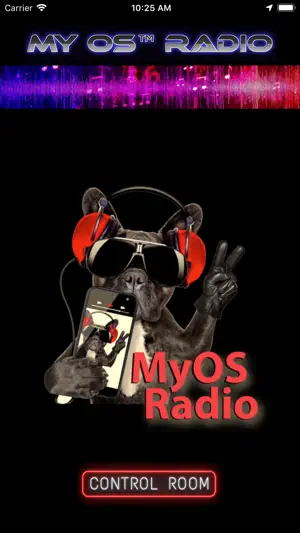
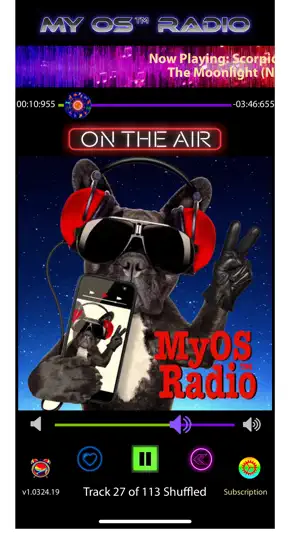


About MyOS Radio Music Player
Introductory "Free Trial" offer for 3 days of fully functional fun on us! 100's of Free Ascap licensed hit song performances now included Ad-Free. WiFi downloading to your iPhone or iPad from your computer using a web browser of 60+ Million songs from any download music service. Announcing the END to BORING music players! My OS™ Radio Rocks! A World Class Music player that sounds like a big time real radio station... except it's yours to love! MyOS Radio™ app can play songs DOWNLOADED to your iOS device in Playlists created in iTunes. (It will not play streaming service songs or songs which reside in the cloud. Songs must be uploaded to your iPhone or iPad from iTunes or the Finder / Music App in iOS 13.x). Our app was designed to sound just like a real radio station that plays music, weather and announcements. Best to play individual songs for optimum aesthetics. It will remind you, while you're listening non-stop to your favorite songs of having a transistor radio from the 60's with you! You'll have hours of your favorite shuffled songs, from MyOS Radio™! Here's how it works: 1. Launch the App and agree to Location Services used for weather forecasts delivered over My OS™ Radio. 2. Go to the Control Room and select one or two playlists and tap "Back". Now you are " On The Air". The app is set to play your music, make time, temperature and interesting announcements right away with our official DJ, or a voice you choose. Select SUSAN as Siri’s DJ Voice! The OFFICIAL Voice of MyOS™Radio is Susan. Susan’s DJ voice is available free on your iOS device. Make sure you have FEMALE Voice selected in the app Control Room after installing following this path on your iOS device: Settings --> Accessibility --> Spoken Content --> Voices --> English --> Susan --> Susan Enhanced (download here) --> Select Susan Enhanced and your done. 3. You can fiddle with the other settings as you desire, but probably not necessary, except the volume controls if your music was not at standard record volumes. 4. In the remote case you have abnormal problems, we have crash reporting included and a way for you to report problems and feature requests by tapping SUPPORT at the bottom of the Subscription page and filling out a form to submit. 5. My OS™ Radio upgrades may get fresh jingles, promotional announcements and Siri announcements or future IN-APP purchases. 6. The app is designed to allow users to download for the listed price. Enjoy!
Ratings & reviews
5.0
7 ratings
What’s new
Version 3.10 · Updated October 9, 2024
IOS SDK Upgrade Added more RTMP streaming destinations.
App privacy
The developer, Frederick Weber, reported these privacy practices to Apple.
Data Not Collected
The developer does not collect any data from this app.
Alternatives to MyOS Radio Music Player
Looking for apps like MyOS Radio Music Player? Here are 6 similar apps on the App Store. The highest rated is HypeTunes (5.0/5), and all 6 are free to download.




| App | Rating | Price | Last updated | Compare |
|---|---|---|---|---|
| MyOS Radio Music Player | 5.0 / 5 (7 ratings) | Free | October 9, 2024 | |
| M-TrackR | – | Free | Sep 29, 2026 | Compare |
| Orange Room Radio | 3.5 / 5 (2) | Free | Feb 11, 2025 | Compare |
| HypeTunes | 5.0 / 5 (11) | Free | Oct 19, 2026 | Compare |
| DjChaoz | 5.0 / 5 (10) | Free | Apr 14, 2025 | Compare |
| Auvia | 1.0 / 5 (1) | Free | Apr 29, 2026 | Compare |
| Texas Fleet Radio | 4.9 / 5 (17) | Free | Jul 27, 2026 | Compare |