

Joplin
Laurent Cozic Productivity iPhoneiPadiPod touch
Joplin is a free Productivity app for iPhone and iPad by Laurent Cozic. Rated 4.1/5 from 476 ratings. Requires iOS 15.6. Updated September 25, 2026.
- Rating
- 4.1
- 476 ratings
- Price
- Free
- on the App Store
- Size
- 73 MB
- Age 4+
- Updated
- Sep 25
- 2026 · v13.7.6
Screenshots
About Joplin
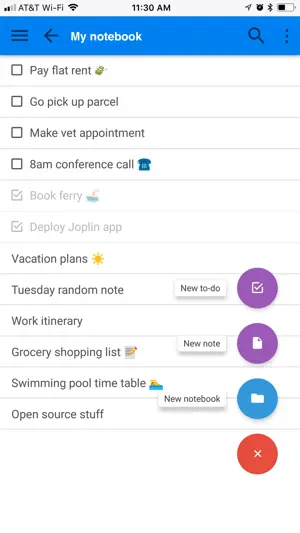
Privacy-first app Capture your thoughts freely and without distractions, tracking, or ads. With Joplin’s end-to-end encryption and open-source code, you can concentrate on your ideas and tasks without worrying about your privacy. Capture multimedia notes Capture multimedia notes effortlessly. In Joplin you can : • create manuscript notes, • transcribe speech to note, • add multimedia: photos, videos, PDFs, and images, • insert documents as attachments, • create math expressions, add tables, write code and insert diagrams, • create to-dos and add reminders. Organise your ideas Organise your notes into notebooks. Connect your notes with tags by subject or priority. Use colours and rich text editor to format your notes with ease. Make task lists, create to-dos and add reminders. Effortlessly find your notes, even within PDFs and images, thanks to the powerful search feature enhanced by Optical Character Recognition (OCR) technology. Use Joplin to store your bills, lecture notes, photos or receipts. Reliable synchronisation Access your notes from computer, phone or tablet by synchronising with various services including Joplin Cloud, Dropbox and OneDrive. Seamlessly move from one device to another. Offline-first You can access your notes anytime and anywhere, even without Internet. If you’re using Joplin on multiple devices, they will synchronise and update once you regained the connection. Enhance your productivity across devices Extend your note-taking experience by using Joplin on additional devices such as a desktop computer or tablet. Make the most of each device by using its specific features. On the desktop app, use a web clipper extension, wide-range of community plugins and a Markdown editor. Experience flawless handwriting and drawing on your tablet. Join active community Connect with Joplin’s vibrant community on Joplin Forum. It’s a place where users can share ideas, ask questions, exchange information and give feedback. Joplin’s dynamic community also develops powerful plugins, so you can customise your app to suit your needs.
Ratings & reviews
4.1
476 ratings
What’s new
Version 13.7.6 · Updated September 25, 2026
https://joplinapp.org/help/about/changelog/ios/
App privacy
The developer, Laurent Cozic, reported these privacy practices to Apple.
Data Not Collected
The developer does not collect any data from this app.
Alternatives to Joplin
Looking for apps like Joplin? Here are 6 similar apps on the App Store. The highest rated is NotePlan - To-Do List & Notes (4.8/5), and all 6 are free to download.
-
 Notesnook: Private notepad
4.7
Notesnook: Private notepad
4.7
-
 NotePlan - To-Do List & Notes
4.8
NotePlan - To-Do List & Notes
4.8
-
 AFFiNE: Notes, Whiteboard AI
4.4
AFFiNE: Notes, Whiteboard AI
4.4
-
 Notebook – AI Notes, Notepad
4.7
Notebook – AI Notes, Notepad
4.7
-
 Superlist: To Do List & Team
4.5
Superlist: To Do List & Team
4.5
-
 Craft: Notes, Documents, AI
4.8
Craft: Notes, Documents, AI
4.8
| App | Rating | Price | Last updated | Compare |
|---|---|---|---|---|
| Joplin | 4.1 / 5 (476 ratings) | Free | September 25, 2026 | |
| Notesnook: Private notepad | 4.7 / 5 (655) | Free | Sep 16, 2026 | Compare |
| NotePlan - To-Do List & Notes | 4.8 / 5 (1,507) | Free | Sep 20, 2026 | Compare |
| AFFiNE: Notes, Whiteboard AI | 4.4 / 5 (35) | Free | Jul 30, 2026 | Compare |
| Notebook – AI Notes, Notepad | 4.7 / 5 (23,851) | Free | Sep 21, 2026 | Compare |
| Superlist: To Do List & Team | 4.5 / 5 (454) | Free | Sep 23, 2026 | Compare |
| Craft: Notes, Documents, AI | 4.8 / 5 (6,616) | Free | Sep 21, 2026 | Compare |
Compare Joplin with the top alternatives: ratings, updates, ASO score and keyword gaps →