

PDF Search: AI Chat & OCR
Muharrem Ozkan Productivity iPhoneiPadiPod touch
PDF Search: AI Chat & OCR is a free Productivity app for iPhone and iPad by Muharrem Ozkan. Rated 4.3/5 from 128 ratings. Requires iOS 16.0.
- Rating
- 4.3
- 128 ratings
- Price
- Free
- on the App Store
- Size
- 16 MB
- Age 4+
- Updated
- Oct 16
- 2026 · v9.2
Screenshots


About PDF Search: AI Chat & OCR
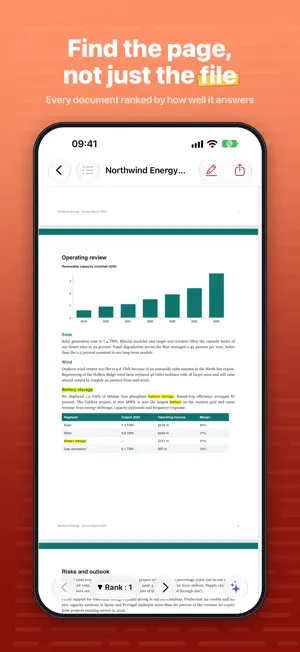
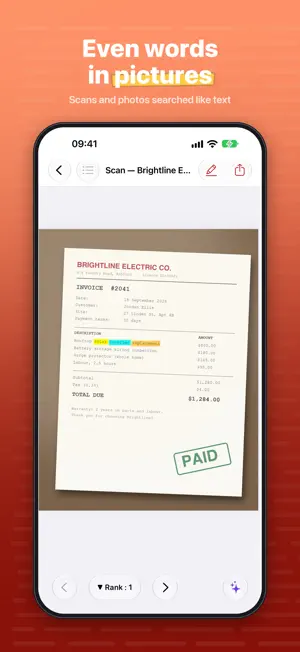
PDF Search reads every word of every document you own and makes it findable in the time it takes to type. Then it goes further: ask a question in plain words and get an answer, with the exact pages it came from. Built for people who live in documents: students, lawyers and researchers. ASK YOUR DOCUMENTS ANYTHING AI Chat answers questions about your library in plain language. Ask "can I end my lease early?" and it searches your documents, reads the pages that matter, and answers, citing the page each fact came from so you can check it yourself. • Chat about your whole library, or the one document you are reading • Every answer carries page references you can tap • Conversations are saved, so you can pick one up later • Runs on your device, or on Apple's Private Cloud Compute AI Chat needs Apple Intelligence: an iPhone 15 Pro or later, or an iPad with an M-series chip, running iOS 26 or later. SEARCH THAT RANKS, NOT JUST MATCHES Ordinary search tells you a word exists somewhere. PDF Search scores every page on how well it answers you: where the words appear, how close together they are, whether they land in a heading. The strongest pages come first. • Results grouped by document, with every matching page and its rank • Jump straight to the page, your words highlighted in context • Search everything at once, or narrow to a folder or tag • Export results to share or keep LANGUAGE, NOT JUST LETTERS Indexing uses tokenizing and lemmatization, so search understands the shape of a word. Look for "hike" and find "hiking"; look for "children" and find "child". Stems and near matches are covered too. WORDS LOCKED IN PICTURES Built-in text recognition reads photographed receipts, scanned contracts and screenshots of slides, and adds every word to your index, so a picture of a page is as searchable as the page itself. It covers every language your device supports. The built-in scanner turns paper documents, notes and cards into PDFs, reads them as it goes, and files them with everything else, searchable from the moment they land. MORE THAN PDFS Index PDFs alongside Microsoft Office documents (Word, PowerPoint), iWork files (Pages, Keynote), rich text, plain text and logs, source code, and pages saved from the web. Turn any format off to skip it. KEEP A LARGE LIBRARY IN ORDER • Folders on device or in iCloud, plus any folder or file you point the app at • Tags, to cut across folders however you think • Bookmarks with notes, gathered in one place across every document • A document's table of contents, to move around a long file quickly • Highlights and annotations while you read • Index status at a glance: what is indexed, what is queued YOUR MAC, IN YOUR POCKET Run PDF Search on your Mac and sync over Wi-Fi with a single click. Documents come across with their index intact, so your iPhone or iPad need not do the work twice. PRIVATE BY DEFAULT Indexing, text recognition and search happen on your device. No account, no tracking, and purchases are verified on the device by the App Store. FREE AND PRO The free version indexes and searches your documents and opens the top-ranked result. Pro unlocks everything else: • AI Chat, with page references • Search inside images and scans • Scan paper to PDF • Plurals, stems and near matches • Every ranked result, not just the first • Export, tag and de-duplicate Pro comes as a monthly or annual subscription, or a one-off lifetime unlock: one payment, yours for good, no renewals. SUBSCRIPTION TERMS Payment is charged to your Apple Account at confirmation of purchase. A subscription renews automatically unless cancelled at least 24 hours before the end of the current period, and renewal is charged within 24 hours of that. Manage or cancel any time in your Apple Account settings. An unused part of a free trial is forfeited when a subscription is bought. Privacy Policy: https://pdfsearch.mozkan.com/privacy.html Terms of Use: https://pdfsearch.mozkan.com/terms.html
Ratings & reviews
4.3
128 ratings
What’s new
Version 9.2 · Updated October 16, 2026
• Various bug fixes
App privacy
The developer, Muharrem Ozkan, reported these privacy practices to Apple.
Data Not Linked to You
The following data, which may be collected but is not linked to your identity, may be used for the following purposes:
- Identifiers: Device ID
Used for: Analytics
Alternatives to PDF Search: AI Chat & OCR
Looking for apps like PDF Search: AI Chat & OCR? Here are 6 similar apps on the App Store. The highest rated is Timemator: Time Tracker (4.7/5), and all 6 are free to download.
-
 Elephas: Secure AI for Files
2.4
-
 Prizmo › Document Scanner, OCR
4.4
-
 Rocket Typist
4.1
-
 Dropshare - File Sharing Tool
4.1
-
 Timemator: Time Tracker
4.7
-
 GetSound
4.2
| App | Rating | Price | Last updated | Compare |
|---|---|---|---|---|
| PDF Search: AI Chat & OCR | 4.3 / 5 (128 ratings) | Free | October 16, 2026 | |
| Elephas: Secure AI for Files | 2.4 / 5 (13) | Free | Aug 26, 2026 | Compare |
| Prizmo › Document Scanner, OCR | 4.4 / 5 (156) | Free | Jul 21, 2026 | Compare |
| Rocket Typist | 4.1 / 5 (24) | Free | Feb 23, 2026 | Compare |
| Dropshare - File Sharing Tool | 4.1 / 5 (65) | Free | Oct 6, 2026 | Compare |
| Timemator: Time Tracker | 4.7 / 5 (171) | Free | Oct 8, 2026 | Compare |
| GetSound | 4.2 / 5 (6) | Free | Nov 16, 2023 | Compare |