

Cam to PDF - Document Scanner
Maria Gascon Productivity iPhoneiPadiPod touch
Cam to PDF - Document Scanner is a free Productivity app for iPhone and iPad by Maria Gascon. Rated 4.0/5 from 2 ratings. Requires iOS 14.0.
- Rating
- 4.0
- 2 ratings
- Price
- Free
- on the App Store
- Size
- 26 MB
- Age 4+
- Updated
- Jun 23
- 2025 · v1.3
Screenshots


About Cam to PDF - Document Scanner
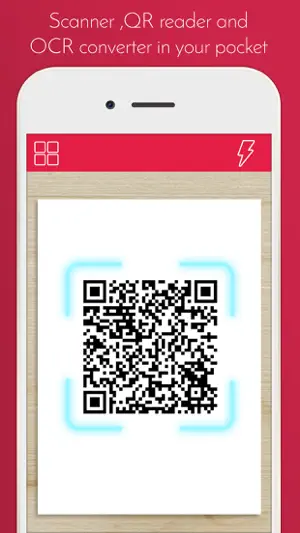
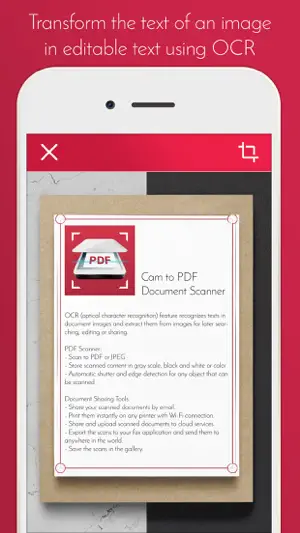
Cam to PDF - Document ScannerScan your documents in a simple and quick way to PDF format or image to save them in your mobile. Upload them to the cloud or share them by mail or message. Turn your phone into a simple pocket scanner for documents, receipts, books, photos, whiteboards, and other text. You can quickly scan your documents in high quality PDFs or JPEGs, and then store and send them anywhere. This app uses advanced algorithms to accurately detect document edges, straighten them into a correct perspective. You can also scan in gray scale (Black and white) and in color. NEW FEATURE: Extract Texts from Image - OCR (optical character recognition) feature recognizes texts in document images and extract them from images for later searching, editing or sharing. PDF Scanner: - Scan to PDF or JPEG - Store scanned content in gray scale, black and white or color - Automatic shutter and edge detection for any object that can be scanned Document Sharing Tools: - Share your scanned documents by email. - Print them instantly on any printer with Wi-Fi connection. - Share and upload scanned documents to cloud services. - Export the scans to your fax application and send them to anywhere in the world. - Save the scans in the gallery. If you like our app, please rate and comment to help us improve!
What’s new
Version 1.3 · Updated June 23, 2025
The app has been revamped using Swift to provide quicker and more reliable performance. Text recognition (OCR) now utilizes Apple’s Vision framework, enhancing its precision. All libraries have been upgraded to their most recent versions for improved security and compatibility. We’ve addressed a bug related to PDF conversion to make it more dependable.
App privacy
The developer, Maria Gascon, reported these privacy practices to Apple.
Data Used to Track You
The following data may be used to track you across apps and websites owned by other companies:
- Identifiers: Device ID
- Usage Data: Advertising Data
Data Not Linked to You
The following data, which may be collected but is not linked to your identity, may be used for the following purposes:
- Identifiers: Device ID
- Usage Data: Advertising Data, Product Interaction
Used for: Third-Party Advertising, Analytics
Alternatives to Cam to PDF - Document Scanner
Looking for apps like Cam to PDF - Document Scanner? Here are 6 similar apps on the App Store. The highest rated is yescan—PDF OCR Scanner (5.0/5), and all 6 are free to download.
-
 Doc : Image to Excel Converter
3.0
Doc : Image to Excel Converter
3.0
-
 Scan Documents to PDF l by TSP
4.6
Scan Documents to PDF l by TSP
4.6
-
 Photo to PDF - Image Converter
4.5
Photo to PDF - Image Converter
4.5
-
 Scanner Mobile-Scan to PDF/JPG
4.8
Scanner Mobile-Scan to PDF/JPG
4.8
-
 Text Extractor: Image to Text
4.3
Text Extractor: Image to Text
4.3
-
 yescan—PDF OCR Scanner
5.0
yescan—PDF OCR Scanner
5.0
| App | Rating | Price | Last updated | Compare |
|---|---|---|---|---|
| Cam to PDF - Document Scanner | 4.0 / 5 (2 ratings) | Free | June 23, 2025 | |
| Doc : Image to Excel Converter | 3.0 / 5 (21) | Free | Aug 4, 2026 | Compare |
| Scan Documents to PDF l by TSP | 4.6 / 5 (258) | Free | Sep 30, 2026 | Compare |
| Photo to PDF - Image Converter | 4.5 / 5 (102) | Free | Sep 17, 2026 | Compare |
| Scanner Mobile-Scan to PDF/JPG | 4.8 / 5 (27) | Free | Aug 20, 2026 | Compare |
| Text Extractor: Image to Text | 4.3 / 5 (32) | Free | Mar 4, 2026 | Compare |
| yescan—PDF OCR Scanner | 5.0 / 5 (9) | Free | Mar 24, 2025 | Compare |