

Endless Paper
Epiphanie Productivity iPad
Endless Paper is a free Productivity app for iPad by Epiphanie. Rated 3.2/5 from 492 ratings. Requires iOS 16.0. Updated October 11, 2026.
- Rating
- 3.2
- 492 ratings
- Price
- Free
- on the App Store
- Size
- 21 MB
- Age 4+
- Updated
- Oct 11
- 2026 · v2.1.9
Screenshots



About Endless Paper
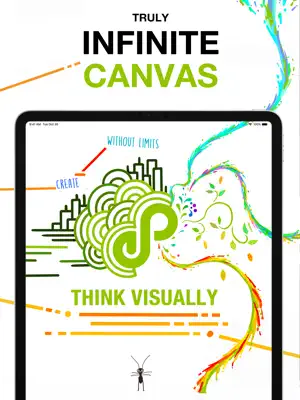
Endless Paper An infinite canvas for thinking, drawing, and storytelling Endless Paper is a creative tool built around a truly infinite canvas. Write handwritten notes, create immersive artworks, explore ideas visually, and connect everything in one continuous space. Deliberately simple yet powerful and incredibly fast, it feels as natural as pen and paper—without the limitations of physical media. Whether you’re a student organizing notes, an artist exploring large-scale compositions, or a team lead mapping out complex ideas, Endless Paper adapts to the way you think and communicate visually. HIGHLIGHTS • A truly infinite canvas • Ultra-crisp, vector-based drawings at any zoom level • Move, resize, and duplicate content using a powerful lasso tool • Convert images into clean, zoomable vectors with vectorization • Create vast canvases with minimal storage usage • Export high-resolution images, PDFs, and videos with automatic zoom • Publish your canvas as an interactive website • Drag and drop images, PDFs, and even websites from other apps • Adaptive bullet grid that responds to zoom level • Bookmarks for fast navigation across large canvases • Organize multiple canvases in a cohesive gallery with versioning • Customizable color themes and dark mode • Broadcast a live view of your canvas to the web • Unlimited undo and redo • Continuous autosave with an integrated archiving system • Designed to minimize errors and cognitive load • Powered by Fractile, a Metal-accelerated 64-bit vector rendering engine DRAW BEYOND THE FRAME Endless Paper enables a new form of long-format visual storytelling. Instead of isolated pages or panels, you create interconnected spaces that unfold through infinite zoom. Explore canvases by professional artists directly in the app and discover what’s possible when scale is no longer a constraint. Build a lifetime of work into a single evolving universe—without compromising the tactile feeling of traditional drawing and painting. A SPATIAL WHITEBOARD FOR COMPLEX THINKING Never run out of space again. More importantly, Endless Paper lets you organize ideas spatially. Zoom into details, then pull back instantly to see the full structure of your work. There are no artificial document boundaries. Every tool works consistently at every level of scale, allowing you to think freely without managing files, pages, or layers. DESIGNED FOR IPAD AND APPLE PENCIL The custom Fractile rendering engine delivers ultra-crisp vector graphics at up to 120 fps—even with millions of strokes on screen. Canvases containing years of work open instantly, creating a fluid, uninterrupted creative experience that feels almost unreal. SUBSCRIPTION Endless Paper includes a free experience. Some advanced features require a subscription. SUPPORT Reach us anytime at [email protected] or through the in-app “Email Us” option. We actively read feedback and use it to shape the future of Endless Paper. Artworks by @gregcicle, @the.ogarno, @vaskange, @ty_tyler_art_work, @digitalbobert, @pabloandrespozo and @codiesimpsonart
Ratings & reviews
3.2
492 ratings
What’s new
Version 2.1.9 · Updated October 11, 2026
New in this update: • Fixed rare crashes: - When drawing long strokes - When creating a new canvas while signing in • Fixed a rare issue that could unexpectedly log you out • Improved the reliability of selection rendering at extreme zoom levels Say hello to Endless Paper 2.1.0! This update focuses on speed, reliability, and a smoother drawing experience. Fractile 2.0, a major upgrade to the vector rendering engine • Canvases now open up to 4× faster. • Strokes and imported images use up to 4× less memory and storage. • Dots and straight lines stay perfectly smooth, even at high zoom levels. • Smoother navigation across your canvases. More precise eraser modes • Erase entire strokes with a single gesture. • Adjust the eraser size dynamically by tilting your stylus. Safer saving and exports • New save status indicator in the Info tab, plus warnings for unsaved changes. • Exports now verify available memory before starting, and available storage before video exports. • Improved reliability for high resolution image exports and 8K video exports. General improvements and bug fixes • Natural numerical sorting for canvas and bookmark names. • Active assets stay under your finger while panning, zooming, or traveling. • Improved layouts, especially on iOS 26, with many visual refinements, particularly in left handed mode. • Imported links retain readable titles and display better in dark mode. • Fixed a lasso issue that could prevent further drawing on a layer. • Numerous startup, memory, and stability improvements. • Added Dark Mode support to the launch and loading screens. • Improved stroke continuity when opening older canvases. • Fixed the position of the Lock action on some devices. • Improved processing performance for canvases containing PDF pages. • Improved reliability when importing, exporting, and zooming in PDFs and images. • Added a clear message when attempting to vectorize an image with no opaque areas. • Improved stability when navigating and editing in deeply zoomed canvases • Fixed a rare issue making WebXP uploads fail • Fixed an issue where assets in duplicated groups could become linked to their duplicates, causing changes to one asset to affect others. • Fixed an issue where assets could remain active after cancelling a replacement. • Fixed an issue with selected content displaying incorrectly at extreme zoom levels. • Fixed several display issues when navigating during presentations or using an external screen. • Improved automatic scrolling to your current canvas when opening the canvas gallery. • Improved stability when using the Fill tool or opening older canvases containing large images. • Added a keypad directly to the sign-in screen for entering verification codes. • Improved success and error messages when existing VPP users restore their licenses. • Fixed crashes and saving failures related to leftover bookmarks after using the Lasso tool. • Fixed multiple crashes: - When leaving or switching canvases while switching to dark mode. - When leaving or switching canvases while activating the Lasso tool with Apple Pencil. - When leaving or switching canvases while receiving a save-related alert from the watchdog. - When updating canvases containing many PDFs. - When exporting certain drawings as vector PDFs. - When switching to Dark Mode while loading a canvas. Fixed rare crashes affecting: - Image and PDF export when switching between pixels and points. - Copying or moving lasso selections and working with thin fills - Repeated video exports - Dragging and dropping assets. - When using the fill tool or when the app was under high memory pressure. - When opening the canvas gallery after drawing or navigating on a canvas. Your canvases will be automatically upgraded the next time you open them. You may notice minor visual differences due to the improved rendering engine.
App privacy
The developer, Epiphanie, reported these privacy practices to Apple.
Data Linked to You
The following data, which may be collected and linked to your identity, may be used for the following purposes:
- Contact Info: Email Address, Name
- Identifiers: User ID, Device ID
- Diagnostics: Crash Data, Performance Data
Used for: App Functionality, Other Purposes
Alternatives to Endless Paper
Looking for apps like Endless Paper? Here are 6 similar apps on the App Store. The highest rated is Ahmni: Infinite Canvas (4.7/5), and all 6 are free to download.
-
 Allume — for focused thinking
4.6
-
 Ahmni: Infinite Canvas
4.7
-
 Minimalist Whiteboard
4.6
-
 Defter Notes
4.4
-
 ZoomNotes Lite
4.2
-
 Astropad Studio Drawing Tablet
4.7
| App | Rating | Price | Last updated | Compare |
|---|---|---|---|---|
| Endless Paper | 3.2 / 5 (492 ratings) | Free | October 11, 2026 | |
| Allume — for focused thinking | 4.6 / 5 (337) | Free | Jul 6, 2026 | Compare |
| Ahmni: Infinite Canvas | 4.7 / 5 (243) | Free | Oct 17, 2026 | Compare |
| Minimalist Whiteboard | 4.6 / 5 (164) | Free | Mar 16, 2026 | Compare |
| Defter Notes | 4.4 / 5 (75) | Free | Oct 10, 2026 | Compare |
| ZoomNotes Lite | 4.2 / 5 (214) | Free | Jul 3, 2026 | Compare |
| Astropad Studio Drawing Tablet | 4.7 / 5 (3,772) | Free | Oct 14, 2026 | Compare |
Compare Endless Paper with the top alternatives: ratings, updates, ASO score and keyword gaps →