

Mission Bank Business mRDC
Mission Bancorp Finance iPhoneiPadiPod touch
Mission Bank Business mRDC is a free Finance app for iPhone and iPad by Mission Bancorp. Requires iOS 17.0. Updated December 10, 2024.
- Price
- Free
- on the App Store
- Size
- 9 MB
- Age 4+
- Updated
- Dec 10
- 2024 · v11.8.226
Screenshots



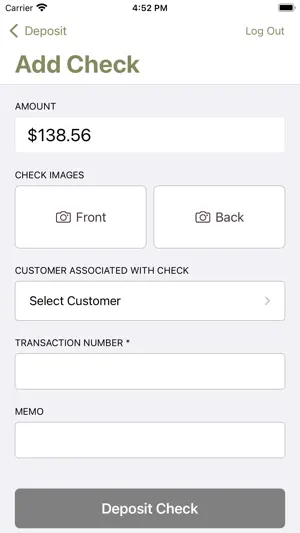
About Mission Bank Business mRDC
Mission Bank’s mobile deposit app is specifically designed for businesses. Mission Bank’s Business mRDC app is an ideal solution if your business has: • a limited number of checks to deposit each day, or • satellite offices that occasionally receive payments, or • employees collecting checks directly from customers at their home or business. The mobile capabilities can complement your existing Remote Deposit Capture (RDC) scanner-based processing, or the mobile app can be used as a standalone option with a tablet or smartphone serving as the check scanner. With either option, a company administrator assigns the users’ privileges and accounts, and the app only processes deposits – there is no bank account information disclosed. To use Mission Bank’s Business mRDC app you must first be enrolled in RDC and the mRDC option must be one of your user entitlements. You’ll sign on using the same ID, password and company name you use for RDC. If you’re not currently enrolled, contact your local business banking center for information on how to subscribe. Connectivity and usage fees may apply to some mobile banking features. Contact your wireless service provider for details.
What’s new
Version 11.8.226 · Updated December 10, 2024
The new version has been rewritten in a native language, it has a more up-to-date look and feel that enhances the existing functionality.
App privacy
The developer, Mission Bancorp, reported these privacy practices to Apple.
Data Not Linked to You
The following data, which may be collected but is not linked to your identity, may be used for the following purposes:
- Usage Data: Product Interaction
- Other Data: Other Data Types
Used for: Analytics, App Functionality