

Dot Art - Different style
CHI HAO CHIU Photo & Video iPhoneiPadiPod touch
Dot Art - Different style is a free Photo & Video app for iPhone and iPad by CHI HAO CHIU. Rated 5.0/5 from 2 ratings. Requires iOS 17.6.
- Rating
- 5.0
- 2 ratings
- Price
- Free
- on the App Store
- Size
- 13 MB
- Age 4+
- Updated
- Sep 21
- 2026 · v2.0
Screenshots

About Dot Art - Different style
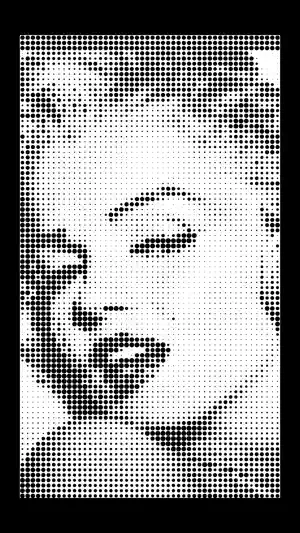
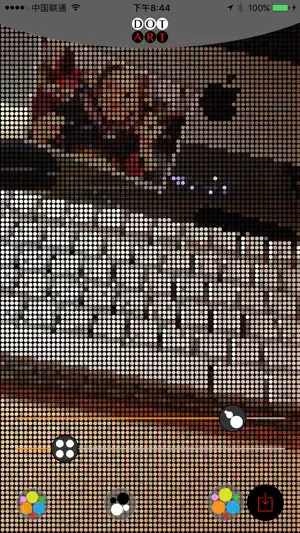
Dot Art transforms your photos into gorgeous dot art, pixel art, and mosaic masterpieces. Control the size and spacing of every dot to craft your own pointillism, halftone, or stippling effects—from bold pixel blocks to delicate dotted textures. WHY YOU'LL LOVE IT • Photo to dot art in one tap—instant artistic transformation • Fully adjustable dot size & spacing for endless creative styles • New live camera effects: shoot directly through real-time dot & pixel filters • Import any image and apply effects instantly • Rich filters, black & white, and elegant wedding effects • A soothing cure for trypophobia—turn unsettling images into calm, ordered dot patterns Whether you're a designer, photographer, or just love creative play, Dot Art makes pixel and dot art effortless and fun. Download now and dot your world. Millva.com
What’s new
Version 2.0 · Updated September 21, 2026
Version 2.0 brings a whole new Dot Art experience: • Redesigned, cleaner interface for effortless creation • More intuitive controls—adjust dots and effects with a single gesture • New live camera effects to capture dot & pixel art in real time • Import images and apply stunning effects instantly Update now and rediscover your photos as art.
App privacy
The developer, CHI HAO CHIU, reported these privacy practices to Apple.
Data Used to Track You
The following data may be used to track you across apps and websites owned by other companies:
- Identifiers: Device ID
Data Not Linked to You
The following data, which may be collected but is not linked to your identity, may be used for the following purposes:
- Identifiers: Device ID
- Usage Data: Advertising Data
Used for: Third-Party Advertising, Developer’s Advertising or Marketing