

MFPlayer HD
Konstantin Adamov Music iPhoneiPadiPod touch
MFPlayer HD is a paid Music app for iPhone and iPad by Konstantin Adamov. Rated 2.0/5 from 1 ratings. Requires iOS 13.0. Updated January 24, 2025.
- Rating
- 2.0
- 1 ratings
- Price
- 1.99 USD
- on the App Store
- Size
- 5 MB
- Age 4+
- Updated
- Jan 24
- 2025 · v2.4.7
Screenshots
Save to Pinterest

About MFPlayer HD
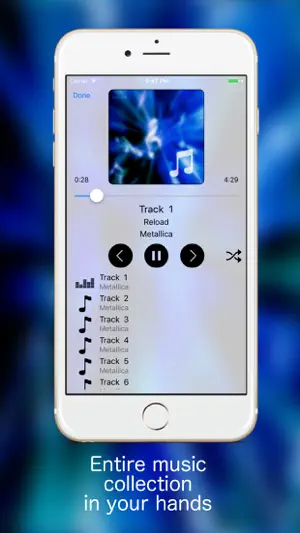
Best media player for iOS that plays music by folders! Now with Apple CarPlay support. No more sync process with iTunes, just put your music into Documents of this application and you are good to go! How to prepare folder: Create folder for each album you have. Additionally you can create folder with the name of artist and then put folders with albums inside it. If you have album art put it inside each folder and name it as "folder.jpg". You can also search for album atr on the web from inside this application just tap and hold on any folder. How to upload files: Connect to Mac or PC Run iTunes, switch to Apps and scroll down to Documents. Find MFPlayerHD and click on it. Drag and drop folders with music files to the right side.
What’s new
Version 2.4.7 · Updated January 24, 2025
Bug fixes
App privacy
The developer, Konstantin Adamov, reported these privacy practices to Apple.
Data Not Linked to You
The following data, which may be collected but is not linked to your identity, may be used for the following purposes:
- Usage Data: Product Interaction
Used for: Analytics
Alternatives to MFPlayer HD
Looking for apps like MFPlayer HD? Here are 6 similar apps on the App Store. The highest rated is QXPlayer remote (5.0/5), and 5 of the 6 are free to download.


| App | Rating | Price | Last updated | Compare |
|---|---|---|---|---|
| MFPlayer HD | 2.0 / 5 (1 rating) | 1.99 USD | January 24, 2025 | |
| TST Artist Player | – | Free | Jan 2, 2025 | Compare |
| MusicFolder 2 | 4.1 / 5 (11) | 1.99 USD | Apr 8, 2026 | Compare |
| Marker Player | – | Free | Aug 4, 2026 | Compare |
| 1-bit | 4.3 / 5 (7) | Free | Nov 2, 2026 | Compare |
| Wind2Notes | – | Free | Oct 6, 2026 | Compare |
| QXPlayer remote | 5.0 / 5 (1) | Free | Oct 16, 2024 | Compare |
Compare MFPlayer HD with the top alternatives: ratings, updates, ASO score and keyword gaps →