

Supremo Remote Desktop
Nanosystems S.r.l. Productivity iPhoneiPadiPod touch
Supremo Remote Desktop is a free Productivity app for iPhone and iPad by Nanosystems S.r.l. Rated 3.3/5 from 12 ratings. Requires iOS 15.0.
- Rating
- 3.3
- 12 ratings
- Price
- Free
- on the App Store
- Size
- 82 MB
- Age 4+
- Updated
- Sep 16
- 2026 · v5.0.3
Screenshots
About Supremo Remote Desktop
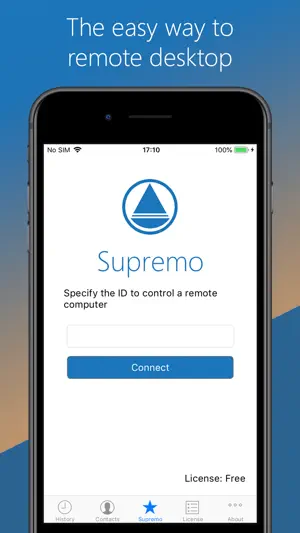
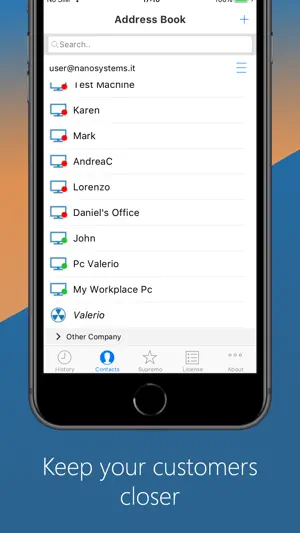
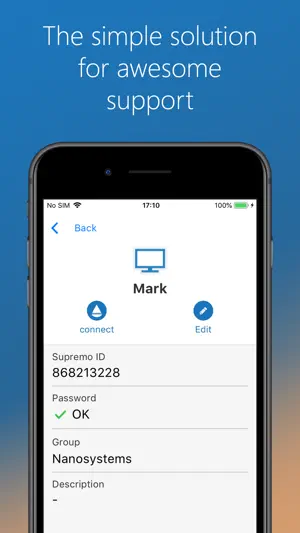
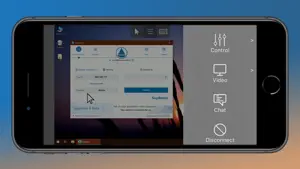
Supremo Remote Desktop is a powerful, easy and complete solution for remote desktop control and support. It allows to access a remote PC in just a few seconds. Supremo is also compatible with Supremo Console, the IT Management Console. Download, access, control. With Supremo Remote Desktop you can: • Remote control PCs and servers, from your personal devices • Chat with the remote user Features: • Secure remote control, protected by AES 256-bit encryption • Full mouse and keyboard support, including special keys • Zooming and screen scrolling • Integrated chat • Multi-display support • UAC-compliant • Cloud-synced address book powered by Supremo Console Get started: 1. Install Supremo Remote Desktop 2. Download and launch Supremo for Windows from the PC/server you need to remote control, take note of ID and password 3. Launch Supremo Remote Desktop and specify ID and password 4. Remote control the machine!
Ratings & reviews
3.3
12 ratings
What’s new
Version 5.0.3 · Updated September 16, 2026
New Features - The user interface has been completely redesigned for a cleaner, more intuitive experience - Incoming connections can now also be allowed - Introduced a new, faster, and more lightweight communication protocol with gateways - Introduced end-to-end connection encryption based on the TLS 1.3 standard - OpenSSL libraries updated to version 3.5.7 - New EULA (End User License Agreement) and integrated alerts in case of use of weak passwords
App privacy
The developer, Nanosystems S.r.l., reported these privacy practices to Apple.
Data Linked to You
The following data, which may be collected and linked to your identity, may be used for the following purposes:
- Contact Info: Other User Contact Info
- Usage Data: Product Interaction
Used for: Analytics, App Functionality
Alternatives to Supremo Remote Desktop
Looking for apps like Supremo Remote Desktop? Here are 6 similar apps on the App Store. The highest rated is Avica Remote Desktop (4.8/5), and all 6 are free to download.
-
 Avica Remote Desktop
4.8
Avica Remote Desktop
4.8
-
 RemotePC Remote Desktop
4.6
RemotePC Remote Desktop
4.6
-
 NoMachine
3.0
NoMachine
3.0
-
 TeamViewer Assist AR (Pilot)
4.3
TeamViewer Assist AR (Pilot)
4.3
-
 Duplica - iOs Share Screen
3.9
Duplica - iOs Share Screen
3.9
-
 Duet Air - Remote Desktop
4.3
Duet Air - Remote Desktop
4.3
| App | Rating | Price | Last updated | Compare |
|---|---|---|---|---|
| Supremo Remote Desktop | 3.3 / 5 (12 ratings) | Free | September 16, 2026 | |
| Avica Remote Desktop | 4.8 / 5 (32) | Free | Nov 23, 2024 | Compare |
| RemotePC Remote Desktop | 4.6 / 5 (3,561) | Free | Oct 23, 2026 | Compare |
| NoMachine | 3.0 / 5 (125) | Free | Aug 3, 2026 | Compare |
| TeamViewer Assist AR (Pilot) | 4.3 / 5 (81) | Free | Oct 27, 2026 | Compare |
| Duplica - iOs Share Screen | 3.9 / 5 (145) | Free | Oct 7, 2026 | Compare |
| Duet Air - Remote Desktop | 4.3 / 5 (1,874) | Free | May 5, 2026 | Compare |