

SMS360 My Forms
Flightdatapeople.com Travel iPhoneiPadiPod touch
SMS360 My Forms is a free Travel app for iPhone and iPad by Flightdatapeople.com. Requires iOS 15.0. Updated September 30, 2026.
- Price
- Free
- on the App Store
- Size
- 110 MB
- Age 4+
- Updated
- Sep 30
- 2026 · v2.8
Screenshots



About SMS360 My Forms
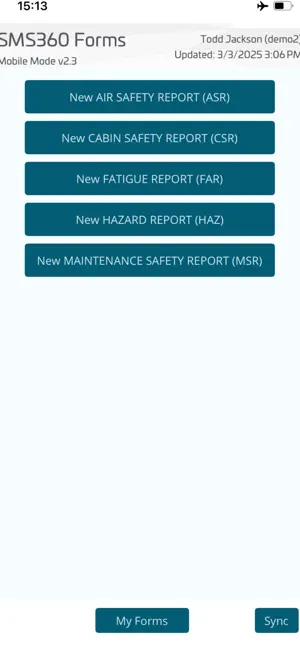
Safety related forms can be submitted offline using the SMS360 My Forms App for IOS. The offline app uses the same forms set up in Web-based SMS360 software and will either automatically upload a completed occurrence form if connected or the reporter can synchronise later when online. The app allows forms to be returned to the reporter along with feedback if required. The offline occurrence form can be saved as draft and submitted later. The device camera is accessible from the App and previously stored photos can also be added to the report when required. Any form design changes made in SMS360 will be downloaded to the app when connected online.
What’s new
Version 2.8 · Updated September 30, 2026
Added additional logging and error handling when saving a form. Now if an error occurs, it will give more information, including a list if failed fields and not prevent the whole form save from failing. Fixed some permissions issues when attaching photos and media, particularly when permissions have been limited or denied. Added auto-recovery of forms if the app is killed or crashes whilst entering - recovered forms will be saved as draft to the my forms page. Added ability to delete local draft forms.
App privacy
The developer, Flightdatapeople.com, reported these privacy practices to Apple.
Data Linked to You
The following data, which may be collected and linked to your identity, may be used for the following purposes:
- Contact Info: Email Address
- User Content: Photos or Videos
Used for: App Functionality
Data Not Linked to You
The following data, which may be collected but is not linked to your identity, may be used for the following purposes:
- Diagnostics: Crash Data
Used for: App Functionality