

SagesGov Field Assistant
Harish Krishna Productivity iPhoneiPadiPod touch
SagesGov Field Assistant is a free Productivity app for iPhone and iPad by Harish Krishna. Rated 5.0/5 from 4 ratings. Requires iOS 12.0.
- Rating
- 5.0
- 4 ratings
- Price
- Free
- on the App Store
- Size
- 50 MB
- Age 4+
- Updated
- Oct 16
- 2025 · v3.4.9
Screenshots



About SagesGov Field Assistant
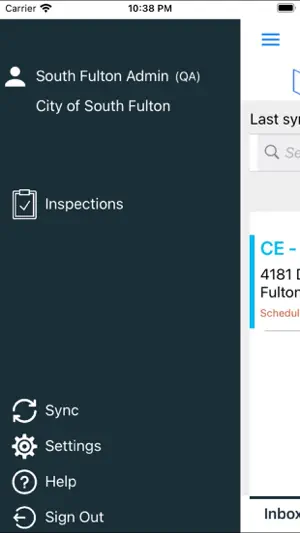
Our application can be used in various scenarios such as Field Inspections, Construction Inspections, Public Works Inspections, Home Inspections etc. You can take pictures of your inspections as they are being performed and synchronize your results, comments, signature and pictures with the SagesGov server. Inspections are stored locally on your mobile device and on the remote SagesGov server allowing both online and offline scenarios. The application is also integrated with Arc GIS Online providing up-to-date Mapping data for your inspection on your mobile device. Key features: - All communication is over SSL ensuring that your data is always encrypted. - Online and Offline capabilities. Inspectors will be able to perform their daily tasks with or without an active internet connection. - Integration with ESRI ArcGIS mapping software for up-to-date Mapping data. - Take photographs of Inspections and upload to the server for more accurate results. - Capture hand-drawn signature on your device as part of the inspection result. - Choose from a list of pre-defined inspection comments for quick and easy entry of results. - Print inspection result document in the field on your Google print enabled cloud printer. - Intuitive interface allows Inspectors to easily navigate their pending and completed work lists. - Real-time Alerts are displayed when there is a conflict between the Action being performed on the mobile device and the SagesGov web application. The application also has detailed History of all actions to help the inspector in the field. - Automatic synchronization of Inspections from your smartphone or tablet to the SagesGov Server keeps your Inspections up to date. Inspectors will also be able to sync inspections manually with the SagesGov server. - Inspectors will be able to manage their inspections from their devices and also through the SagesGov Cloud based Web Application. Developed by a team that has proven experience delivering quality field inspections applications to local governments in the USA.
What’s new
Version 3.4.9 · Updated October 16, 2025
- Allow overall comment to be specified with 'Complete' action during inspection result entry. - Performance improvements.
App privacy
The developer, Harish Krishna, reported these privacy practices to Apple.
Data Linked to You
The following data, which may be collected and linked to your identity, may be used for the following purposes:
- Identifiers: User ID
Used for: App Functionality
Data Not Linked to You
The following data, which may be collected but is not linked to your identity, may be used for the following purposes:
- Location: Precise Location, Coarse Location
- User Content: Photos or Videos, Other User Content
Used for: App Functionality
Alternatives to SagesGov Field Assistant
Looking for apps like SagesGov Field Assistant? Here are 6 similar apps on the App Store. The highest rated is GovInspect (4.4/5), and all 6 are free to download.
-
 Digital Eyes
-
 GovInspect
4.4
GovInspect
4.4
-
 Snap Doc Pro: PDF Scanner
-
 Inspector V2
-
 Lindsay Chevrolet Connect
-
 QwikSpec Field
| App | Rating | Price | Last updated | Compare |
|---|---|---|---|---|
| SagesGov Field Assistant | 5.0 / 5 (4 ratings) | Free | October 16, 2025 | |
| Digital Eyes | – | Free | Apr 14, 2026 | Compare |
| GovInspect | 4.4 / 5 (7) | Free | Oct 1, 2026 | Compare |
| Snap Doc Pro: PDF Scanner | – | Free | Jan 9, 2026 | Compare |
| Inspector V2 | – | Free | Jul 23, 2026 | Compare |
| Lindsay Chevrolet Connect | – | Free | Apr 15, 2026 | Compare |
| QwikSpec Field | – | Free | Sep 1, 2026 | Compare |