

Golf Trainer by EyesOn
John Carney Sports iPhoneiPadiPod touch
Golf Trainer by EyesOn is a free Sports app for iPhone and iPad by John Carney. Rated 4.3/5 from 11 ratings. Requires iOS 15.0. Updated April 3, 2026.
- Rating
- 4.3
- 11 ratings
- Price
- Free
- on the App Store
- Size
- 83 MB
- Age 4+
- Updated
- Apr 3
- 2026 · v1.8.1
Screenshots



About Golf Trainer by EyesOn
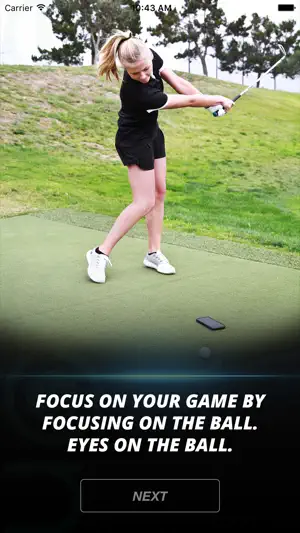
Introducing EyesOn: Today, with the help of technology, we can train ourselves to keep our head still or quite during our golf swing. While practicing on the range, chipping, and/or putting, we can improve our golf game with the use of a cell phone and the EyesOn App. How to: Simply click on your EyesOn App, choose the selection of colors or shapes, and then place your cell phone about 5 inches on the far side of your golf ball. Next, just conduct your golf shot/chip/putt. As your club makes contact with the ball, the EyesOn App will flash a color or shape within a split second after contact. Your job is to recognize the color or shape before you allow your head and eyes to follow the flight of your golf ball. If you did not see the color or shape, your head and eyes came up to quickly…therefore, not a still or quiet head. After your golf ball has finished its flight, you can now look back down at your cell phone and the EyesOn App will confirm the color or shape that flashed. This confirmation prevents guessing. The EyesOn App is a great training tool for every golfer. Adopt a still and quite head and experience better ball contact, more consistent shots, and lower scores.
Ratings & reviews
4.3
11 ratings
What’s new
Version 1.8.1 · Updated April 3, 2026
iOS updates
App privacy
The developer, John Carney, reported these privacy practices to Apple.
Data Used to Track You
The following data may be used to track you across apps and websites owned by other companies:
- Usage Data: Advertising Data
Data Linked to You
The following data, which may be collected and linked to your identity, may be used for the following purposes:
- Usage Data: Advertising Data
Used for: Developer’s Advertising or Marketing, Analytics
Data Not Linked to You
The following data, which may be collected but is not linked to your identity, may be used for the following purposes:
- Usage Data: Product Interaction
- Diagnostics: Crash Data, Performance Data
Used for: Developer’s Advertising or Marketing, Analytics